Memory Game in JavaScript: How the Source Code Works
Shuffled pairs, a three-state flip lock, a match check and a win condition in short snippets, plus what a finished template adds.

A memory game in JavaScript needs four things: a shuffled deck in which every symbol appears twice, a flip state machine with three states (no card up, one card up, two cards up with the board locked), a check that keeps matching pairs open, and a win condition that fires when no pairs are left. Everything else, from the timer to the flip animation, is presentation on top of those four parts.
Below, each part comes with short snippets in plain JavaScript written for this article: teaching examples, not the code inside our templates. Then we look at what a finished game adds, and when buying memory game source code is faster.
The four parts of a memory game in JavaScript
Build the deck from pairs
Duplicate each unique symbol and give every card its own key. With symbols = ['owl', 'fox', 'cat', 'bee'], this line gives eight cards: const deck = symbols.flatMap((s) => [s, s]).map((symbol, i) => ({ key: i, symbol, open: false, matched: false })); Compare symbol to find a pair, and use key to tie each card to its element on the page.
Shuffle with Fisher-Yates, not sort
The popular deck.sort(() => Math.random() - 0.5) is biased. A sort expects consistent comparisons, so random answers make some orders far more likely than others, by an amount that depends on the browser. Fisher-Yates walks from the end and swaps each element with a random position at or before it, which gives every order the same chance:
for (let i = deck.length - 1; i > 0; i--) { const j = Math.floor(Math.random() * (i + 1)); [deck[i], deck[j]] = [deck[j], deck[i]]; }
The i + 1 matters: j must be able to equal i, or no card could ever stay in place.
The flip lock: three states
Every first version has the third-card bug: two cards miss and, before they close, the player taps a third. Two variables fix it: first holds the face-up card, and lock is true while a missed pair waits to close. That gives the three states: no card up (first is null), one up (first is set), two up (lock is true). The click handler:
- Ignore taps while locked or on an open card: if (lock || card.open) return;
- Open the card. If it is the first, remember it and stop: card.open = true; if (!first) { first = card; return; }
- It is the second card, so count a move: moves++;
- On a match, keep both open: if (first.symbol === card.symbol) { first.matched = card.matched = true; first = null; pairsLeft--; }
- Otherwise, lock the board and close both after a pause: lock = true; const a = first; first = null; setTimeout(() => { a.open = card.open = false; lock = false; render(); }, 800);
- After a match, check the win: if (pairsLeft === 0) showWin(moves, seconds());
Copy first into a before clearing it, because the timeout runs 800 milliseconds later, when first must already be free. Set pairsLeft = symbols.length at the start of a game and call render() after every change.
Moves, time, the flip animation and accessibility
Moves and time
Count a move on the second card only. Start the clock on the first flip, not on page load: let start = null; then start ??= performance.now(); inside the click handler, and const seconds = () => Math.round((performance.now() - start) / 1000); to read it. Browsers slow timers in background tabs, so adding one per setInterval tick drifts, while timestamps stay right.
CSS 3D flip in two lines
Two rules do the flip: .card { transition: transform 0.4s; transform-style: preserve-3d; } and .card.open { transform: rotateY(180deg); } Give both faces backface-visibility: hidden, start the front face at transform: rotateY(180deg), and add perspective: 800px to the board. For players who turn animations off: @media (prefers-reduced-motion: reduce) { .card { transition: none; } }
Keyboard and screen readers
- Make each card a <button>: Tab, Enter and Space then work with no extra code.
- Change the label with the card: aria-label="Card 5, face down" while hidden, then "Card 5, owl".
- Disable matched cards with the disabled attribute, so they leave the tab order.
- Announce "Pair found" or "No match" in a live region such as <p aria-live="polite">.
- Do not rely on colour: use symbols with different shapes, and mark matches with an outline or a check mark.
What takes a weekend and what takes weeks
All of the above fits in a weekend, tests included. A game you can hand to players or a client takes weeks, because most of the work sits around the loop:
- Levels and a difficulty curve, tuned by playtesting.
- Consistent art for card faces, card backs, backgrounds and interface, sharp on dense screens.
- Animation and feedback: pair effects, combos, win and lose screens.
- Saves that cope with a missing or damaged record.
- Languages, with layouts that still fit longer words.
- Touch targets, portrait and landscape, small screens.
- Music and sound switches that the game remembers.
- Testing on every browser and device you support.
Memory game source code you can buy: four Polar templates
We sell four finished memory games as HTML5 templates, with the same structure and different themes. At the time of writing, each one is version 1.0.0 and lists at $49.
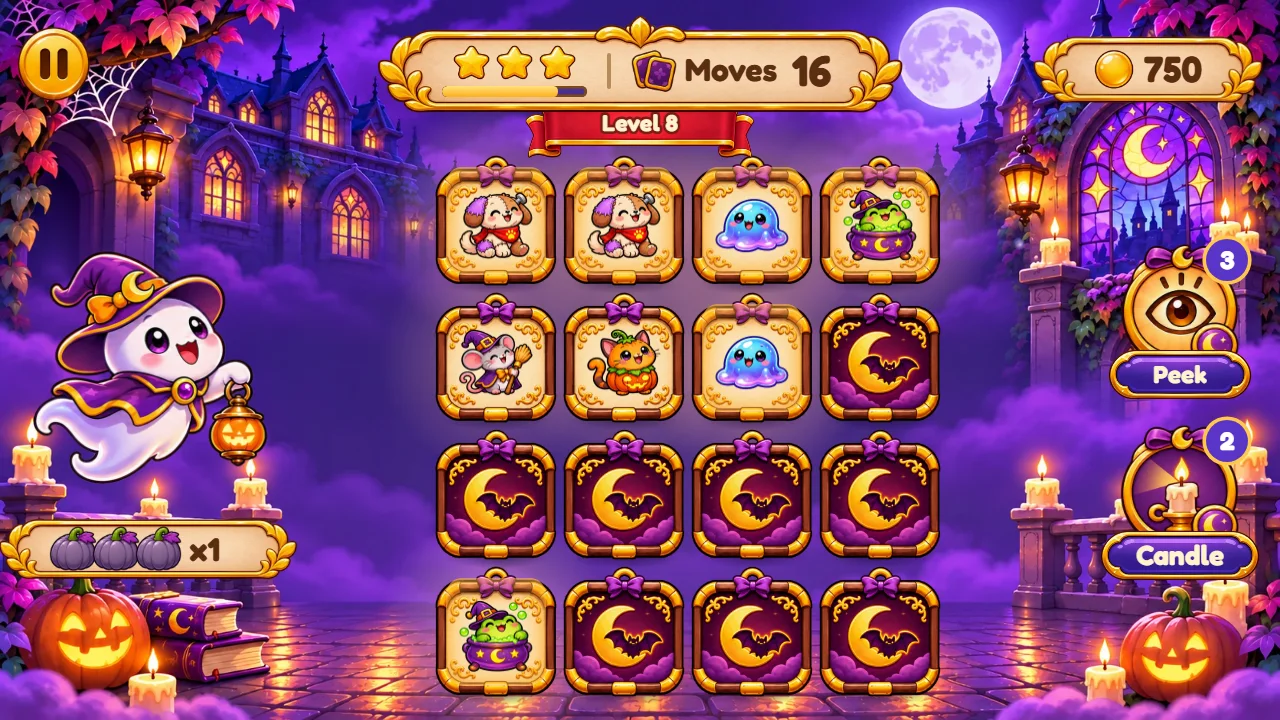
- Memory Mansion: a cozy Halloween haunted house, never scary. Wisp the little ghost, Peek and Candle powers, 60 Spookies to collect.
- Jinglewood Memory: a Christmas village with gift-tag cards. Tinsel the reindeer, Peek and North Star powers, 60 Snowpals.
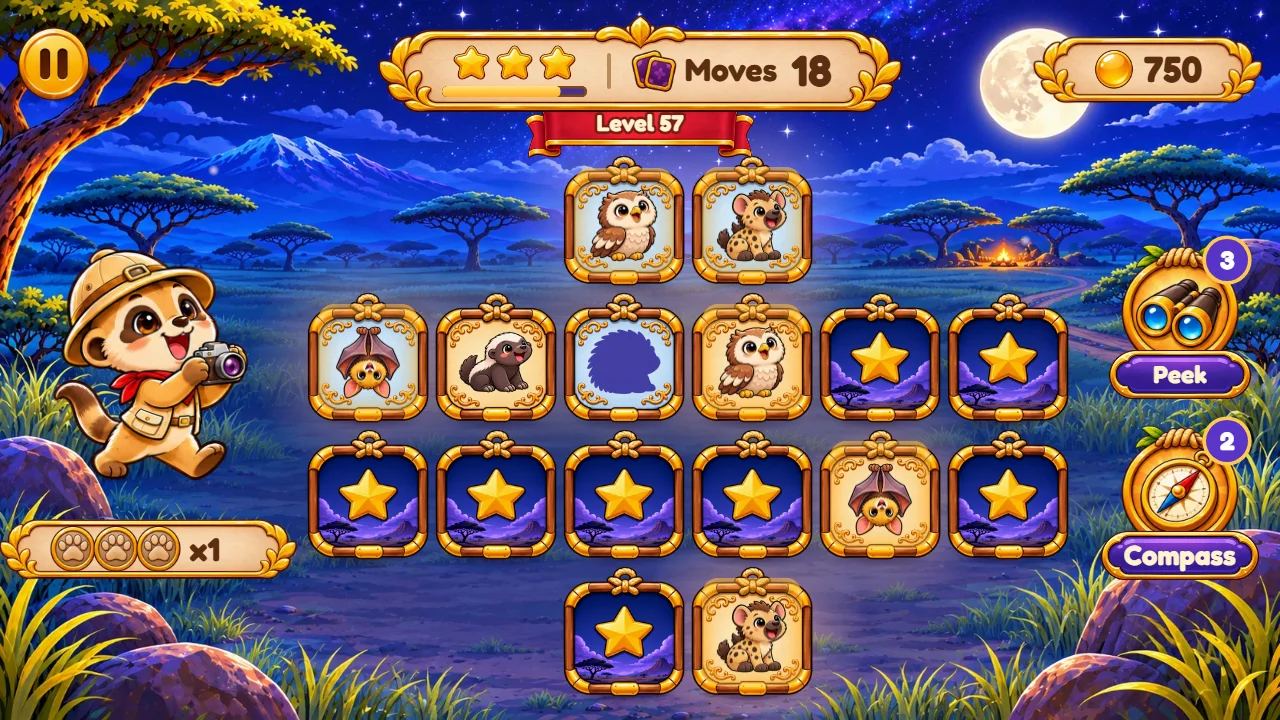
- Safari Memory: wooden safari cards and baby animals. Kiko the meerkat, Peek and Compass powers, 60 Safari Pals.
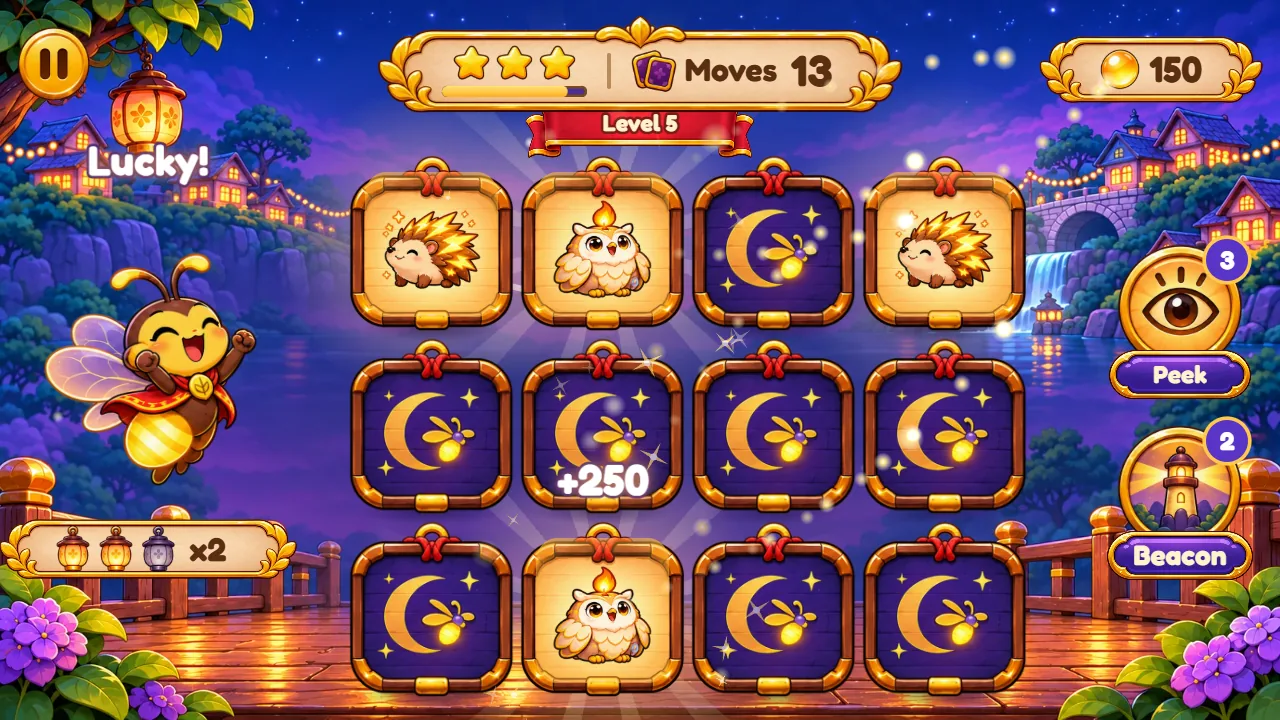
- Fireflip: lantern cards in a fairy-tale village. Flick the firefly, Peek and Beacon powers, 60 Glimmers.
What all four include
- 60 levels in 5 worlds, each with its own level map and a new rule: requests shown in a bubble, cards held until the pair next to them is matched, a gust that swaps two cards, and characters that match their shadow.
- A move limit and up to three stars per level, a reward chest every 9 stars, a +5 moves rescue, a Collection album and a Daily board with a calendar and a streak.
- Two powers: Peek shows every card for a moment, and the second power shows where a card's twin is.
- 14 interface languages, on phones, tablets and desktops, in portrait or landscape.
- HTML5, Canvas 2D and Web Audio in readable plain JavaScript modules and CSS, with no dependencies, no build step and rule tests. Files: HTML, CSS, JavaScript, PNG, WebP, MP3 and WOFF2, with a ready-to-host game/ folder.
- An illustrated offline buyer guide in English, Portuguese and Spanish, plus a step-by-step customisation guide.

What is easy to change
CUSTOMIZATION.html shows which file draws each part of every screen, how to replace the card pictures, card backs, backgrounds and the mascot, and where levels, powers, rewards and texts are. The mascot, Daily board and Collection switch off in one config file; character names sit in one card-set file for renaming or translation.
Price, bundle tiers and limits
Bundle discounts apply to every licence in the order: 5% for two templates, 10% for three, 15% for four and 20% for five or more. Promotions apply only as shown at checkout. The editions leave out native apps, hosting, custom development, online multiplayer, online ranking, in-app purchases and an advertising SDK. Progress is saved in the player's browser.
Buyer checklist
- Play the demo on the phones and computers your players use, in both orientations.
- Check that the online documentation covers what you plan to change.
- Pick the theme first: swapping art is a smaller job than changing rules.
- Confirm that the 14 interface languages fit your audience.
- Choose the final address before launch: browser saves belong to the site address.
- Count end products: one licence covers one.
Browse every HTML5 puzzle game template
FAQ
Can I change the card images?
Yes. The customisation guide in each package shows how to replace the card pictures, card backs, backgrounds and the mascot.
Does it need a server?
Only static hosting. Upload the contents of game/ to any HTTP(S) host; no database or author account is required.
Can I use it for a client?
Yes. Each purchase is a perpetual, non-exclusive licence for one end product, yours or one client's, and white label is allowed. You may not resell or share the template or its code on its own.
What support is included?
Six months from the purchase date, or 12 with the extension at checkout. Customisation and new features are quoted separately.
Are the snippets in this article taken from the templates?
No. They are short examples written for this guide. Each template has its own structure, described in its documentation.
Build it or buy it?
Build the loop yourself to learn or to prototype: the snippets above are enough. For a client launch or a seasonal date, a template gives you the levels, art, languages and testing, and your time goes to branding and content.
Memory Mansion: Halloween memory game, demo and licence
Jinglewood Memory: Christmas memory game, demo and licence
Safari Memory: safari animals memory game, demo and licence
Fireflip: fairy-tale memory game, demo and licence