
Construct 3 Game Templates or a Vanilla JavaScript Template? How to Choose
An engine project that opens in an editor, or plain files you edit in any text editor: what each one needs, what each gives you and how to test one before you pay.

Pick one of the Construct 3 game templates if you want to change the game in a visual editor and you are happy to open that editor every time. Pick a vanilla JavaScript game template, an HTML5 game template with no engine needed, if you can open code in any text editor, or if someone on your side can. Neither is the better product. The difference is what has to be installed on your computer before you can change anything.
We sell the second kind, so we have a stake in this. To keep it fair, we read the public pages of the engine side as they stood on 24 October 2026: Construct's own feature comparison and documentation, and four public CodeCanyon listings for HTML5 games that ship Construct projects. Everything we say about our templates comes from our item pages, our terms and the public manuals, which you can open yourself.
Below you get a short decision tree, an honest list of what you gain and give up on each route, two of our templates opened up, a test you can run before paying for either kind, and six questions people ask.
Construct 3 game templates: what they are and what you need to open one
Construct is a game-making tool with a visual editor that also runs in the browser. In practice, a Construct 3 game template is a project file made for that editor, plus an HTML5 version of the game you can host as it is. In the four CodeCanyon listings we opened, the file list had the same shape every time: a .c3p project next to the HTML5 game files.
What those four listings said about editing, one by one: one says that to edit the code you need the Construct 3 tool, points to the online editor and adds that the free version has limitations. One says a free third-party plugin is required just to open the project. Two list Construct 3 as the software version and offer help with swapping the art (replace the images in an image editor; a reskin guide) without saying which edition of the engine you need. We name no sellers: this is a pattern, not a verdict on any of them.
What the engine's own pages say, read on 24 October 2026: the free edition includes export to HTML5. It caps the number of events (50 when you are logged in with a verified email, 25 as a guest) and of layers (2). The feature table lists earning from games, advertising and in-app purchases among the things the free edition does not include. The page also splits the paid plans by who is buying, for example individuals, registered businesses and educational institutions, so check which one is yours.
Construct's documentation and website describe games built from event sheets: events made of conditions and actions that you see in the editor, with JavaScript as an option for advanced users. That is the main attraction of the route, and the next sections treat it as one.
See the Polar Games Marketplace
An HTML5 game template with no engine needed: what that means in our catalogue
A plain JavaScript template is a folder of HTML, CSS, JavaScript and JSON files. Any text editor opens them, and a browser runs them once they sit on a web host. Double-clicking index.html does not work, because browsers block modules on file://.
We have to be exact here, because “no engine” is not the same as “no build step”. Reading the requirements of every item in the marketplace, the editions fall into three groups:
- Edit and upload, nothing to install: Ricopop (its game/ folder is itself the editable source: edit, upload, refresh), Velvet Pool and Puttide (no npm, no build step, no PHP, no database; Velvet Pool's manual has you edit in source/ and copy the changed files to game/). Node.js appears only in optional developer tools, in the editions that have them.
- Plain files with a small build helper: Gridspark and Solitaire Links (the latter is plain HTML, CSS and JavaScript). Installing and playing needs no build in either. Gridspark's manual has you work in source/ and run npm test and npm run build (Node.js 20+, no npm dependencies) so the playable files land in game/, and its settings file is plain text. In Solitaire Links the settings file is edited without a build, Node.js 20+ is needed only for tests and language generation, and for artwork, rules and text its manual points to the optional source edition and a rebuild.
- TypeScript projects: Beep Out, Pinloop, Riffvolt, Sunset Rally, Trimora and Twirldrop (Vite builds), Zabum (React and TypeScript), and Tenguin, Mochi Monsters, Deepforge and Barricade Z. The game/ folder you host is readable JavaScript, but changing the TypeScript source and rebuilding needs Node.js (Trimora's requirements list npm ci, npm test and npm run build). The exact version is on each item's Requirements tab.
In every edition the ready-to-host game/ folder runs as it is on a static host. None of the requirement lists names a game-engine editor or an engine licence, and none asks for an account to edit. That is the whole claim. We do not say that every template here skips the build step, because it is not true.
A short decision tree: if you want this, pick that
Start from what you want to do on the first day, not from the technology.
- If you want to change levels, art and rules without writing code, and you are willing to learn the editor or already use it: an engine template. Visual events are built for exactly that.
- If you already use Construct and want a head start on a type of game: an engine template, because you will open the project in a tool you know.
- If you, or your developer, work in a code editor with version control and want to see every change as a text diff: a plain JavaScript template.
- If you only want to change the name, colours, texts and levels and then upload: either one. Check that the listing names the files (plain JavaScript) or that the free edition can open the project (engine route).
- If you must hand the game to a client who has no engine plan: plain files are easier to pass on, because any text editor opens them. If the client already works in the engine, the project file is the better handover.
- If you plan to earn from ads: read the engine's licence table before you start, since the free edition lists advertising as not included, and read the licence of any template. Ours lets you monetise your end product with advertising, but the games ship without an ad network.
- If you do not know either tool: try each for an hour (see the test section below) and keep the one you stopped fighting.
See Ricopop: a plain JavaScript template whose levels are text maps
The engine route: what you gain and what you give up
Take the engine route seriously. It exists because many people want to make or change a game without writing it, and it is good at that. For some buyers it is simply the right tool.
What you gain
- Visual editing: layouts, objects and event sheets that you read and change on screen instead of in code.
- Documentation, tutorials and a user forum on the engine's own site. When you get stuck you search public answers, which you cannot do for a template sold by one studio.
- Addons: the engine's page lists bundled addons and lets you save third-party addons with your project, so features arrive as add-ons rather than code you write.
- What you learn carries over: your second game uses the same editor and the same events.
- HTML5 export is part of the free edition, so you can build and test before choosing a plan.
What you give up
- You need the editor, and the free edition caps events and layers.
- Some projects need extra plugins (one of the listings we read does).
- Earning from the game depends on the engine's own licence and plan.
- The project is made for one tool: you change it there, not in a text editor.
The plain JavaScript route: what you gain and what you give up
A vanilla JavaScript game template trades the editor for a text file. If you can read code that is a good deal, and if you cannot it is a bad one.
What you gain
- Any text editor opens the files and any static web host serves them.
- No engine plan or account is needed to edit.
- Readable, formatted source, with manuals that show where the logo, colours, rules and texts live.
- Changes show up as plain text, which works with version control.
- Optional automated tests in some editions (Node.js 20+). In Velvet Pool they cover physics, 8-ball rules, CPU matches and translation keys.
What you give up
- You edit code: a stray comma can break a screen.
- No visual editor for levels or layouts. Ricopop's levels are text maps, with a checker that tells you whether a level can still be won.
- No public forum for one template: questions go to the seller, and support has limits. It is 6 months included, or 12 with the extension, and customisation, new features, hosting and SDK or portal integration are separate quoted services.
- What an edition leaves out stays out. Gridspark, for example, has no online leaderboards, accounts, ad SDKs or native app-store builds.
Read the “Not included in this edition” list on every item page. Velvet Pool's names online multiplayer, online rankings, ad SDKs and native apps. Ricopop's names native Android or iOS builds, online multiplayer or a server-verified competitive ranking, and ad network accounts and game-portal SDK integrations.
Two plain JavaScript templates opened up: Ricopop and Gridspark
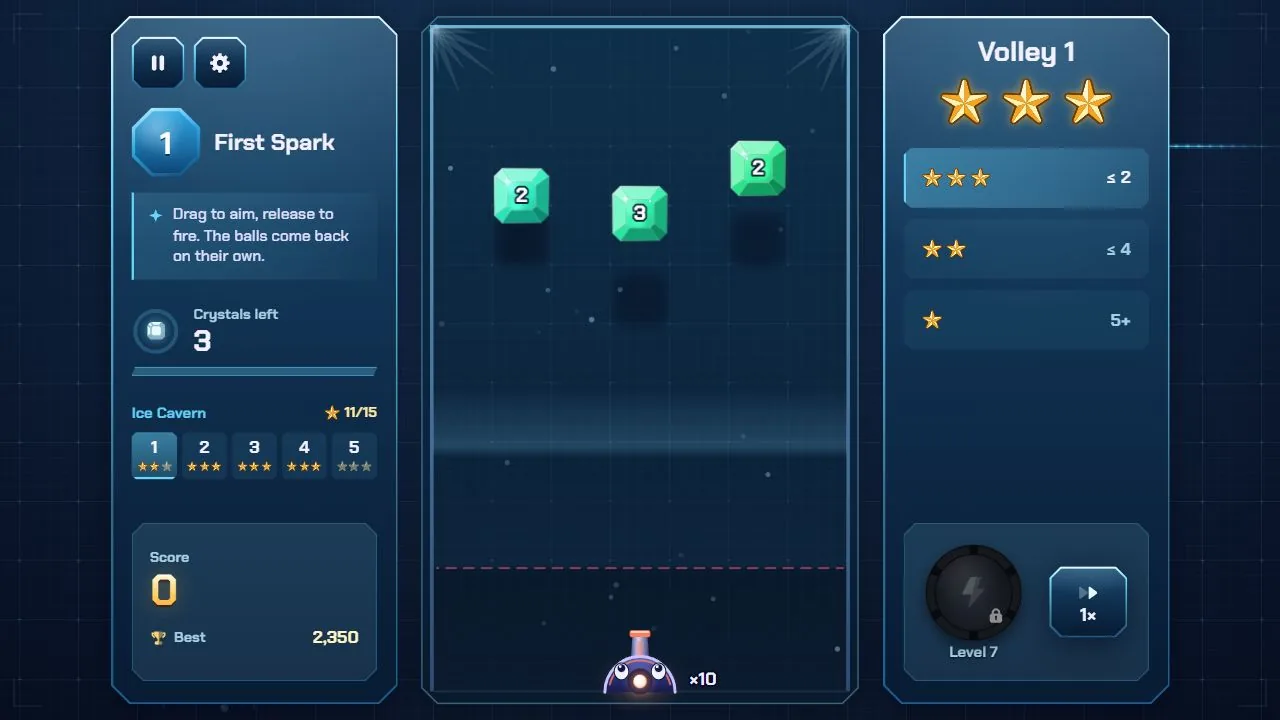
Their public manuals answer “where do I change that?” with a file name. Ricopop comes first, because its game/ folder is the source.
Ricopop: levels as text, no build
- Levels: src/levels.js holds the 50 levels as text maps with par and solution, and a comment at the top explains the format.
- Rules and numbers: src/sim/config.js has the balls per volley, ball speed and scoring values.
- Colours and menu look: style.css.
- Logo: drawn by code in src/ui/logo.js, not an image.
- Texts and the 14 languages: src/locales.js.
- Ads and leaderboard settings, both off by default: ricopop.config.js.
The manual's workflow is edit, upload, hard refresh. It recommends a code editor such as VS Code or Notepad++ and advises against a word processor. After you change a map, the optional tool node tools/validate.mjs checks that every level can still be won, and node tools/validate.mjs --solve 12 finds a solution for level 12. The tools need Node.js 20+.
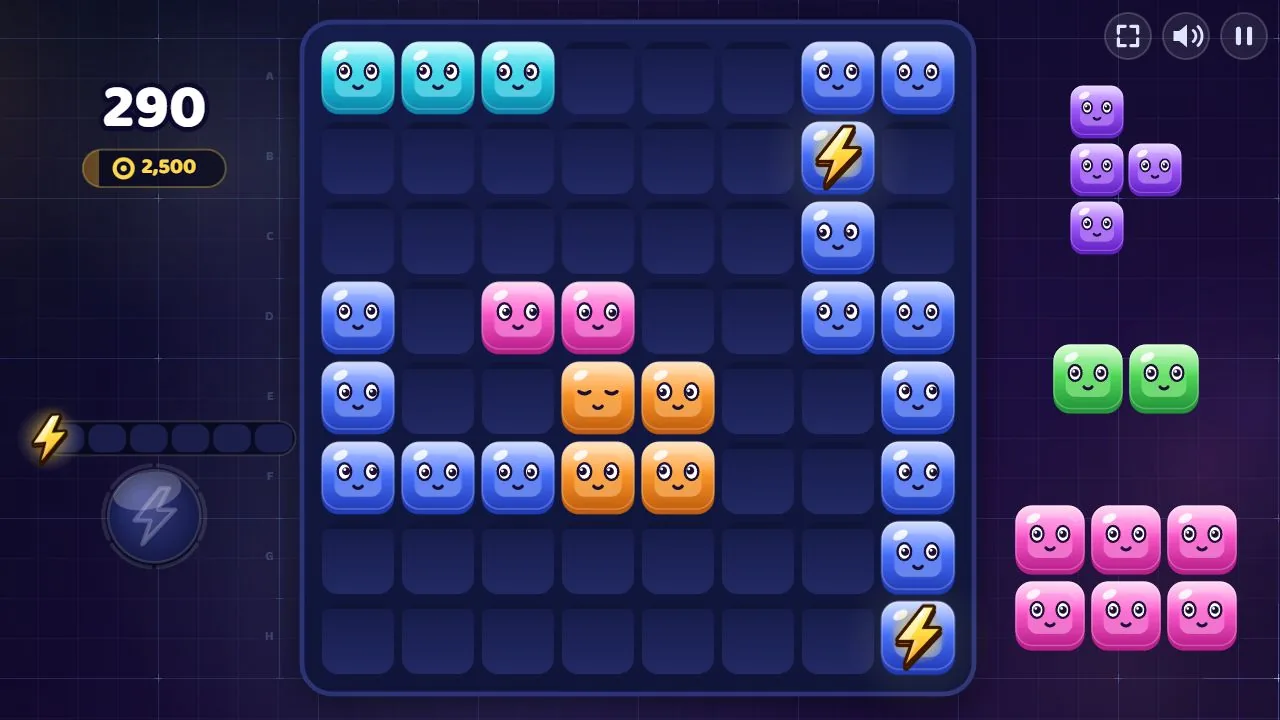
Gridspark: settings in a text file, rules in named modules
- Interface text and languages: src/locales.js.
- Constants and palette: src/config.js. Interface colours: style.css.
- Puzzle rules: game.js, board.js, generator.js and shapes.js.
- Logo, faces and blocks: drawn in src/logo.js.
- Start screen and fullscreen button: gridspark.config.js, a plain-text file that needs no rebuild.
For code changes the manual has you work in source/, then run npm test and npm run build. That needs Node.js 20+ but installs no dependencies.
Velvet Pool follows the same idea in 3D. Its logo is in assets/logo/, cloth and cue styles in src/game/progress.js, CPU behaviour in src/core/ai.js and physics in src/core/physics.js. Its optional tests (npm test inside source/, Node.js 20+) cover physics, 8-ball rules, CPU matches and translation keys, and the manual says plainly that they do not replace testing in browsers and on devices.
See Gridspark, with its live preview and manual
How to test either kind before you pay
You cannot open a project file you have not bought, but you can test almost everything around it. Do these in order, with a timer on.
For both kinds
- Play the demo of the exact edition on the phone your players will use. Rotate it, reload it, change the language.
- Read the requirements and the not-included list. Write down every piece you would still have to build or buy.
- Find the licence and read three sentences: how many products it covers, whether ads are allowed and what you may not resell.
For an engine template
- Ask which edition and version of the engine opens the project, and whether it needs extra plugins.
- Ask how many events and layers the project uses, and compare the numbers with the free edition's limits on the engine's page.
- Open the editor on its own and build a one-screen test, so you know whether you enjoy working in it.
- If you plan to earn from the game, read the engine's licence on that point before buying anything.
For a plain JavaScript template
- Open the public manual and find where the logo, colours, rules and texts live.
- Check what editing requires: nothing, or Node.js and npm. The Requirements tab of each item says which.
- Run it the way the manual says. Velvet Pool's manual, for example, suggests python -m http.server 8765 inside game/ for a local test, then opening http://localhost:8765/.
- Open one script of the demo in your browser's developer tools. If you can follow it, you can edit it.
On our side, templates are digital products: we refund a purchase only if you have not downloaded the template yet, or if the supplied template has a defect we cannot fix. To ask, write to us with your licence number. A refunded purchase ends the licence. Since downloading closes that door, run the tests above before you buy, and certainly before you download.
See Velvet Pool: manual, live preview and the tests mentioned above
FAQ
Do I need a game engine to edit an HTML5 game template?
It depends on how the template was made. An engine template ships a project that opens in that engine's editor, and Construct's project files end in .c3p. A plain JavaScript template is files that any text editor opens. In the Polar Games Marketplace no requirements list names a game-engine editor. Several editions need Node.js, and sometimes npm, only to rebuild their TypeScript source.
Can I edit a Construct 3 template with the free edition?
We cannot answer for a given project. What the engine's page showed on 24 October 2026 is that the free edition exports to HTML5 and caps events at 50 (25 as a guest) and layers at 2, and one listing we read says the free version has limitations. Ask the seller how many events and layers the project uses, and compare.
Is a vanilla JavaScript game template harder to edit than an engine template?
If you do not write code, yes: there is no visual editor, and a typo can break a screen. If you do, changing a colour, a text or a level is an edit to a named file, and the manuals say which one. Ricopop's levels are text maps and Gridspark's settings file is plain text.
Do your templates need npm or a build step?
Some do and some do not. Ricopop, Velvet Pool and Puttide need neither. Gridspark needs no build to install and play, and a dependency-free one (npm test, npm run build, Node.js 20+) only if you change code in source/. Editions made in TypeScript, such as Trimora and Twirldrop, need Node.js and npm to rebuild, though the game/ folder you host is already built. Each item's Requirements tab lists it.
Can I use a template for a client and put ads on it?
Our licence covers one end product, yours or one client's, and players may access it free of charge or through advertising monetisation. You may change the code, art and audio inside it, and you may not resell the template or its source. The games ship without an ad network, so connecting one, and getting its approval, is your part. For an engine template, read the engine's licence as well as the seller's.
What if I choose the wrong kind?
Test first, as above. A refund is possible only if you have not downloaded the template yet, or if the supplied template has a defect we cannot fix. Moving from one route to the other afterwards means rebuilding the game in the other tool, so the hour before paying is well spent.
Open one before you decide
The cheapest comparison costs an hour: play a demo, read a manual, open the editor. Do it once for an engine template and once for a plain JavaScript template, then choose the one you did not dread opening a second time.