
Merge and Mine Game: Deepforge Cost Me One Star in Chamber 4
Two pickaxes become one better pickaxe, physics does the digging and Polarzinho counts expeditions like bamboo shoots.
 By Polarzinho ·
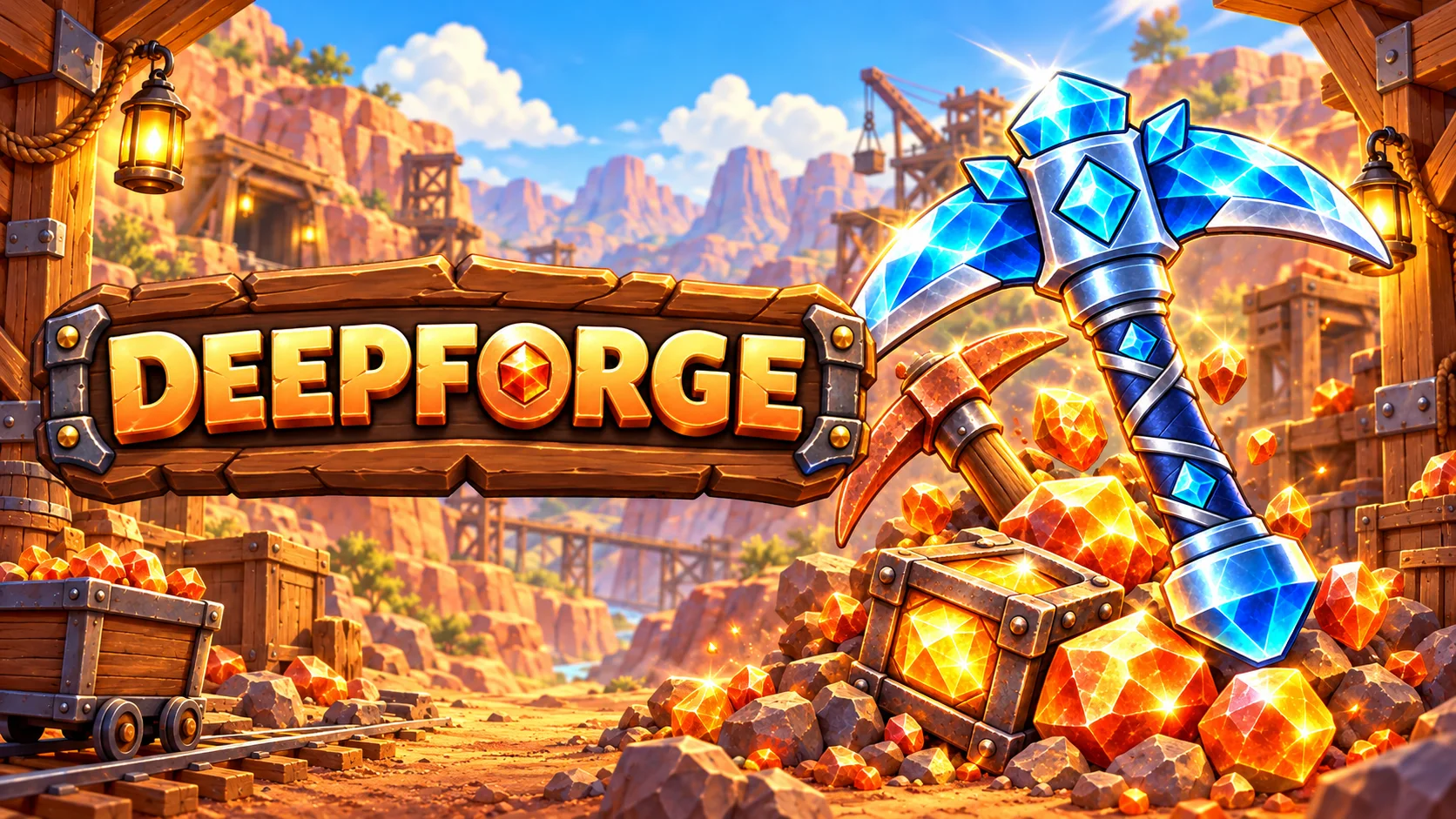
Chamber 4 of Deepforge, a merge and mine game, asked for the core within three expeditions. I took four. The game printed Bonus objective missed in grey type, like a teacher who is not angry, only disappointed, and I sat there with my paw on my chin for a while.
That small sting is the whole charm of Deepforge. It opens in a browser tab, no download. You drag two matching pickaxes together to forge a better one, press DIG, and the picks bounce through a mine of dirt, stone and ore until they crack the glowing core at the bottom. It is physics merge mining, and the physics does all the digging.
I played sixteen chambers through a copper canyon, a crystal cavern, a volcano and a frozen rift. Deepforge was made at my own studio, so my cheering is a given. I will also tell you where I tripped.
What is Deepforge? A merge and mine game where the picks bounce on their own
The screen is split in two. On top sits a bench with two rows of five slots, and the numbers 1 to 5 under it match the five mine columns. Below is the mine, with a glowing core buried in the bottom row. On the right are a shop, a reserve and one very orange button. You never aim a shot. You prepare the team, press the button and watch.
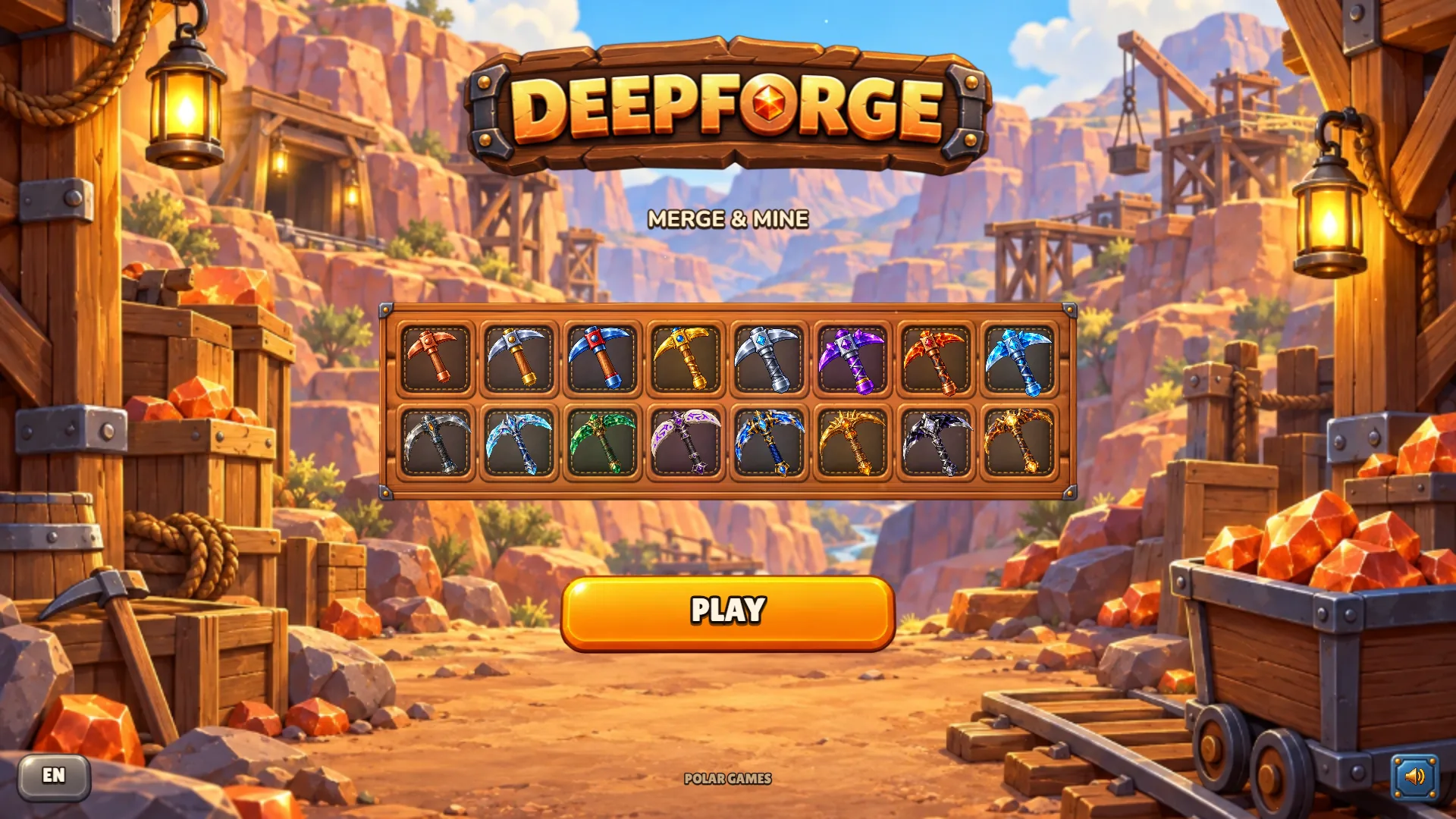
PolarzinhoSixteen pickaxes lined up like a menu of my future mistakes. I want the purple one. I will remember that sentence.
Press PLAY and you land straight in chamber 1, with no account and no long tutorial. Come back later and the button says CONTINUE, with your chamber and coins underneath. Mine read Chamber 11 and 610 coins. The save lives in your browser, so it belongs to that device only.
How to play Deepforge: merge, dig, boost, repeat
The loop is five lines long, and a speech bubble teaches the first one. Here is the version I wish somebody had stuck on my fridge.
- Use the picks you start with, or buy more with BUY, then drag a pick onto another of the same level. They merge into one pick of the next level.
- Arrange the team on the bench. Spare picks can wait in the reserve.
- Press DIG. The picks bounce off the blocks on their own and break dirt, stone and ore.
- Tap BOOST, then a column, to send a lightning pulse down it and nudge your picks that way.
- When the core breaks you get a CORE RECOVERED card with your coins, then NEXT CHAMBER.
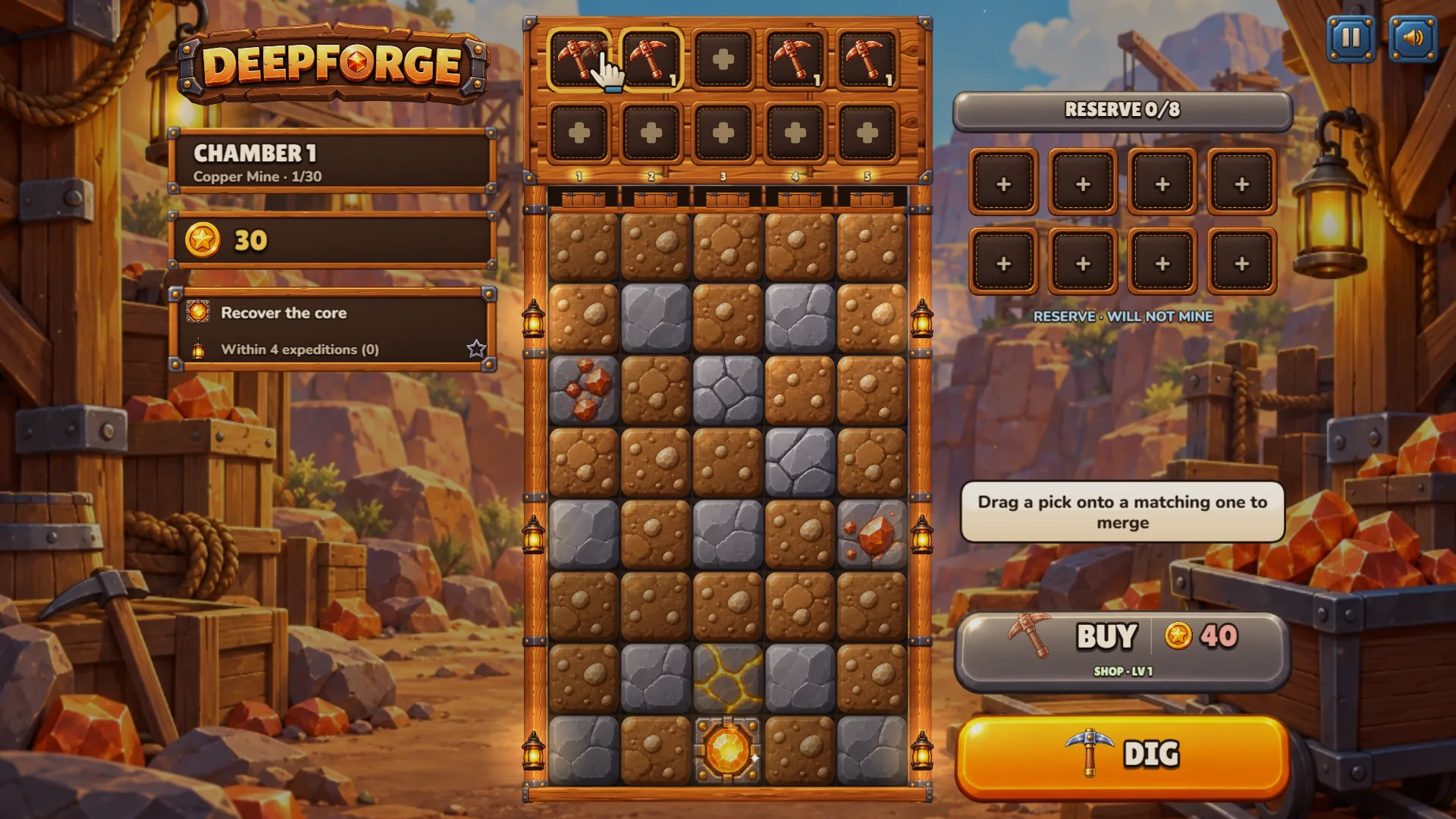
PolarzinhoThirty coins and four little copper picks. I felt like a landlord. A very small landlord of a very small mine.
The numbers in chamber 1: you start with 30 coins, a new pick costs 40, and the goal reads Recover the core, with a bonus star for doing it within 4 expeditions.
Merging picks: from Copper to Blue Steel in two drags
My first drag put one pick onto its twin. A burst of light, a banner that says NEW PICK! and a name: Iron Pick, level 2. The shop panel had warned me: Copper Pick, LV 1, Power 9, Energy 16, and under it a green line reading Merge, LV 2, power 21.
After my first dig I merged the other two copper picks, then dragged the two iron picks together. Out came a Blue Steel Pick, level 3, with 44 coins left to spend.
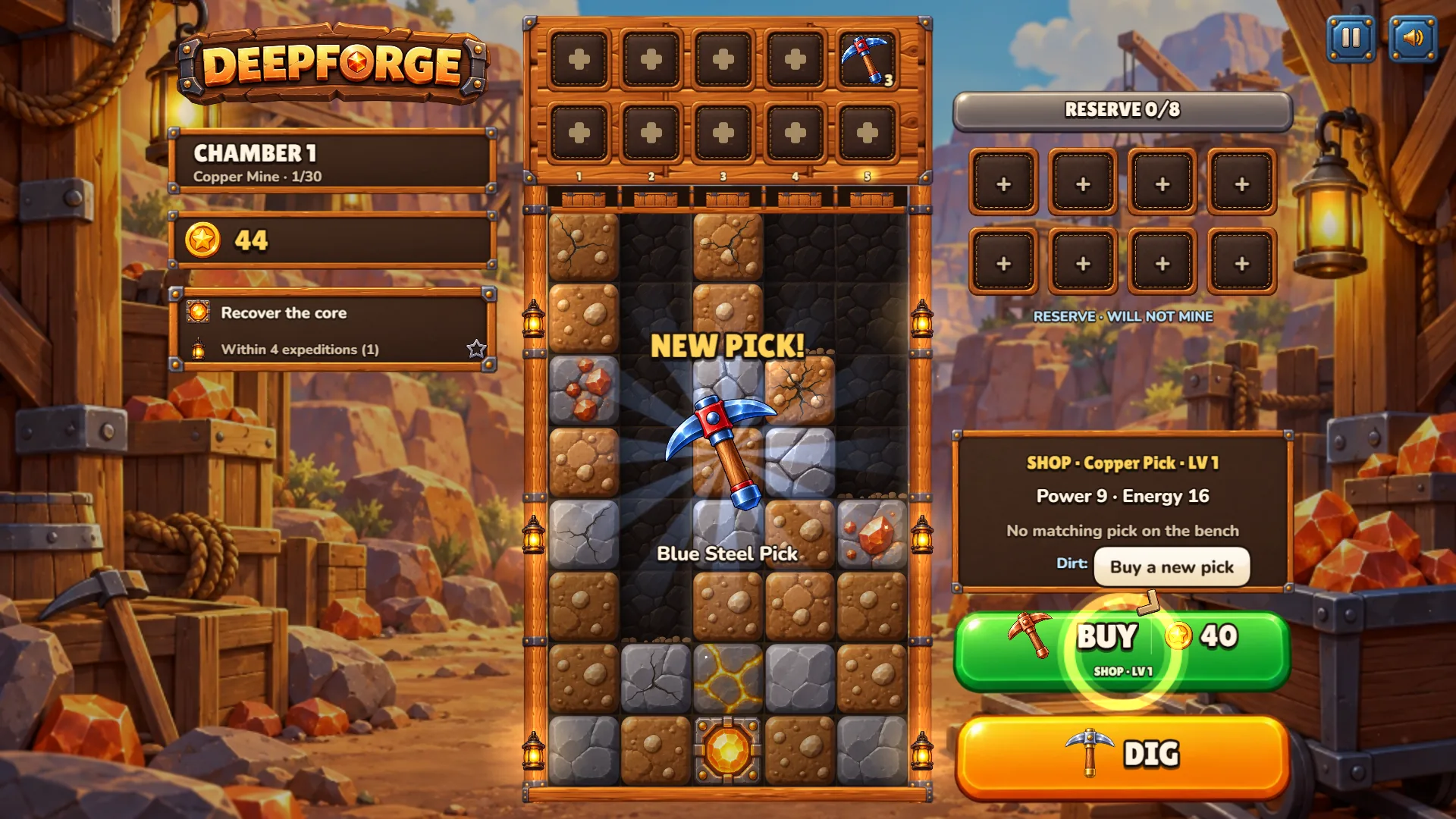
PolarzinhoTwo plain picks went in, one shiny blue one came out. If only my laundry worked like that.
Merge first, buy second
A shop pick costs 40 coins at the start. After I bought one, the button said 43, and in the next chamber I saw 47. Merging is free, and the merged pick is usually a higher level than what the shop sells, so I treat BUY like dessert: only after the merges are done.
Boost: tap the lightning, then tap a column
Once the picks are bouncing, a blue BOOST button appears with two little dots under it. Those are charges. A first-time tip says BOOST pushes your picks toward a column. Tap the button and the hint becomes Tap the column to push toward. Tap a column and a lightning bolt zigzags down it, rings pulsing along the way.
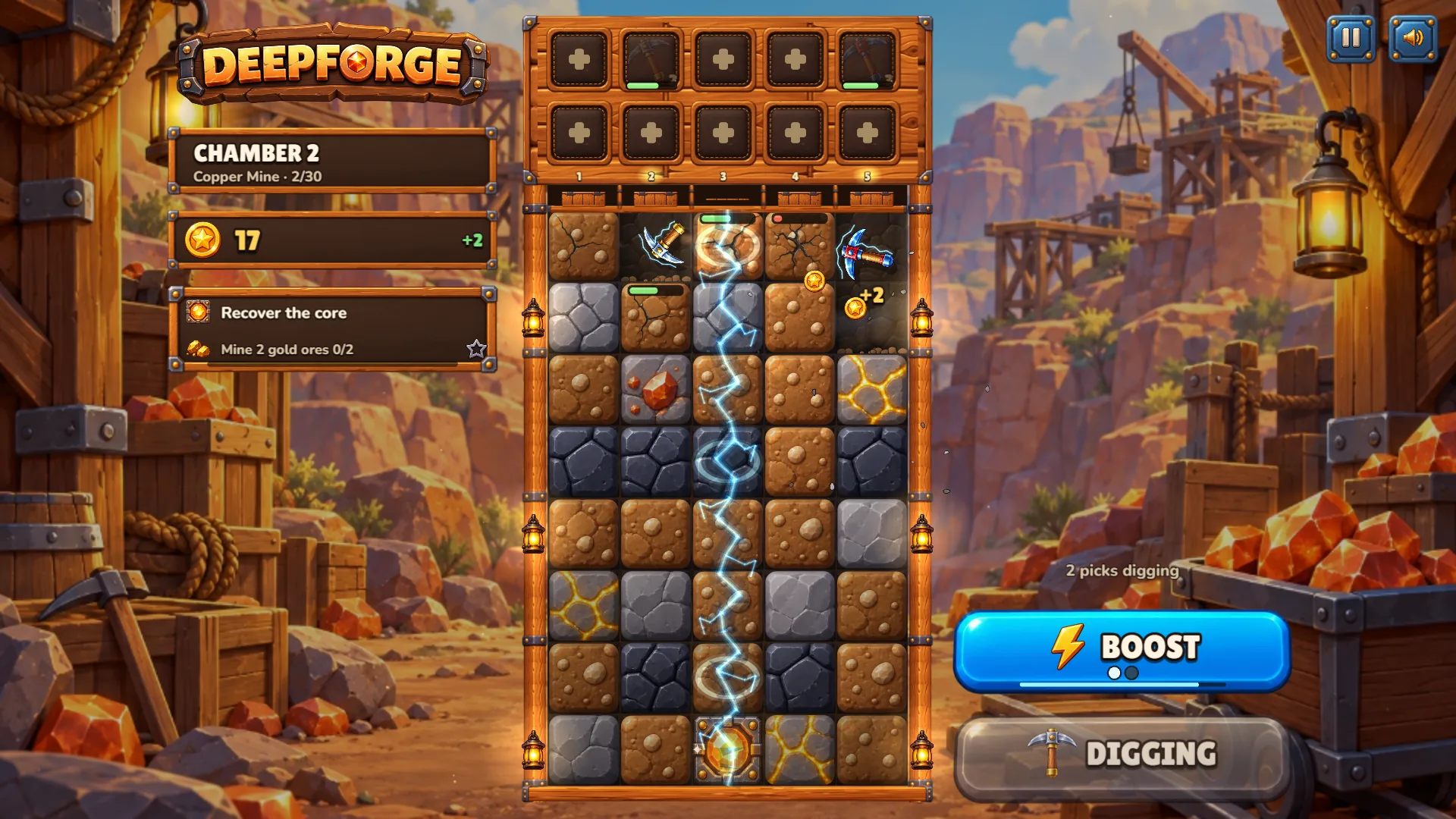
PolarzinhoLightning on demand. I aimed it at the core column and stood up from my chair, which I do not do for most things.
On a keyboard the columns are keys 1 to 5, with B to buy, Space or Enter for DIG, R for the reserve and Esc or P to pause. Phones use touch. I played in a desktop browser, so every screenshot comes from one.
Chambers and biomes: what sixteen chambers looked like
The campaign has 30 chambers in six biomes, and every chamber carries a bonus objective beside the main goal. I got through sixteen chambers and four of the six biomes. Here is the tour as I lived it.
Chambers 1 to 5: Copper Mine, and my chamber 4 shame
Chamber 1 wants the core within 4 expeditions, and I did it in 2, for 56 coins: 34 for the expedition, 12 chamber bonus and 10 for the bonus objective. Chamber 2 asks you to mine 2 gold ores and brings darker, tougher blocks. Chamber 3 asks you to detonate 2 explosives, which is how I met the red dynamite crates.
Chamber 4 is where I fell apart. The bonus wanted the core within 3 expeditions, I used 4, and the end card showed a hollow star beside Bonus objective missed. I still got 63 coins, but the star was gone. My bench was a Lv 1, a Lv 2 and a Lv 4, never merged.
Chambers 6 to 10: Crystal Cavern
At chamber 6 the whole screen turns blue: lanterns, waterfalls in the background and crystals tucked into the stone. The bonus was Collect 3 crystals, and in my second expedition the counter reached 3/3 and the star lit up while a pick was still closing in on the core.
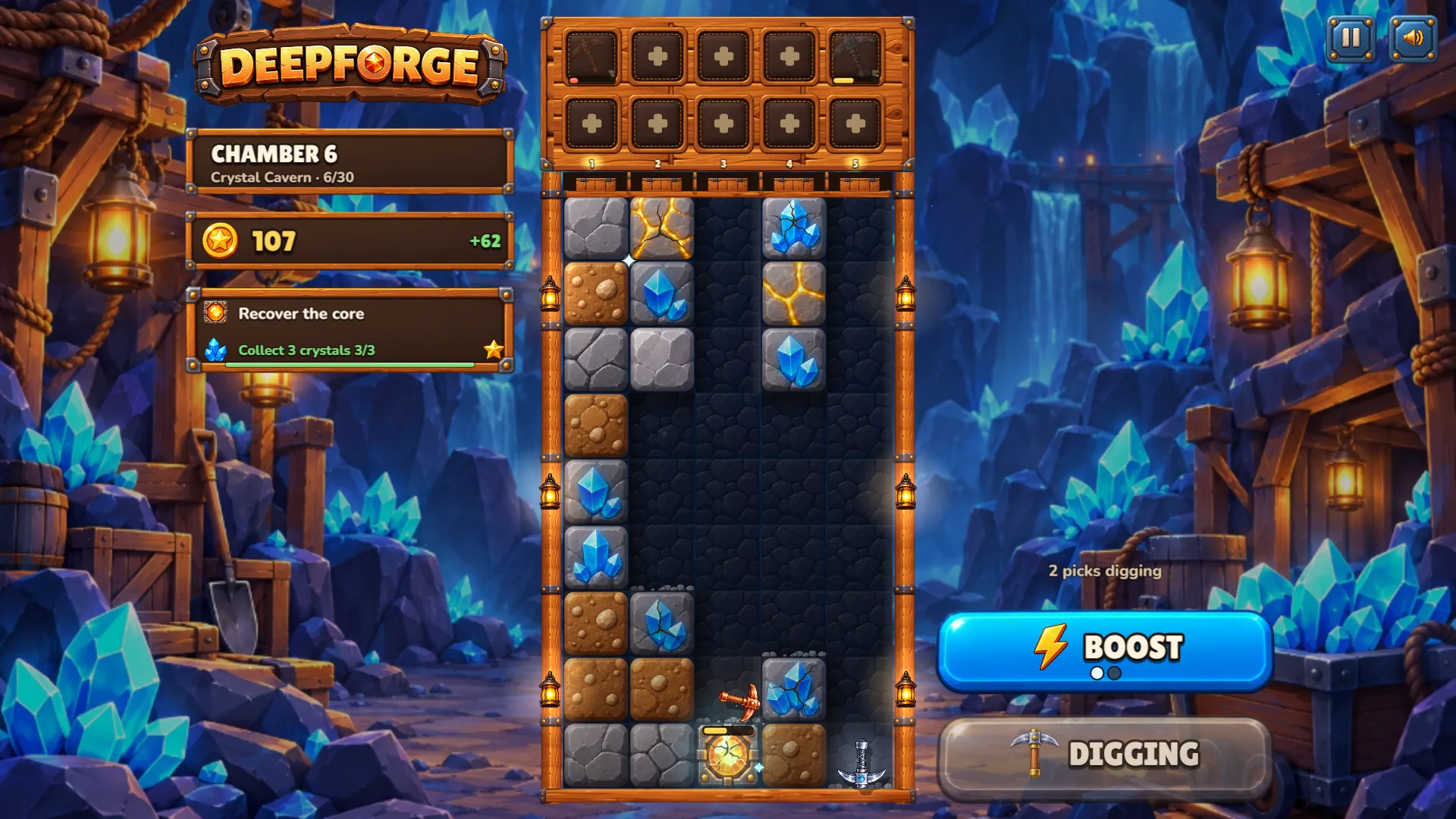
PolarzinhoThe star lit up in the corner before the core even broke. I fist-bumped the air. One panda, one empty room, one fist.
Chamber 11 on: Volcanic Depths
Chamber 11 sets the walls on fire: lava falls behind the mine and the blocks come in grey, brown and a darker stone. The bonus is Mine 3 gold ores. One expedition there paid +323 coins for 14 blocks and left the core at 35%, with a level 6 Amethyst Pick named standout for 21 hits.
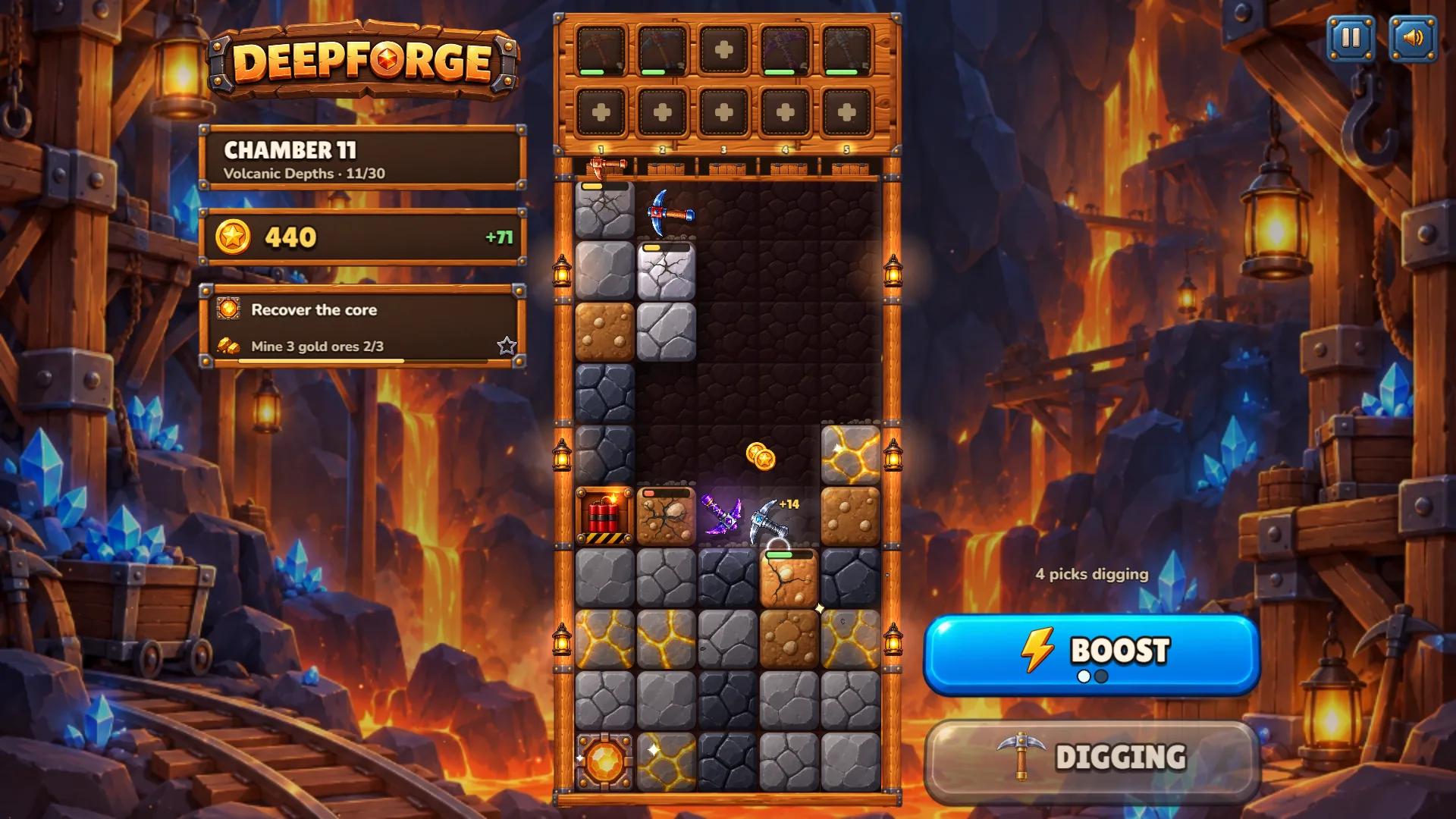
PolarzinhoLava behind, dynamite on the side, and a purple pick bouncing around like it pays rent here. I would not go in without a helmet. I do not own a helmet.
Chamber 16: Glacial Rift and a rule called The Thaw
Chamber 16 is a frozen canyon under northern lights, with a panel on the left named The Thaw: fire on ice, +50% damage on the first shock. During the first dig a THERMAL SHOCK +101 popped up near the top, and the objective was Break 30 blocks. By then the numbers had gone silly: one expedition paid +1211 coins for 9 blocks.
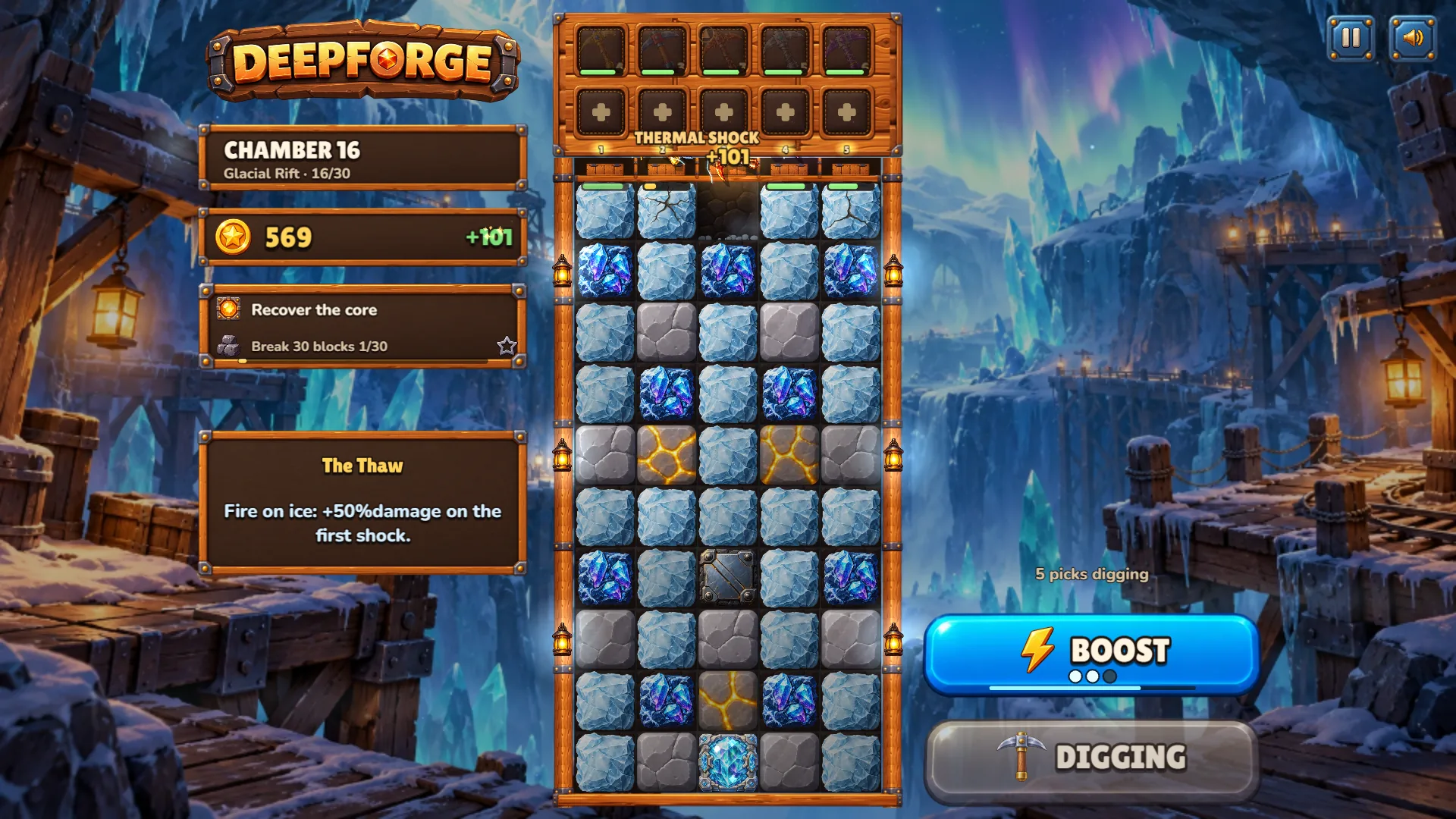
PolarzinhoIce, northern lights and a +101 before I did anything clever. I will accept a thermal shock any day.
Chamber 17 brings Rails Beneath Ice, with the hint Tap a rail to change its direction before mining. That is where I stopped. The studio also lists elemental runes and an Abyss mode once the 30 chambers are done, so plenty is left ahead of me.
Reserve, workshop and collection: what to do between digs
Press R and a panel called Pick Reserve opens with three tabs: Picks, Workshop and Collection. Picks splits your tools into Active, will mine, and Reserve, will not mine, with eight reserve slots. The panel says to choose a pick, then its destination: matching picks merge and different ones swap.
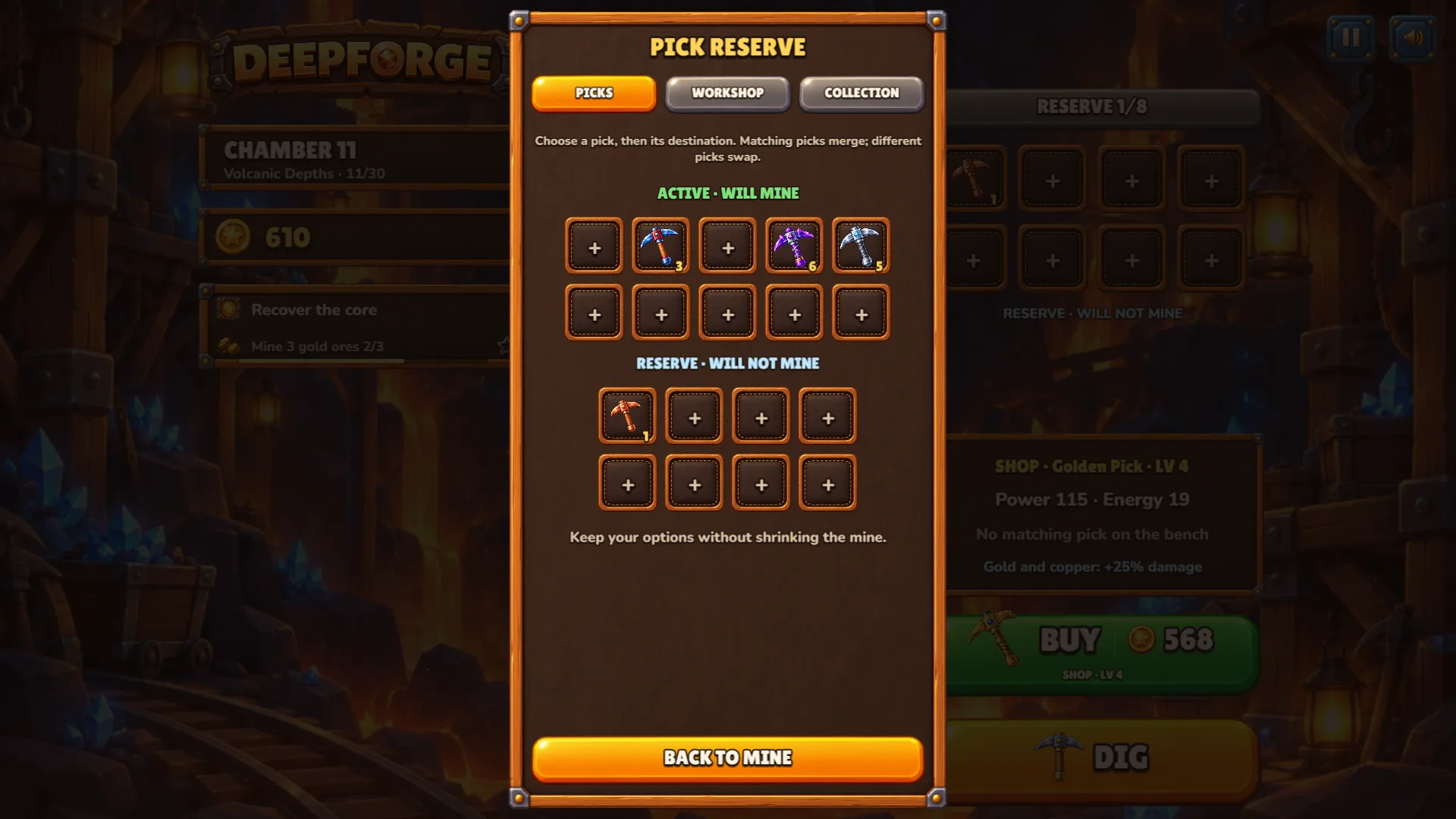
PolarzinhoThat lonely copper pick in the reserve is my emotional support pick. It will never mine again and I will never let it go.
The Workshop tab turns crystals into permanent charms. Three were on offer: Boost reserve, one extra boost charge per expedition; Fortune pouch, +10% coins from ordinary blocks; and Tireless heart, +2 energy on every active pick. Each costs 12 crystals. I had 52 and crafted Boost reserve. The button flipped to EQUIPPED, and my next dig showed three boost dots instead of two.
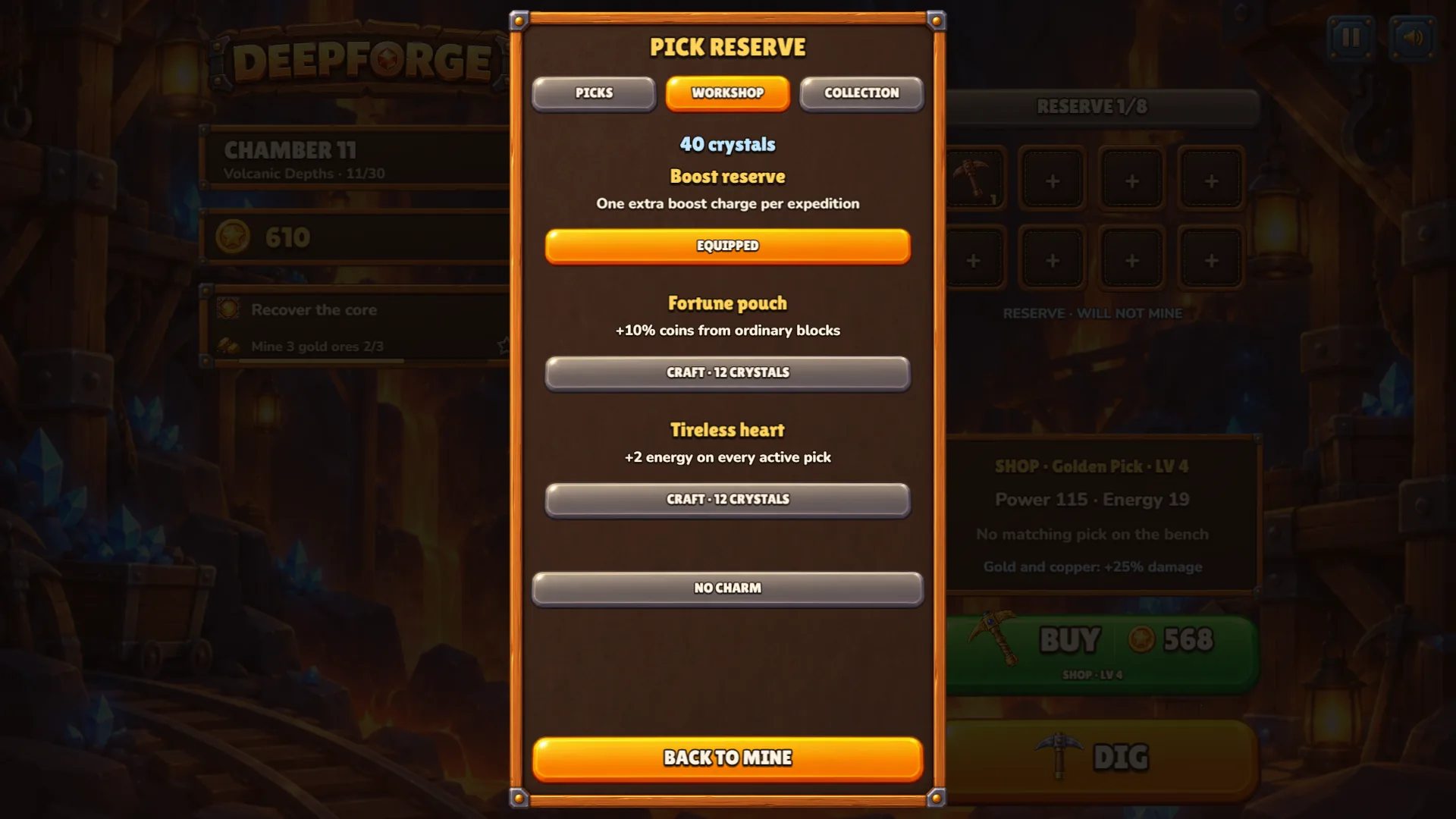
PolarzinhoTwelve crystals for an extra lightning bolt. First time spending savings felt like a heist movie.
The Collection tab keeps score. In chamber 11 it read Picks 6/16, Materials 8/16, Biomes 3/6 and Bonus objectives 8/30.
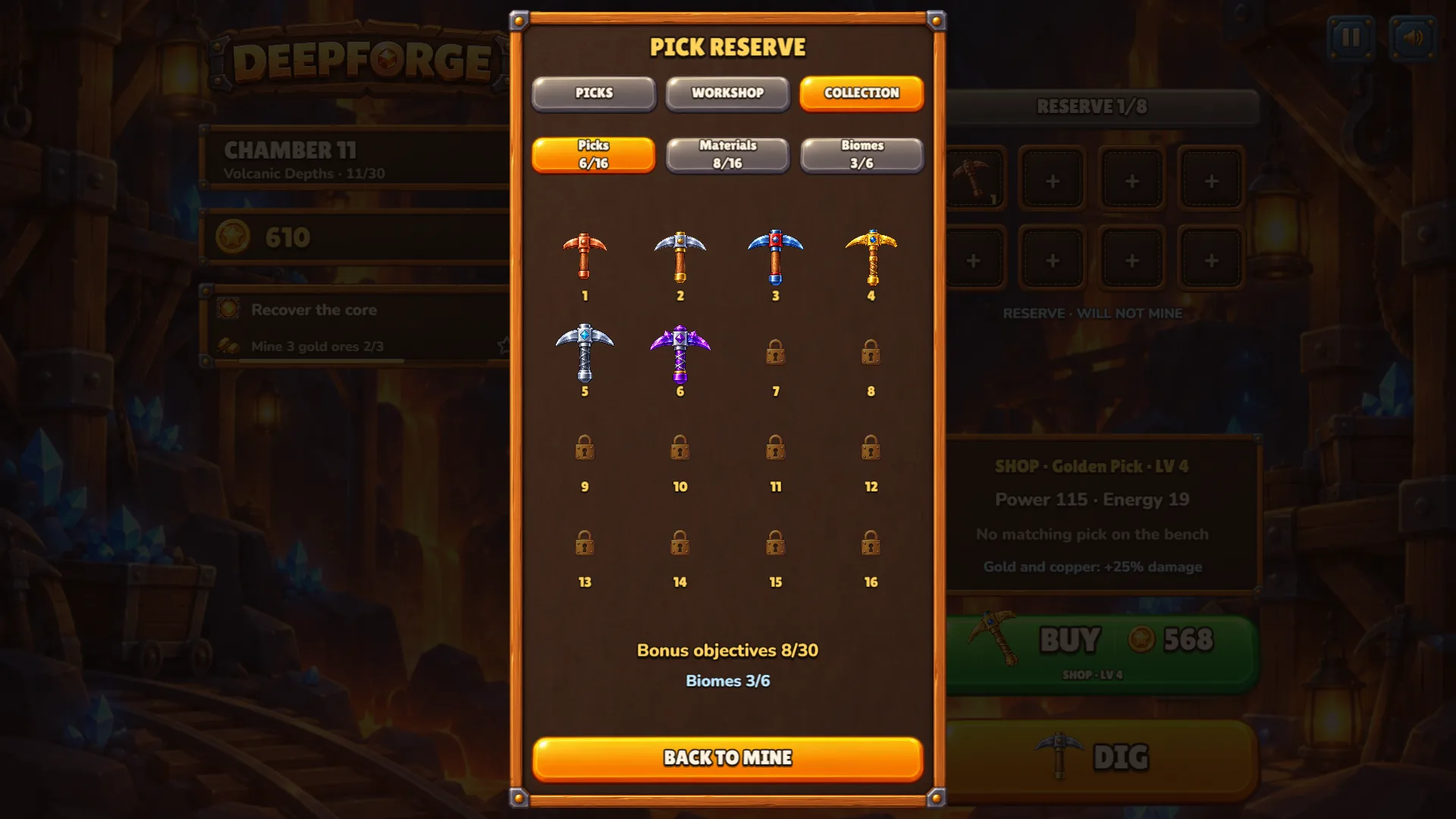
PolarzinhoTen padlocks. I counted them twice. A panda understands: if it is locked, it is probably delicious.
Deepforge tips: how to waste fewer expeditions
Read the bonus objective first
The star goal changes by chamber: within a number of expeditions, mine gold ores, detonate explosives, collect crystals, break blocks. How you load the bench depends on it. In chamber 4 I skipped the reading and paid with a star.
Aim Boost at the core column
The core is the glowing orb in the bottom row, so its column is easy to spot. From chamber 2 on I fired Boost down that column, and chambers 2 and 3 both ended in two expeditions.
Who should play Deepforge, and where it pinches
If you like merge games, steady progress and watching physics do the work, Deepforge is an easy yes. A dig lasts a few seconds, so it fits short sessions. It also suits anyone who likes numbers going up: shop power went from 9 on a copper pick to 651 on an Amethyst Pick by chamber 16.
The catch, kindly said: you cannot steer the picks. After DIG your only move is Boost, so if you want every bounce to be yours, this is a different kind of fun. The interface is available in English and Brazilian Portuguese only, and your save lives in the browser you used, so another device starts again from chamber 1.
Deepforge FAQ: quick answers
How do I merge picks?
Drag a pick onto another of the same level on the bench. In the reserve panel, choose a pick and then its destination. The pair becomes one pick of the next level, and a NEW PICK! banner shows its name.
What does Boost do?
During a dig, tap BOOST and then a column. A lightning pulse runs down that column and pulls your picks toward it. Each dig gives a few charges, shown as dots on the button.
Do I need to download Deepforge or make an account?
It runs in a browser tab. I played without an account, and the game kept my progress in the browser.
Can I play Deepforge on my phone?
The game page lists phones and desktop, with touch on mobile and keyboard shortcuts on desktop. My screenshots come from a desktop browser.
Deepforge pros and cons
Go forge your first pickaxe
Find Deepforge on Polar Games, press PLAY and make your first merge before you touch DIG. Two copper picks, one drag, and chamber 1 already looks friendlier. Then watch the picks bounce and see how far you get without missing a star.