Mahjong Sweet Shop: Buyer guide
Mahjong Sweet Shop is an HTML5 tile matching puzzle game with a cozy candy shop theme. Tap free tiles to send them to a tray with 7 slots: three alike pop. 60 levels in 4 shops, a cat baker who reacts to every move, a guided tutorial, 14 interface languages, no ads and no online services. This guide shows the game with real screenshots and explains how to install it, play it, change it and publish it.
Overview
- 60 levels in 4 shops : Sweet Shop (levels 1 to 15), Ice Cream Shop (16 to 30), Bakery (31 to 45) and Chocolate Shop (46 to 60). Each shop has its own map, its own background for the levels and 12 tile pictures (48 in total).
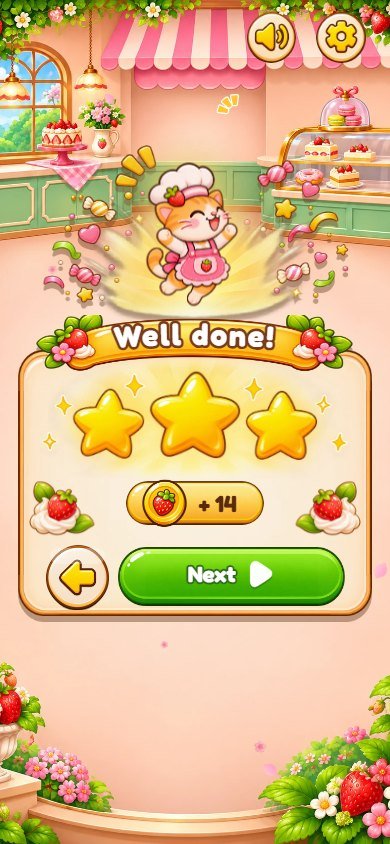
- A cat baker mascot waves on the map, points during the tutorial, jumps when you win and sits down sad when the tray fills up.
- Undo, Hint and Shuffle helpers, coins, 1 to 3 stars per level, a level map for every shop, falling sakura petals, animated screen transitions, sound effects and music with separate volumes.
- Guided tutorial on level 1, 14 interface languages , portrait and landscape on phones, tablets and desktops, including ultrawide monitors.
- Plain HTML, CSS and JavaScript modules: no dependencies, no build step, no ads, no account, no online ranking . Progress is saved in the browser.
Screenshot gallery
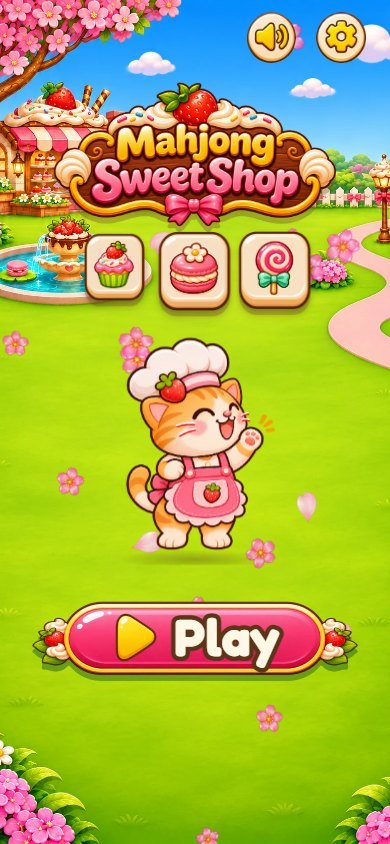
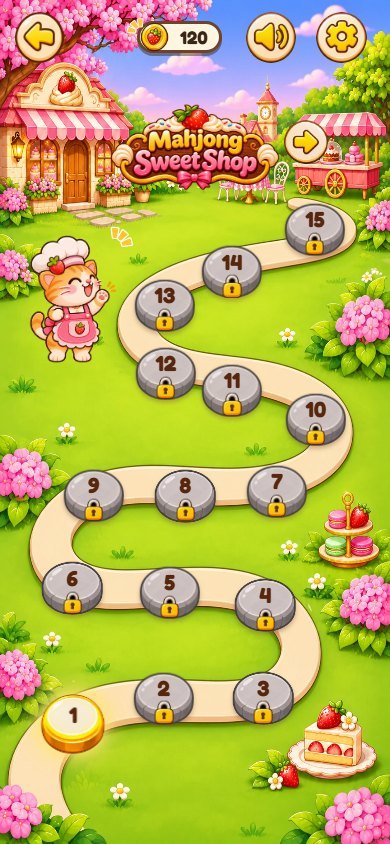
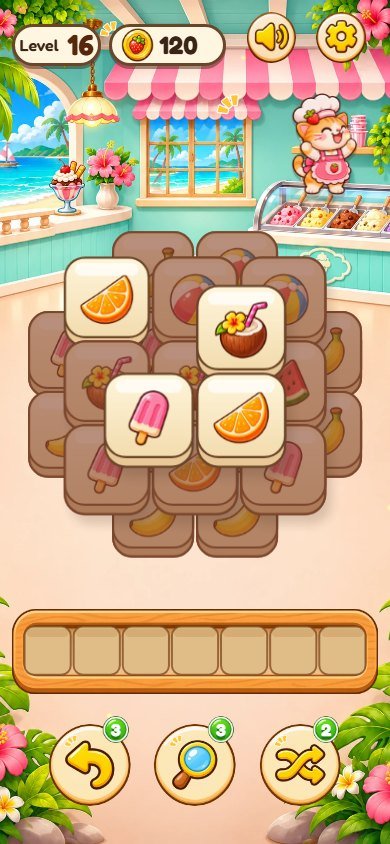
Real screenshots of this buyer edition (1280x720 on a desktop browser, and a phone held upright). Open an image to see it full size.
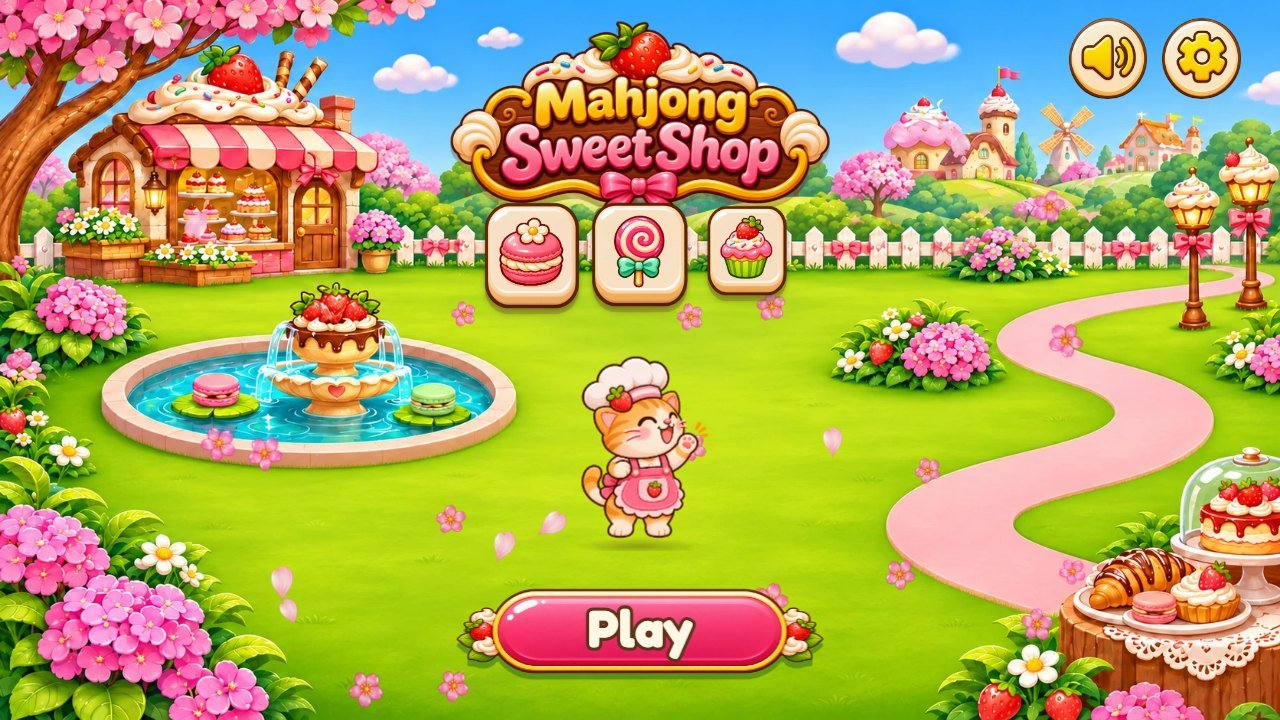
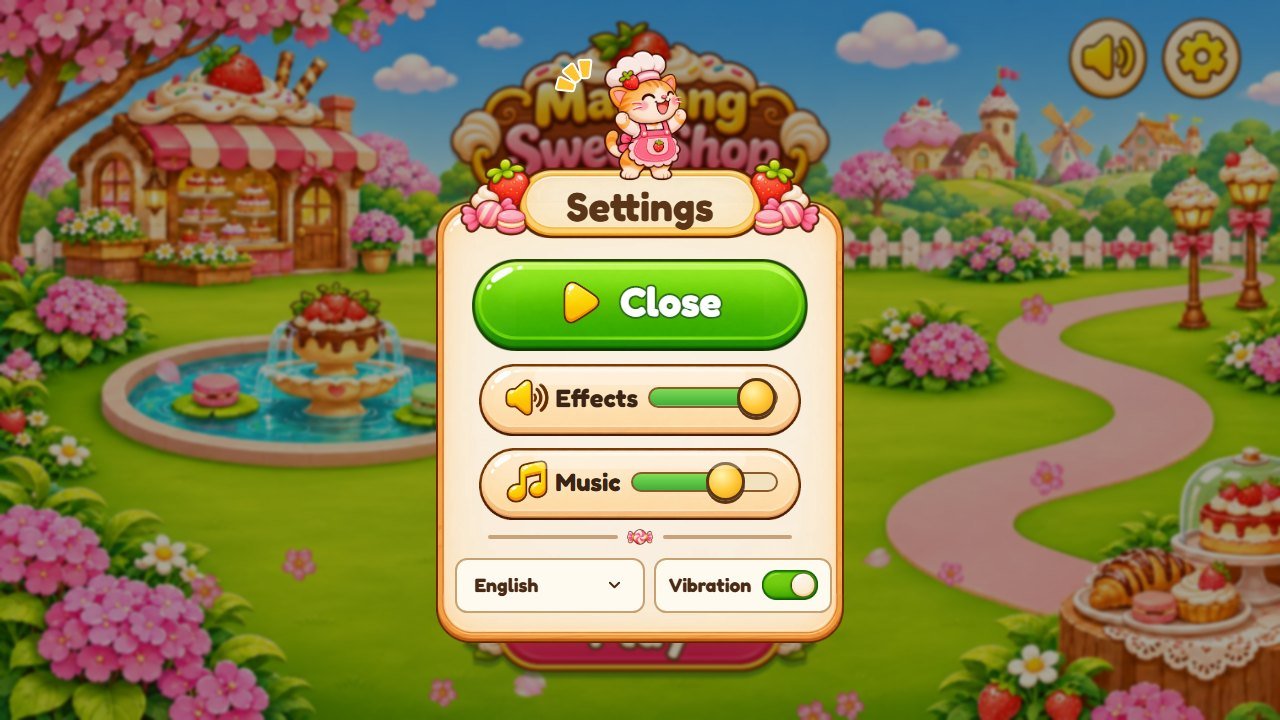
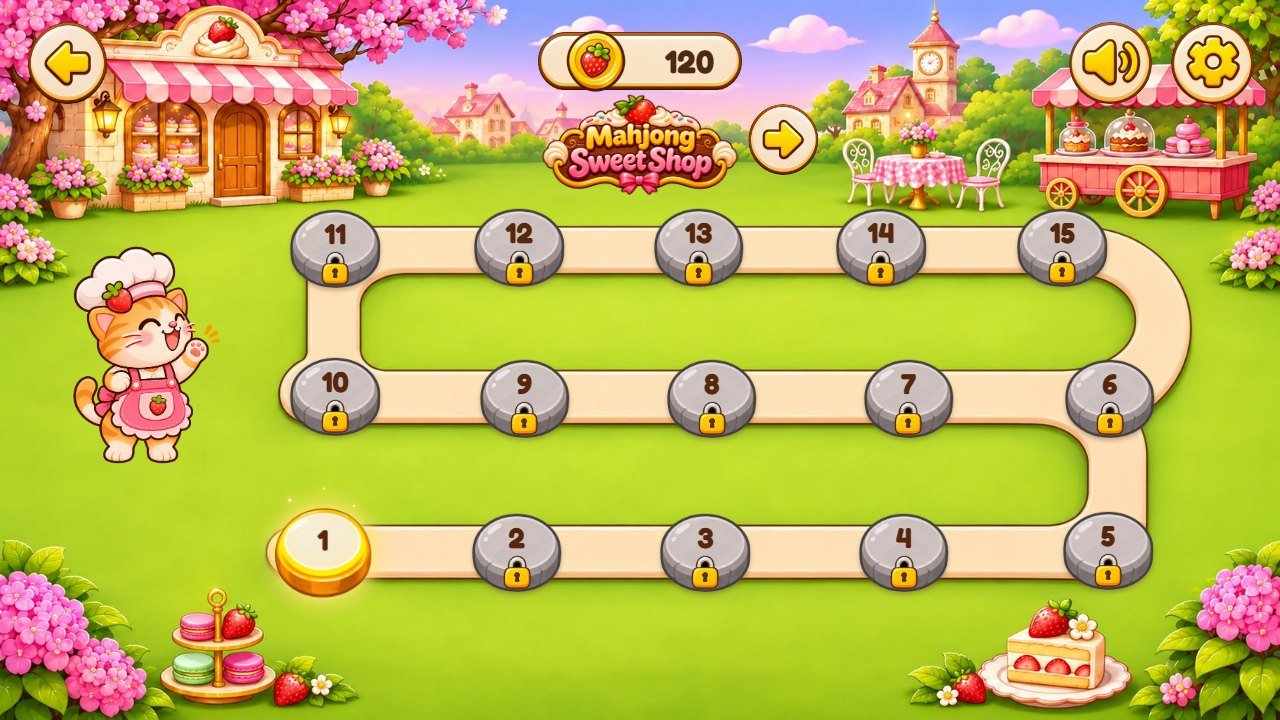
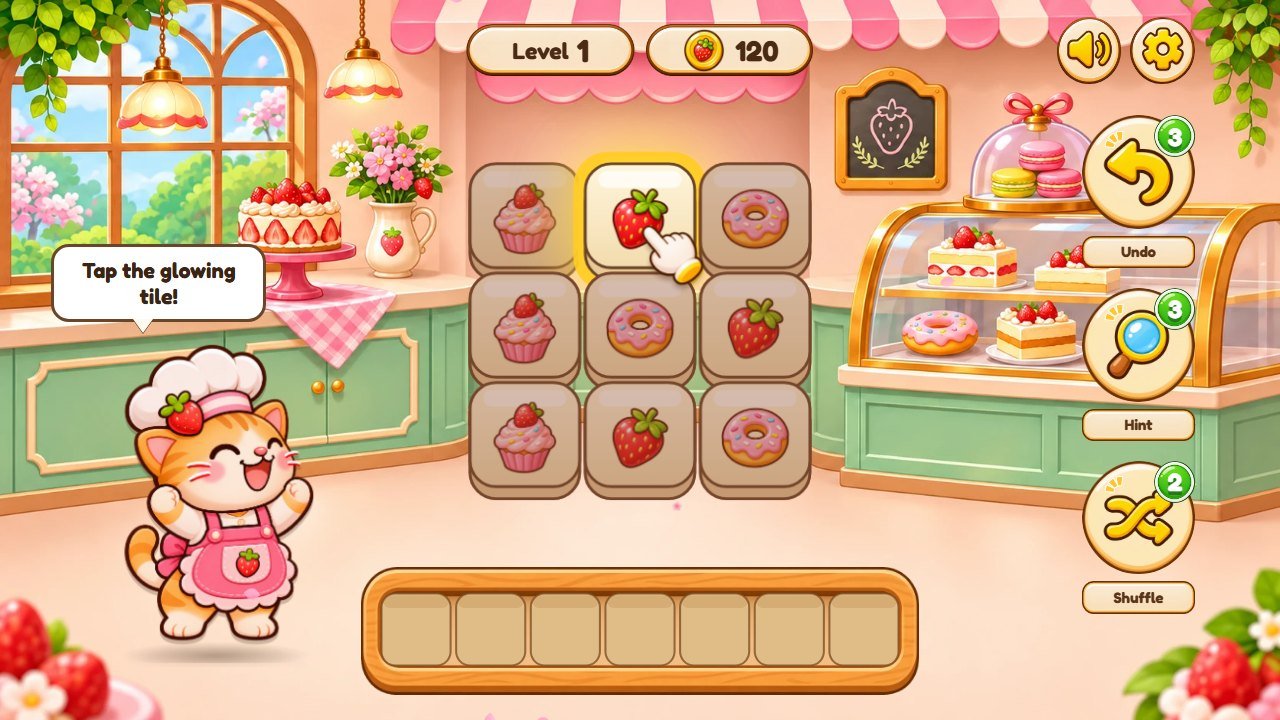
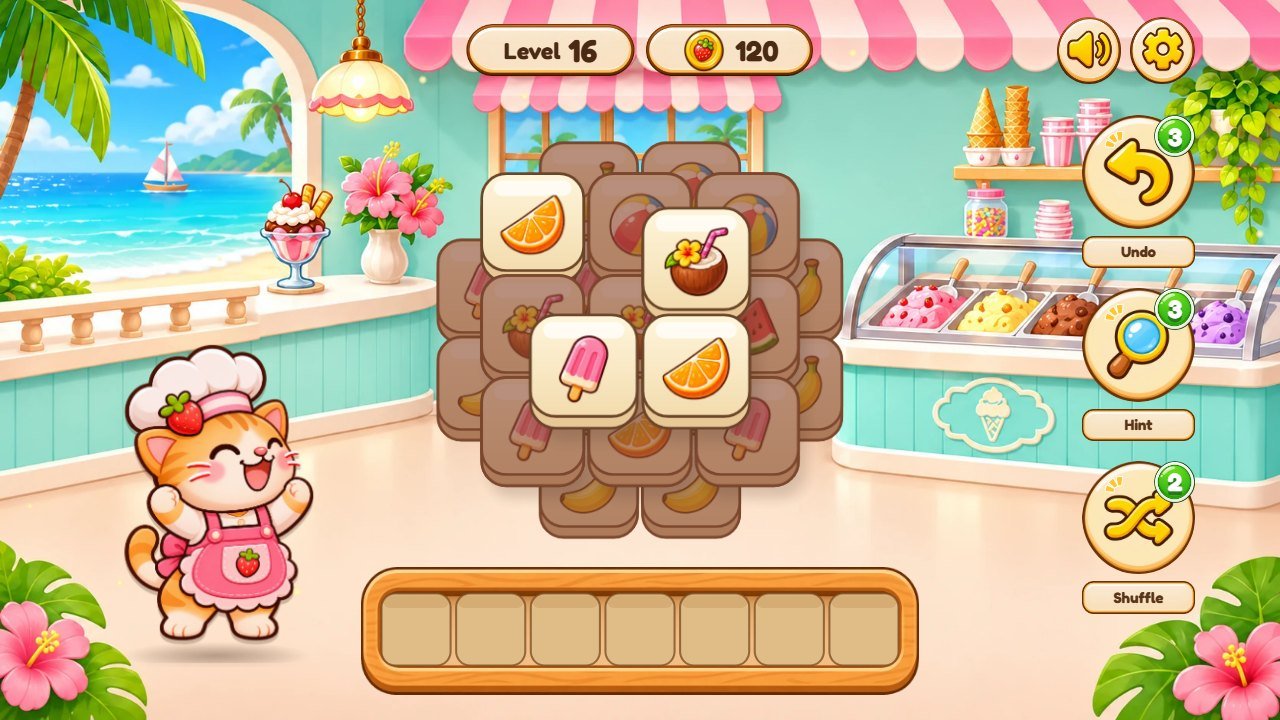
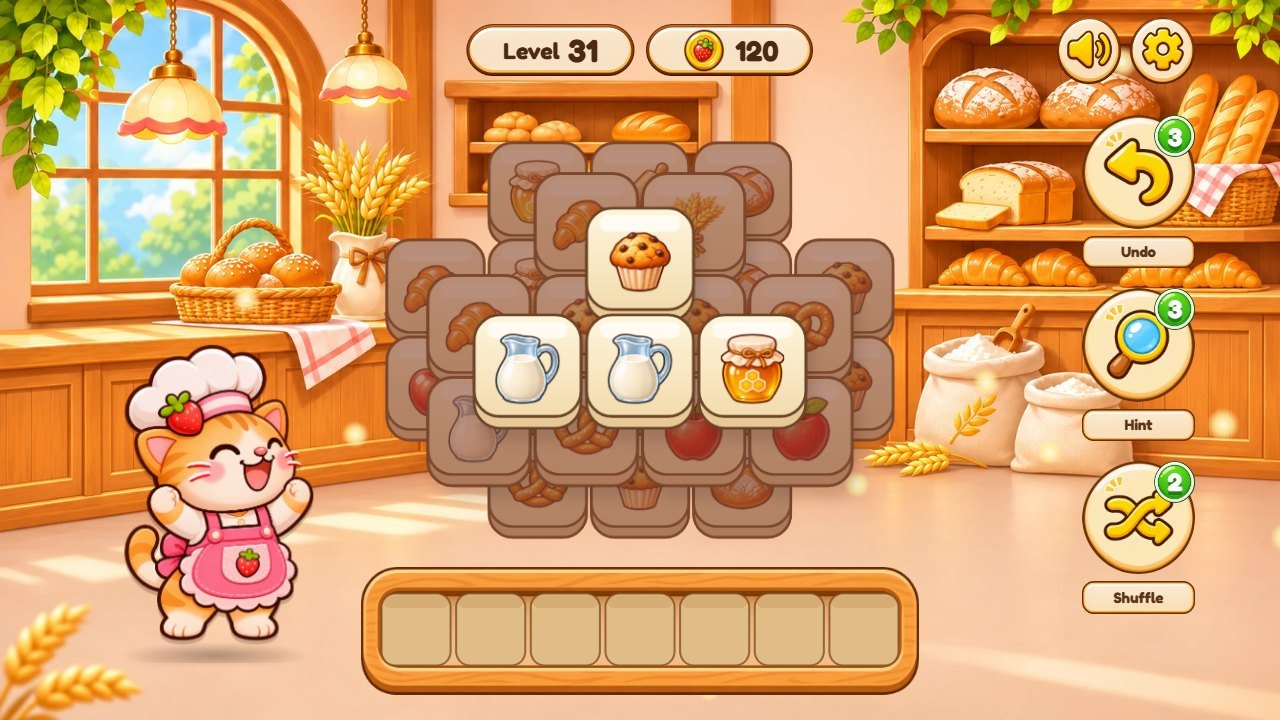
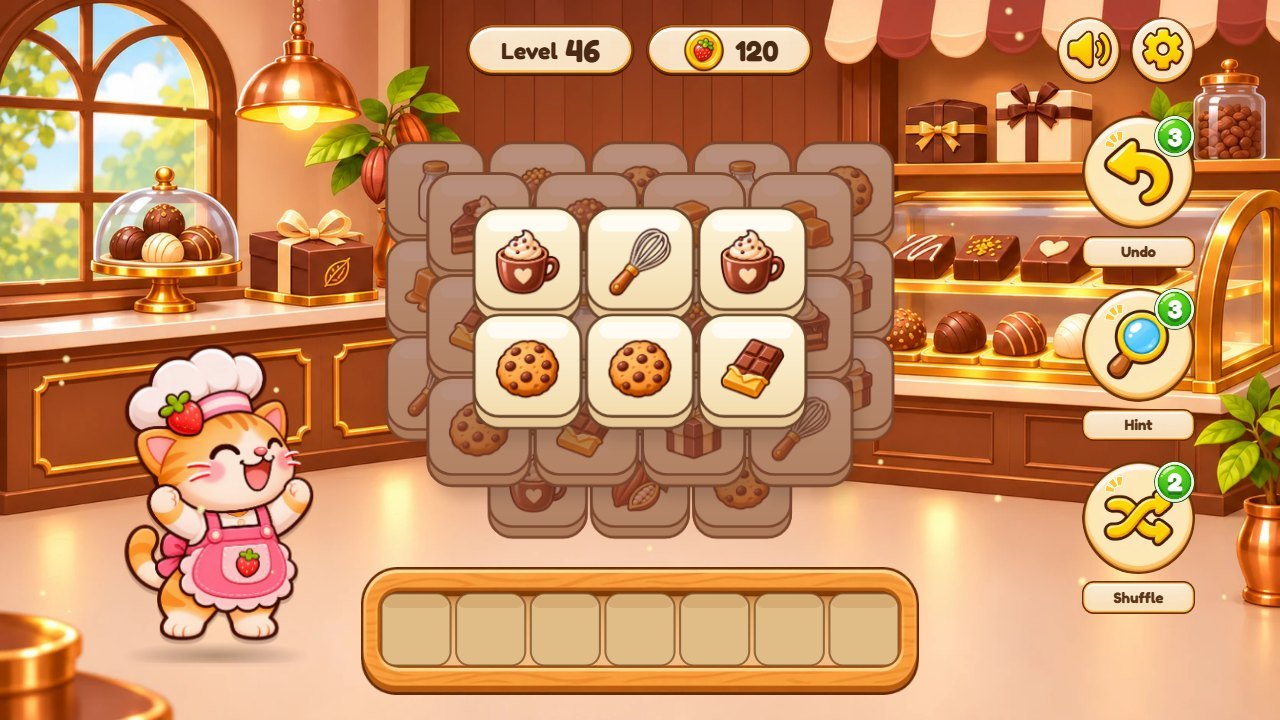
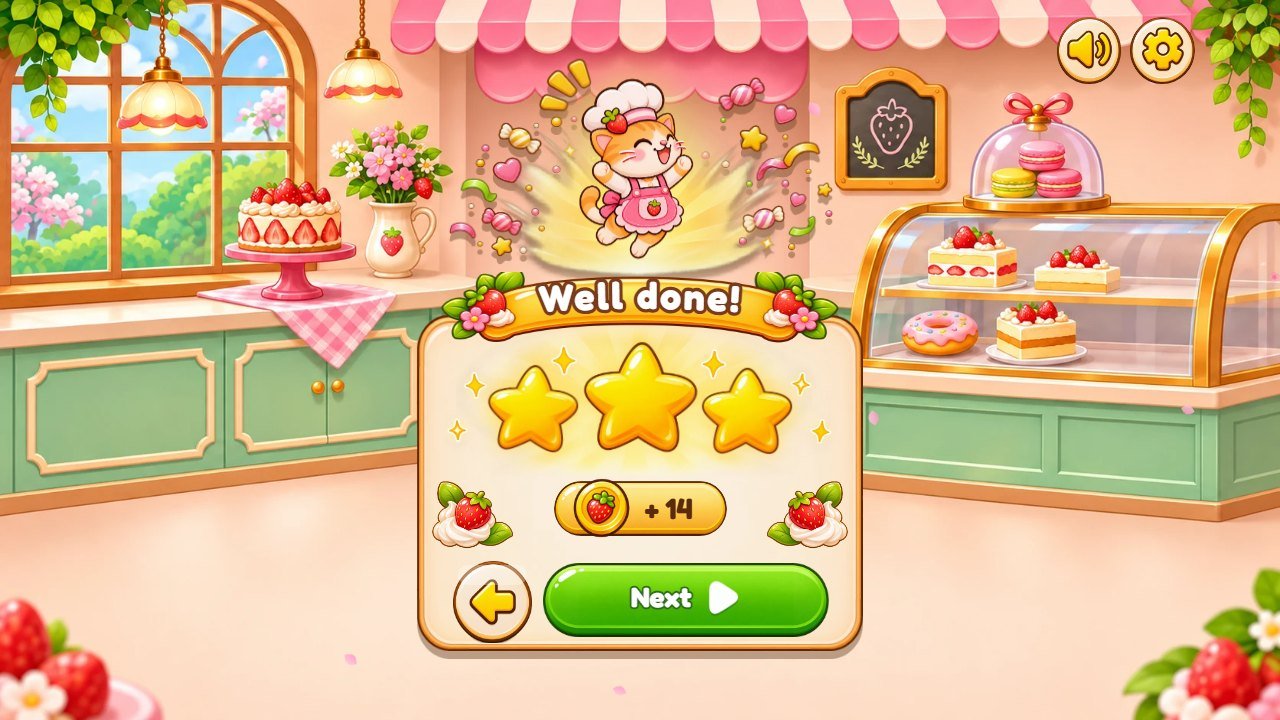
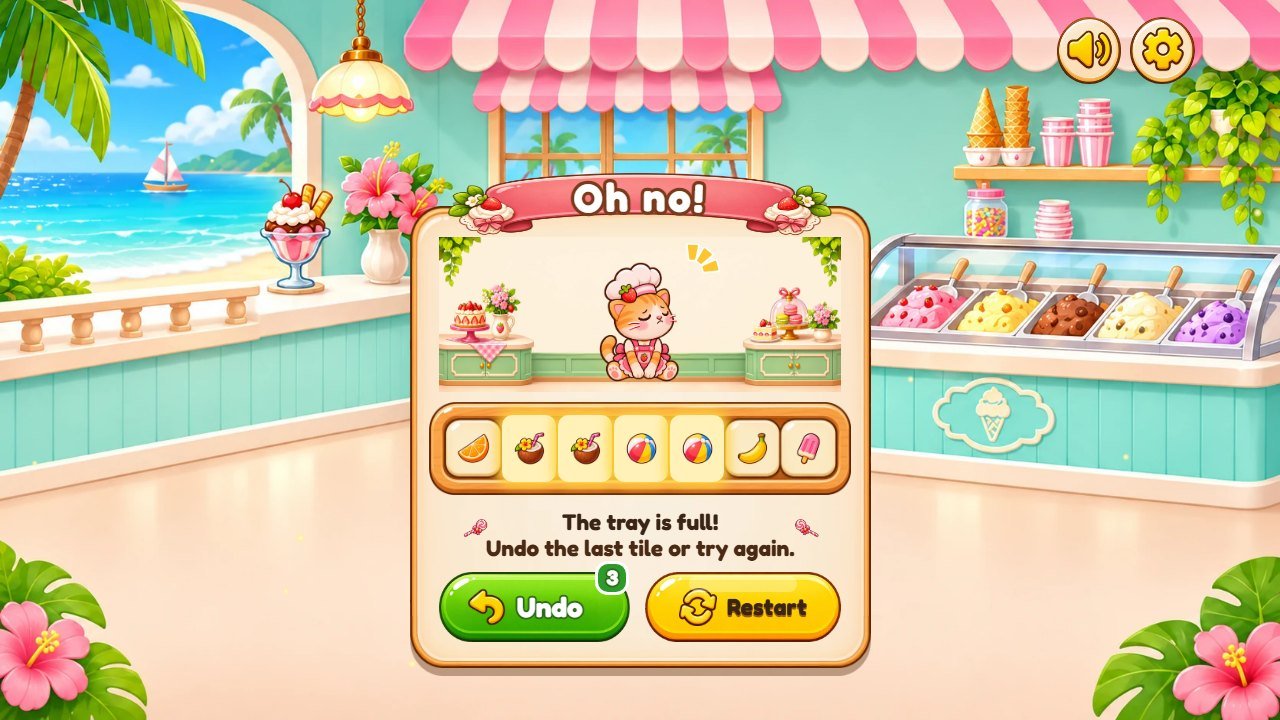
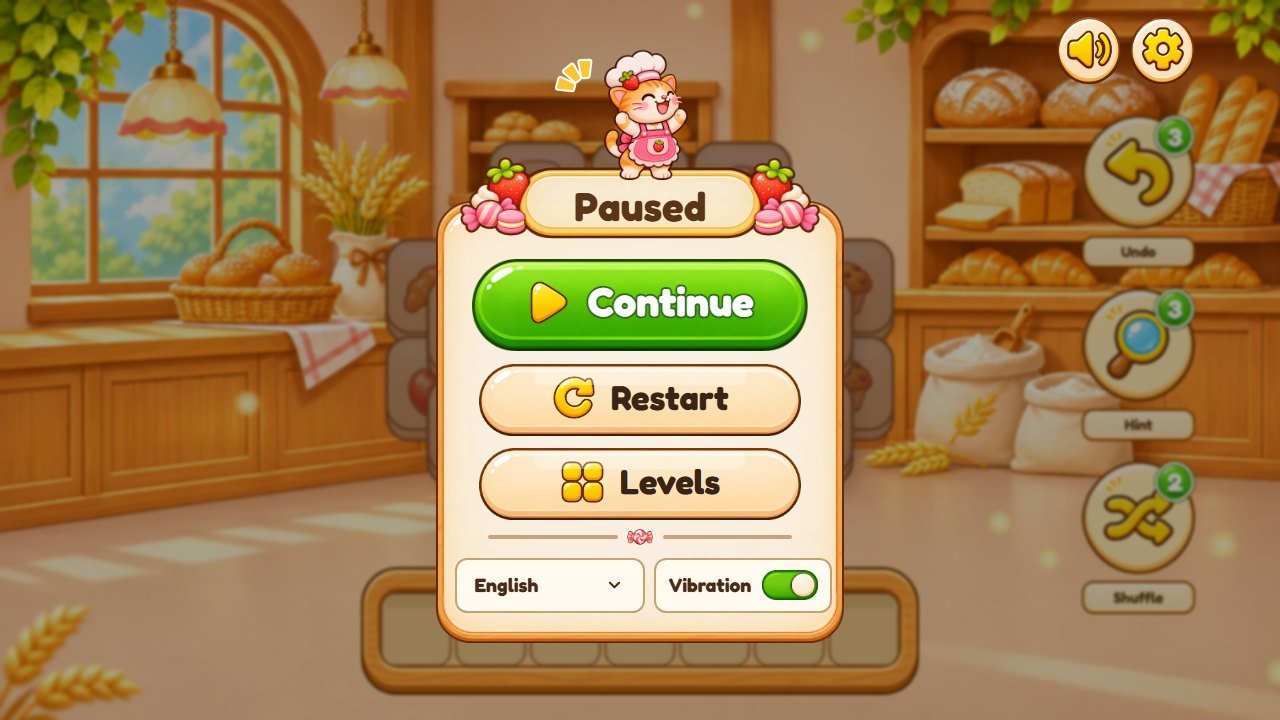
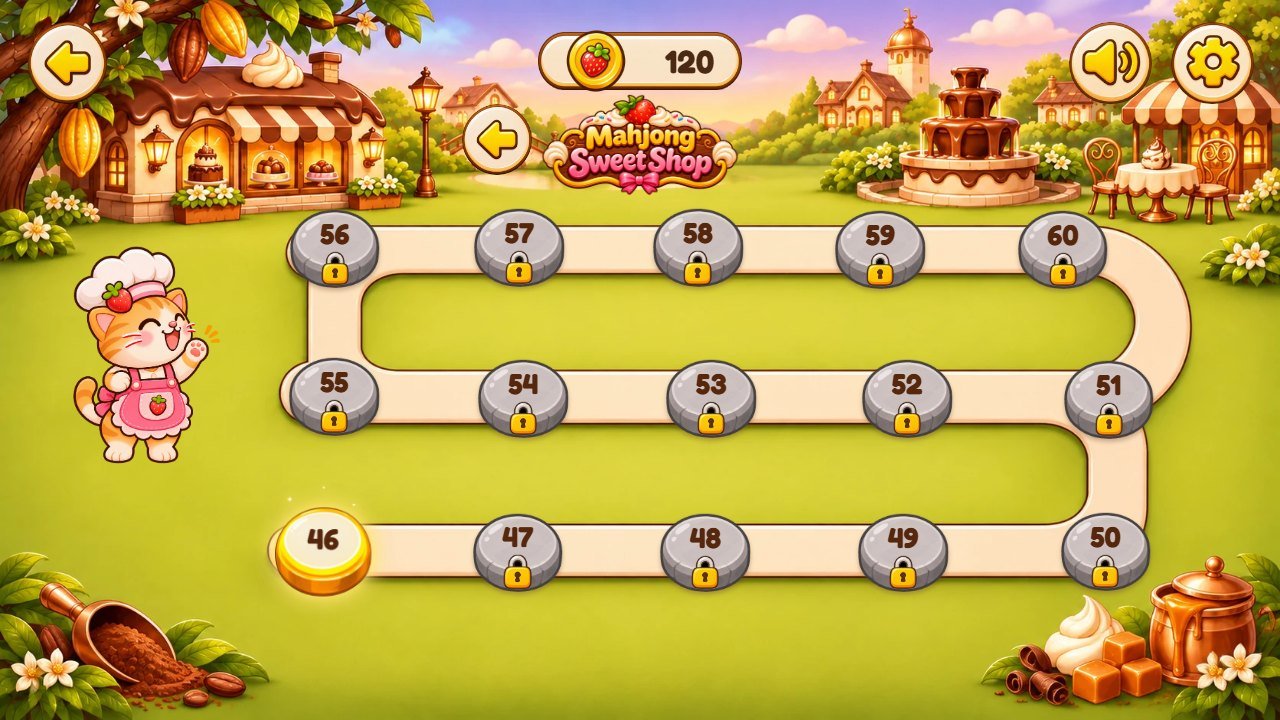
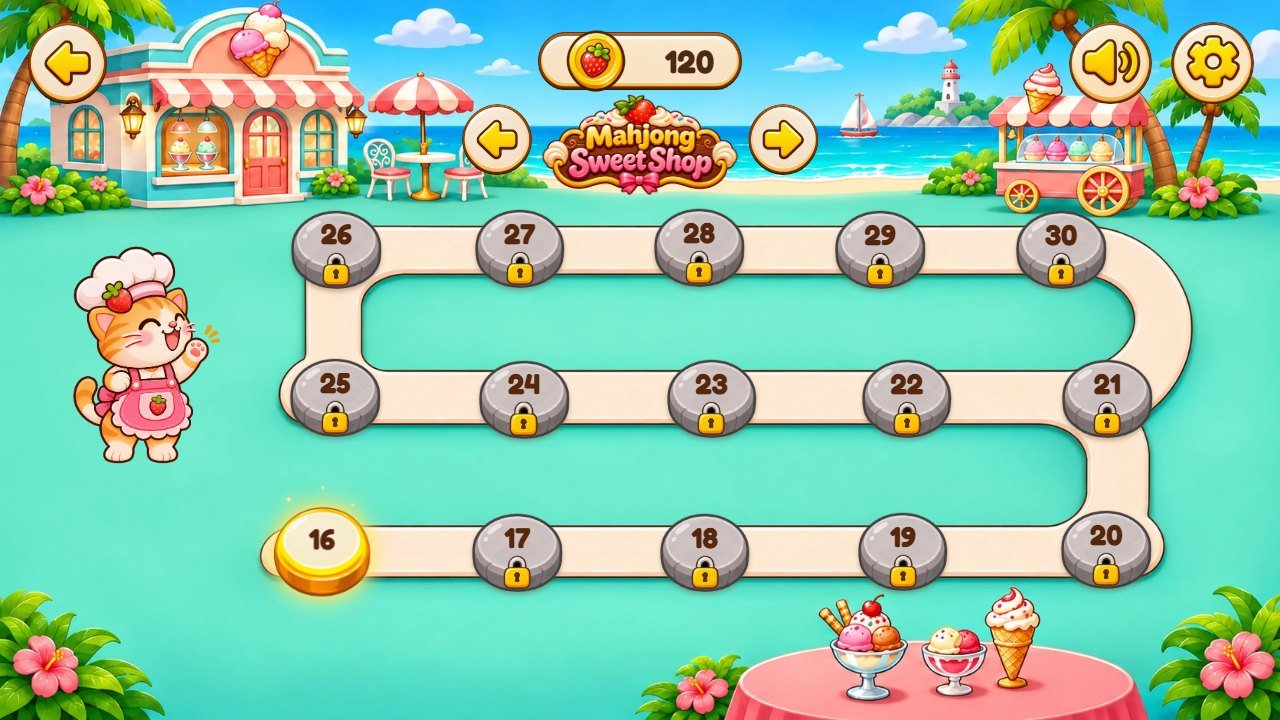
Phone (portrait)
Installation
-
Extract the ZIP. Open
DOCUMENTATION.html(this guide) andCUSTOMIZATION.html(step-by-step changes for non-programmers). -
Upload
only the contents of the
game/folder to any static web hosting over HTTP or HTTPS (shared hosting, your own server, Netlify, GitHub Pages...), keeping the folders next toindex.html. With FTP, open thegamefolder and send everything inside it. - Open the address in a browser. No database, PHP, account or Node.js is needed to play.
-
Do not upload
source/, the documentation or the complete ZIP to the public game address. -
Opening
game/index.htmlstraight from the disk (file://) does not work in most browsers, because the game uses JavaScript modules. Use a web server, ornpm run servefrom the Development section.
Browsers, devices and sound
Works in all current browsers, desktop and mobile:
Chrome, Edge, Firefox, Safari (macOS, iPhone, iPad), Opera, Brave, Samsung Internet
. Minimum versions: Chromium-based 105+, Firefox 121+, Safari 16+ (iOS and iPadOS 16+). The game uses ES
modules, Canvas 2D, Web Audio, CSS container query units and the
:has()
selector.
Mouse and touch are supported. The first screen says "Tap to start": that first tap unlocks the sound on phones. Effects and music have separate volumes in Settings; vibration can be turned off (Android vibrates; iPhone gives a light tap on iOS 18+).
This edition was tested automatically in Chromium (the engine of Chrome and Edge) at phone and desktop sizes, playing whole levels; the shared game engine was also tested in Firefox and WebKit (Safari). As with any web game, test on the devices you target before publishing.
How to play
- Tap a tile that is not covered by another tile. It flies to the tray at the bottom.
- Three equal tiles in the tray pop and give coins.
- If the tray fills up ( 7 tiles ) without three alike, the level is lost. You can Undo the last tile from that window or Restart .
- Undo takes back the last tile, Hint shows three tiles that match, Shuffle mixes the tiles that are left. Each level has 3 undos, 3 hints and 2 shuffles.
- Stars: 3 stars with no helper used, 2 stars with 1 or 2 helpers, 1 star with more. From level 7 some lower tiles are face-down until the tiles above them leave.
- Level 1 is a guided tutorial: tap the glowing tile and follow the cat. The map opens the next level after each win; finished levels can be played again.
Interface guide (numbered screens)
Each number on the screenshot is listed under it, with the file that changes it. More detail in the customization guide.
Menu
1
2
3
4
5
| # | What you see | File |
|---|---|---|
| 1 | Logo | assets/sweet-shop/logo.webp |
| 2 | Play button |
text
play
in
src/i18n.js
; picture
assets/sweet-shop/botao-play.webp
|
| 3 | Settings |
assets/ui/btn-gear-inicio.webp
; window in
src/app/screen-modals.js
|
| 4 | Sound / volumes |
assets/ui/btn-som-inicio.webp
,
assets/ui/speaker.webp
|
| 5 | Cat mascot |
assets/sweet-shop/gata-direita-*.webp
(poses in
src/app/worlds.js
)
|
Level map of the Sweet Shop
1
2
3
4
5
6
| # | What you see | File |
|---|---|---|
| 1 | Logo | assets/sweet-shop/logo.webp |
| 2 | Coins |
icon
assets/sweet-shop/moeda.webp
; amounts
COINS
in
src/config.js
|
| 3 | Current level |
assets/ui/stop-gold.webp
; positions
STOP_POS
in
src/app/data.js
|
| 4 | Locked level |
assets/ui/stop-stone.webp
,
assets/ui/lock.webp
|
| 5 | Cat mascot |
assets/sweet-shop/gata-direita-*.webp
(poses in
src/app/worlds.js
)
|
| 6 | Back to menu | assets/ui/back.webp |
Level 1 with the guided tutorial
1
2
3
4
5
6
7
8
9
10
| # | What you see | File |
|---|---|---|
| 1 | Level number |
text
level
in
src/i18n.js
|
| 2 | Coins |
icon
assets/sweet-shop/moeda.webp
; amounts
COINS
in
src/config.js
|
| 3 | Pause |
assets/ui/gear.webp
; window in
src/app/screen-modals.js
|
| 4 | Sound / volumes |
assets/ui/btn-som-inicio.webp
,
assets/ui/speaker.webp
|
| 5 | Undo, Hint, Shuffle |
icons
assets/ui/undo.webp
,
hint.webp
,
shuffle.webp
; counts
HELPERS
in
src/config.js
|
| 6 | Cat mascot |
assets/sweet-shop/gata-direita-*.webp
(poses in
src/app/worlds.js
)
|
| 7 | Tutorial bubble |
texts
tut1
to
tutGo
in
src/i18n.js
; steps in
src/app/data.js
|
| 8 | Tutorial hand | assets/ui/hand.webp |
| 9 | Tiles |
pictures
assets/sweet-shop/icones-0.webp
to
icones-3.webp
; levels
src/game/levels.js
|
| 10 | Tray (7 slots) |
assets/ui/bandeja.webp
; size
TRAY
in
src/game/rules.js
|
Settings (volumes, language, vibration)
1
2
3
4
5
| # | What you see | File |
|---|---|---|
| 1 | Window title ribbon |
assets/sweet-shop/faixa-janela.webp
,
faixa-vitoria.webp
,
faixa-derrota.webp
|
| 2 | Close button | assets/sweet-shop/botao-verde.webp |
| 3 | Effects and music volume | src/audio/sfx.js |
| 4 | Language | src/i18n.js |
| 5 | Vibration | src/app/screen-modals.js |
Files and where to change things
The package has three main parts:
game/                       ready-to-host game: upload THESE CONTENTS
source/                     editable project (plain JavaScript, no dependencies)
  index.html                the page; loads the 4 style files and src/main.js
  css/01-base.css .. 04-theme.css   layered styles (a later file overrides an earlier one)
  src/main.js               entry point
  src/app/                  screens and systems, one small file per subject
  src/game/rules.js         rules of the tray and the tiles
  src/game/levels.js        the 60 levels (tile counts, shapes, how many tile types)
  src/config.js             shops and tile names, helpers, coins, feel numbers, save key
  src/i18n.js               interface texts, 14 languages
  src/render/tiles.js       tiles and tray drawn on the canvas
  src/audio/sfx.js          sound effects and music
  assets/sweet-shop/        artwork of this game (backgrounds, maps, cat, tiles, logo, ribbons, buttons)
  assets/ui/                interface icons and frames
  assets/sfx/, assets/music/, assets/fonts/   sounds, music, Fredoka font
  test/                     rule and language tests
  tools/serve.mjs, build.mjs   local server and the copy-to-game script
documentation/              this guide (index.html, pt.html, es.html), customization.html and img/
DOCUMENTATION.html          opens this guide
CUSTOMIZATION.html          opens the customization guide
THIRD-PARTY-LICENSES/       font license
Step-by-step recipes (pictures, cat, tiles, sounds, texts, colors, font, difficulty, coins) are in the customization guide: CUSTOMIZATION.html
Internal names
The engine of this game is shared with other games of the same studio, so a few file and code names are in Portuguese or come from the engine. They were kept on purpose (renaming them would not change the game). This table says what each one is.
| Name | What it is |
|---|---|
mascotSrc(), catPoses |
the cat picture for each pose (src/app/worlds.js) |
gata-direita-*.webp |
cat poses: feliz = happy, acena = waves, aponta = points, vitoria = wins, triste = sad |
fundo-*, mapa-* |
fundo = level background, mapa = level map; -vertical = portrait, -superlargo = ultrawide; 0 to 3 = the four shops |
icones-0..3.webp |
tile picture atlas of each shop (4 columns x 3 rows = 12 tiles) |
faixa, botao, moeda, peca |
ribbon, button, coin, tile |
bandeja, toque, balao, brilho |
tray, tap ring, speech bubble, glow |
brilho-toupeira.webp |
glow behind the mascot on the win window (engine name) |
clima, .gota |
background weather and its particles (sakura petals, bubbles) |
ornamento, separador-bala, enfeite-pirulito, confete-doce |
decorations: strawberries, candy separator, lollipop, candy confetti |
sweets, icecream, bakery, chocolate |
world ids of the four shops in src/config.js |
                sfx: pegar, passo, caixa-cheia, desfazer, milho, botao, vitoria-sem-trinado, confete, tempo-acabou,
                clique, janela, moeda, combo, bloqueio
|
sounds: pick, land, match, undo, shuffle, hint, win, confetti, lose, click, window, coin, combo, blocked (map in src/audio/sfx.js) |
Portuguese function names (fimTut, passoTut, telaInicio, refazHud...) |
end of tutorial, tutorial step, start screen, rebuild top bar; every file starts with a comment that says what it does |
Languages
The game interface has
14 languages
: English, Portuguese, Spanish, French, German, Italian, Dutch, Polish, Russian, Turkish, Japanese, Korean,
Chinese and Indonesian. It starts in the language of the device (English when it is not on the list) and the
player changes it in Settings. A link such as
?lang=de
opens the game in one language. To edit a text or add a language, change
src/i18n.js
and run
npm test
: the language test checks that every language has every text. This guide is in English, Brazilian Portuguese
and Spanish (links at the top).
Local saves
Progress (unlocked levels, stars, coins), volumes, vibration and language are saved in the browser (localStorage) under keys that start with:
mahjong-sweet-shop.template.save.v1:
Progress belongs to that browser and that web address. Another browser, private mode, clearing the site data or
moving the game to another domain starts from level 1. If you host two copies of the game on the same domain and
want separate progress, change
STORAGE_PREFIX
in
src/config.js
in one of them.
Development with Node.js (optional)
The ready game in
game/
needs nothing else. The editable project is in
source/
: plain JavaScript modules and CSS,
no dependencies and no build step
. Node.js
26.13 or newer (current LTS)
is only used to run the tests, open the game locally and copy the files to
game/
.
New to Node.js? 1) Install the LTS version from nodejs.org (Windows or macOS installer) or with your package
manager on Linux; it must be 26.13 or newer. 2) Close and reopen the terminal and type
node -v
to check. 3) Open a terminal inside the
source
folder (on Windows: open the folder, click the address bar, type
cmd
and press Enter). 4) Run the commands below one at a time.
cd source
node -v
npm ci
npm test
npm run serve
# http://localhost:8080/
npm run build
# copies index.html, css/, src/ and assets/ to ../game
npm ci
installs nothing (the project has no dependencies; it only checks the lock file).
npm test
runs the rule and language tests.
npm run serve
opens the game at http://localhost:8080/ (Ctrl+C stops it).
npm run build
copies
index.html
,
css/
,
src/
and
assets/
to the
game
folder next to
source
; then upload the contents of
game/
.
Common problems: "node is not recognized" means Node.js is not installed or the terminal was not reopened;
"EBADENGINE" means the Node.js version is older than 26.13; on Windows PowerShell, if
npm
is blocked by the execution policy, use
cmd
or run
npm.cmd
.
Updating and clearing the cache
- After uploading a new version, a browser may still show the old files. Reload with Ctrl+F5 (Windows) or Cmd+Shift+R (Mac). On phones, close the tab and open the address again.
- If it is still old: clear the browser cached images and files only (not "cookies and site data", which would erase the progress), or open a private window to check.
-
If your hosting or a CDN (for example Cloudflare) has its own cache, purge it after uploading. Adding
?v=2to the address (for examplehttps://your-site.com/game/?v=2) helps check whether the new files arrived. - Upload all changed files together and keep the same address, so players keep their saved progress.
Licenses
The game code, artwork, sounds and music are supplied under the license of the purchased item. The Fredoka font
is under the SIL Open Font License 1.1: the notice is in
THIRD-PARTY-LICENSES/
and next to the font files in
assets/fonts/
. The project has no runtime or development dependencies.
Troubleshooting
-
Blank page:
make sure all folders of
game/were uploaded and the address uses http(s). Open the browser console (F12): a red 404 line names the missing file. - No sound: tap the screen once (browsers only allow sound after a tap), check the volumes in Settings and the phone silent switch.
- Progress reset: the address changed (www vs no www, http vs https, another folder), the site data was cleared or private mode is on.
-
JavaScript module error (MIME type):
the server must send
.jsfiles astext/javascript. Most hosts do; on an old server addAddType text/javascript .jsto.htaccess. - A changed picture does not appear: clear the cache (section above) and check the file name and folder.
Support
For questions, problems or custom changes, write to willian@polargames.com.br . Please send the product version (1.0.0), browser and device, the game address, the steps to reproduce and a screenshot.