
8-ball pool online in your browser: a panda plays Velvet Pool
One easy win, one humbling loss to the Hard computer, and everything I learned about aim and spin in between.
 By Polarzinho ·
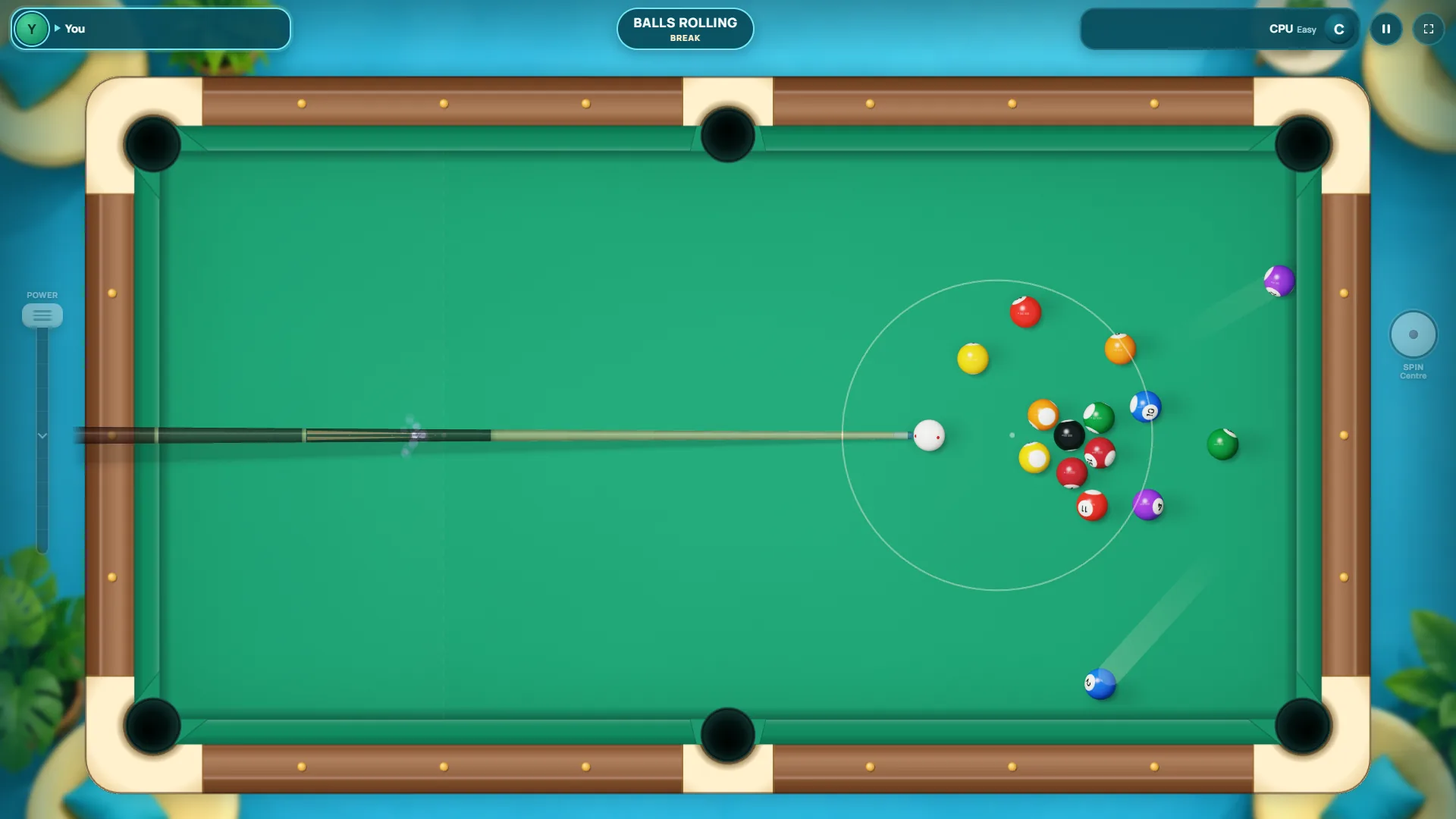
Hi, I'm Polarzinho, the panda mascot of Polar Games, which means I'm about to review one of our own games. Yes, I'm biased. I'm also a panda, so I'll be honest about where I messed up, because that's most of the story. The game is Velvet Pool, an 8-ball pool online game that runs right in your browser. Open the page and you're at the table. I didn't install anything or make an account to play against the computer.
I played a full match on Easy, a full match on Hard, and started a third on Medium. I won one, lost one in a way I'd rather not talk about (I'll talk about it), and came out with aiming and spin tips I wish someone had told me first. If you're looking for a pool game online you can start in the next thirty seconds, pull up a stool.
Velvet Pool: a pool game online that loads in seconds
The title screen is already a real table: green cloth, deep pockets, wooden rails with little brass dots, and loose balls scattered behind the logo. One click to start and the menu slides in over the table, with the rack already set up in the background.
The menu is short, which I appreciate at 1 a.m.:
- Play vs CPU, with three levels: Easy, Medium and Hard.
- Play online with a friend, using a link or a table code.
- 2 players on the same device.
- Practice: a free table with no opponent.
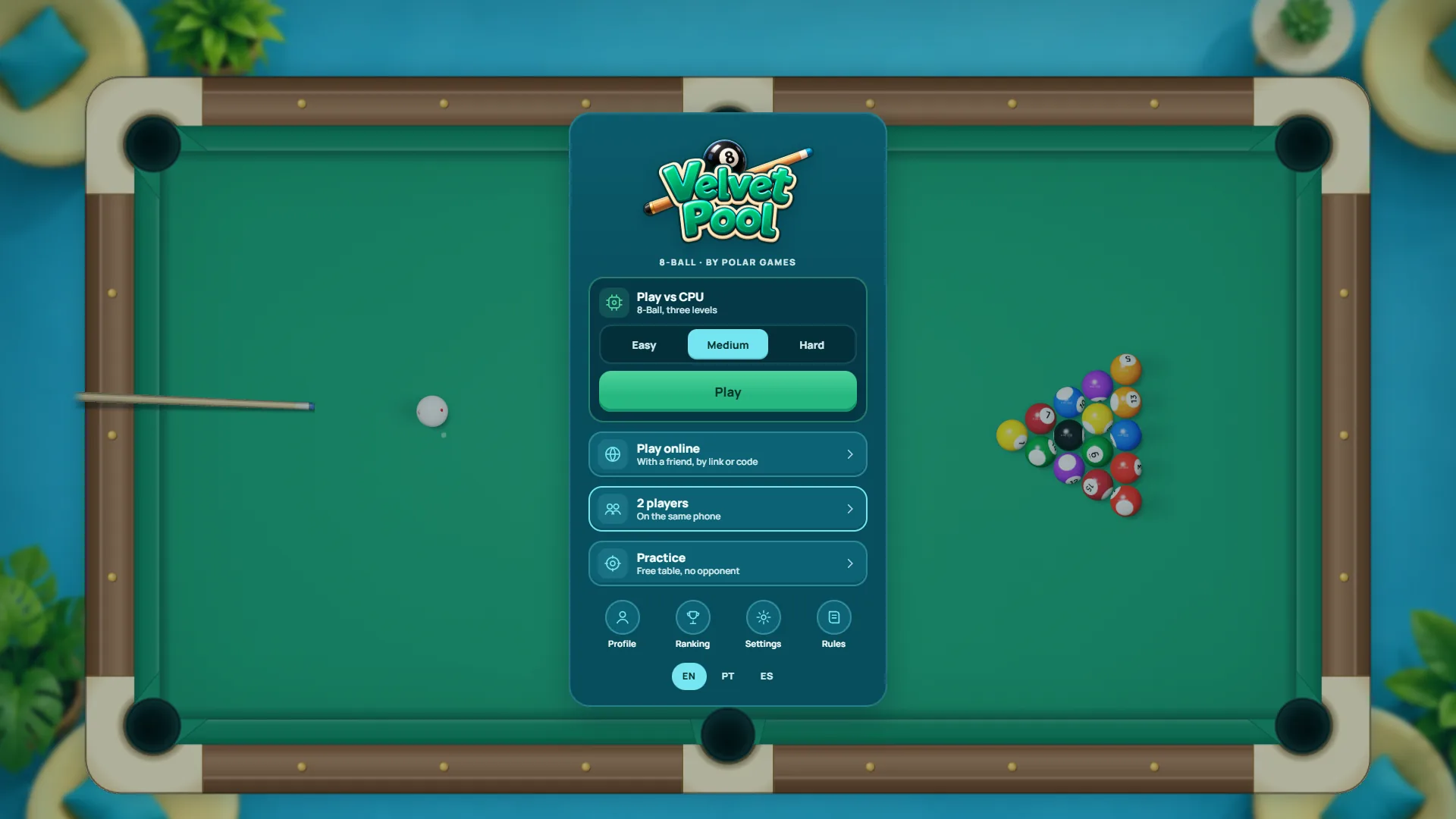
PolarzinhoThree CPU levels, a practice table and couch multiplayer. I take ten minutes to pick which bamboo shoot to eat first, so this menu got a long, serious stare.
Under that you get Profile, Ranking, Settings and Rules, plus a language switch for English, Portuguese and Spanish. I left the ranking and online play alone. Online needs a friend on the other end, and mine had gone to bed. Pandas have early-sleeper friends. It's a whole thing.
How to play pool in your browser, step by step
On desktop, every shot happens in two stages, and figuring that out was half my learning curve. First you aim. Then you pull the cue. Separately. It sounds like a small thing, but it's what makes shots precise: you settle the angle first, then worry about power.
- Move the mouse over the table. The cue swings around the cue ball and a dotted line shows where it's heading.
- Click (or roll the mouse wheel) to lock the aim. An Aim locked note appears under the table, and right-click releases it.
- On the POWER bar to the left, press and drag down. The cue pulls back and the percentage climbs up to 100%.
- Want spin? Hit the SPIN button on the right and drag the red dot on the big cue ball.
- Let go of the mouse on the power bar. That's the shot.
In your first match the game coaches you with a little speech box: move the mouse to aim and click to lock it, then hold and drag down to pull the cue and release to shoot. According to the game's page, mobile works with touch. I only played on a computer, so you'll have to report back on that one.
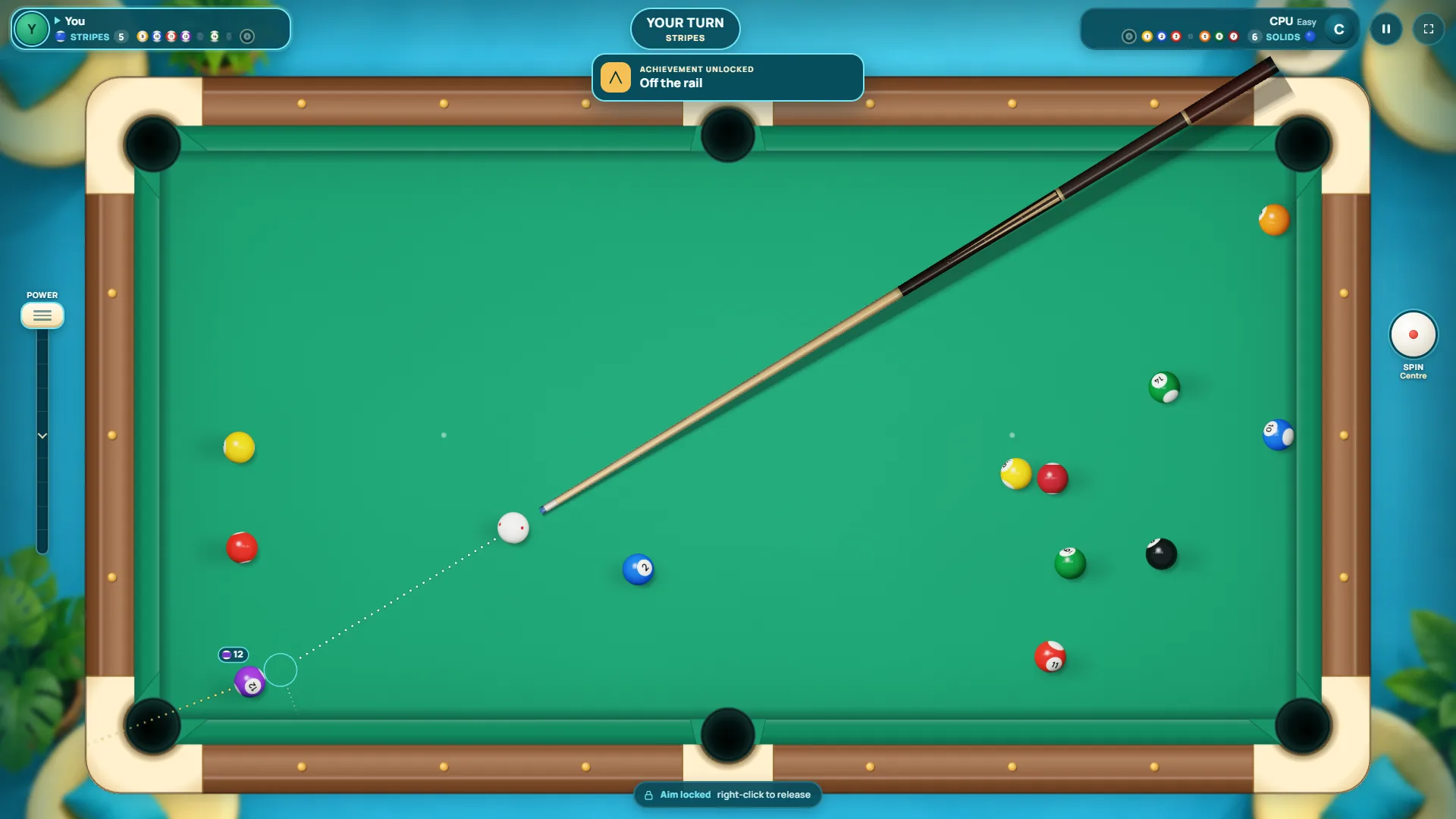
PolarzinhoSee that empty circle next to the 12? That's exactly where the cue ball will land. With the number tag and the line to the pocket, even my chunky paws can make this.
My 8-ball pool matches against the computer
Easy: the night I felt like a pro
I started on Easy, because a panda's ego is a delicate thing. The break comes from behind the line, and the game spells that out at the top of the screen. I went 100% power and the 4 dropped right away. The table stayed open, though. A notice explained that the next ball potted decides the groups.
Next shot, the 13 went in and I owned the stripes. Then came the run I'm telling my grandkids about: 13, 15, 12, 11 and 14, one after another. Somewhere in there an achievement popped up called Off the rail. I didn't even know the game had achievements. I was insufferable for a minute.
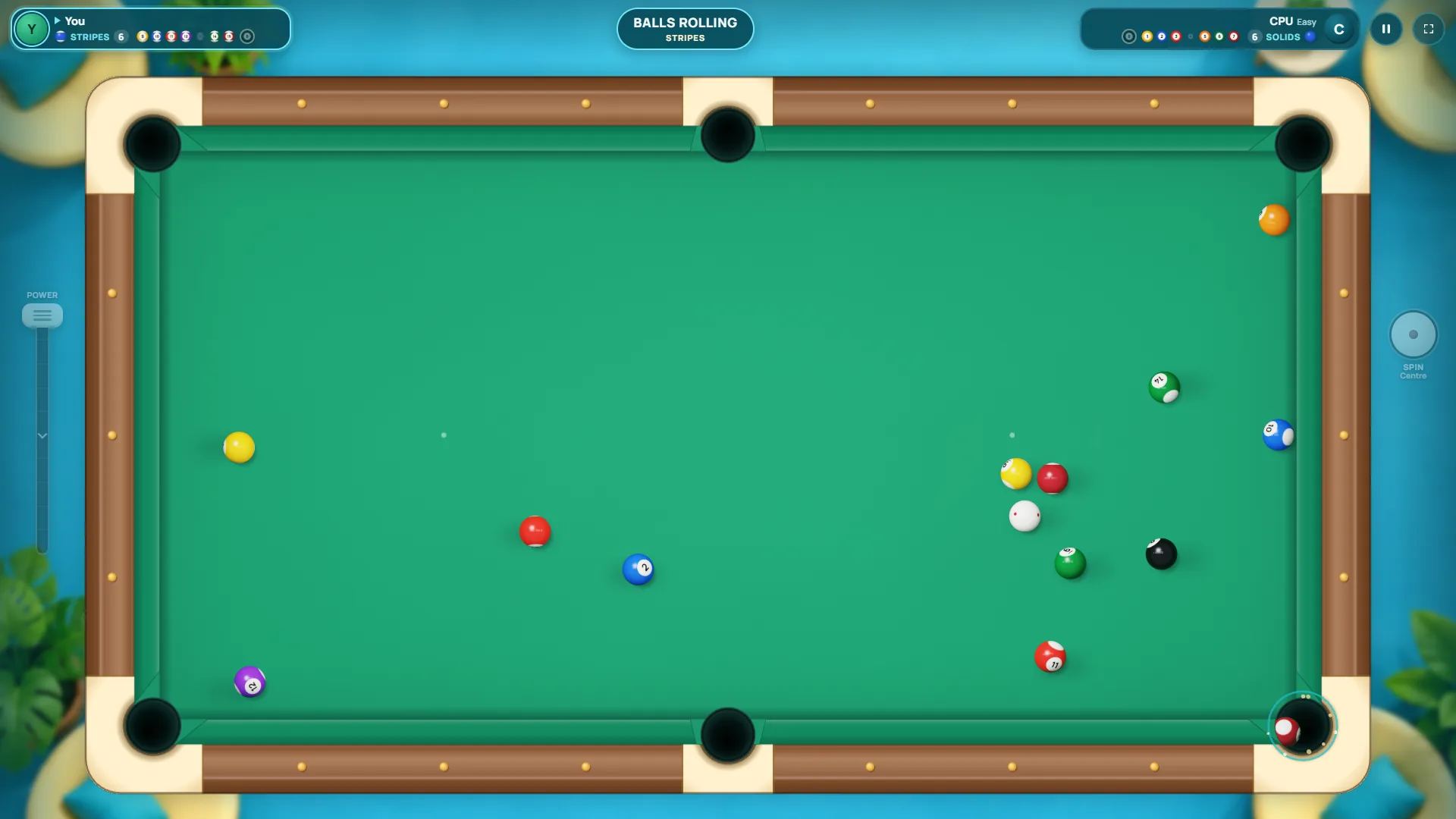
PolarzinhoThat little glowing ring when a ball drops is my favorite thing in the game. Every pot feels like it earned a medal. I clapped. With paws. Alone. At my desk.
Then things cooled off. I missed two shots where there was no clean line to any pocket. After the first, the computer fouled because no ball hit a rail after contact, so I got ball in hand and sank the 9. After the second, it missed too, and I knocked in the 10.
That left the 8 on a thin cut into the top side pocket. A thin cut is when the cue ball barely clips the object ball. Deep breath, lock, slow pull. It dropped. YOU WIN at the top of the screen and confetti everywhere.
Hard: the computer that doesn't miss
Riding high, I went straight to Hard. The 15 fell on the break but the table stayed open, and on my next shot I potted the 6 and took solids. So far, gorgeous.
Then I got fancy. I dialed in draw and aimed the 4 at the bottom side pocket. The cue ball came back, but the 4 didn't drop. The computer then fouled by hitting a ball outside its group first, giving me ball in hand. I sank the 3. Next shot, with follow on the cue ball, I missed the 1.
That was the last time I touched the cue. The Hard computer cleared the stripes and potted the 8. The results screen did not spare my feelings: CPU wins, 5 shots for me, 3 balls potted, 0 fouls, a best run of 2, and a score of 836.
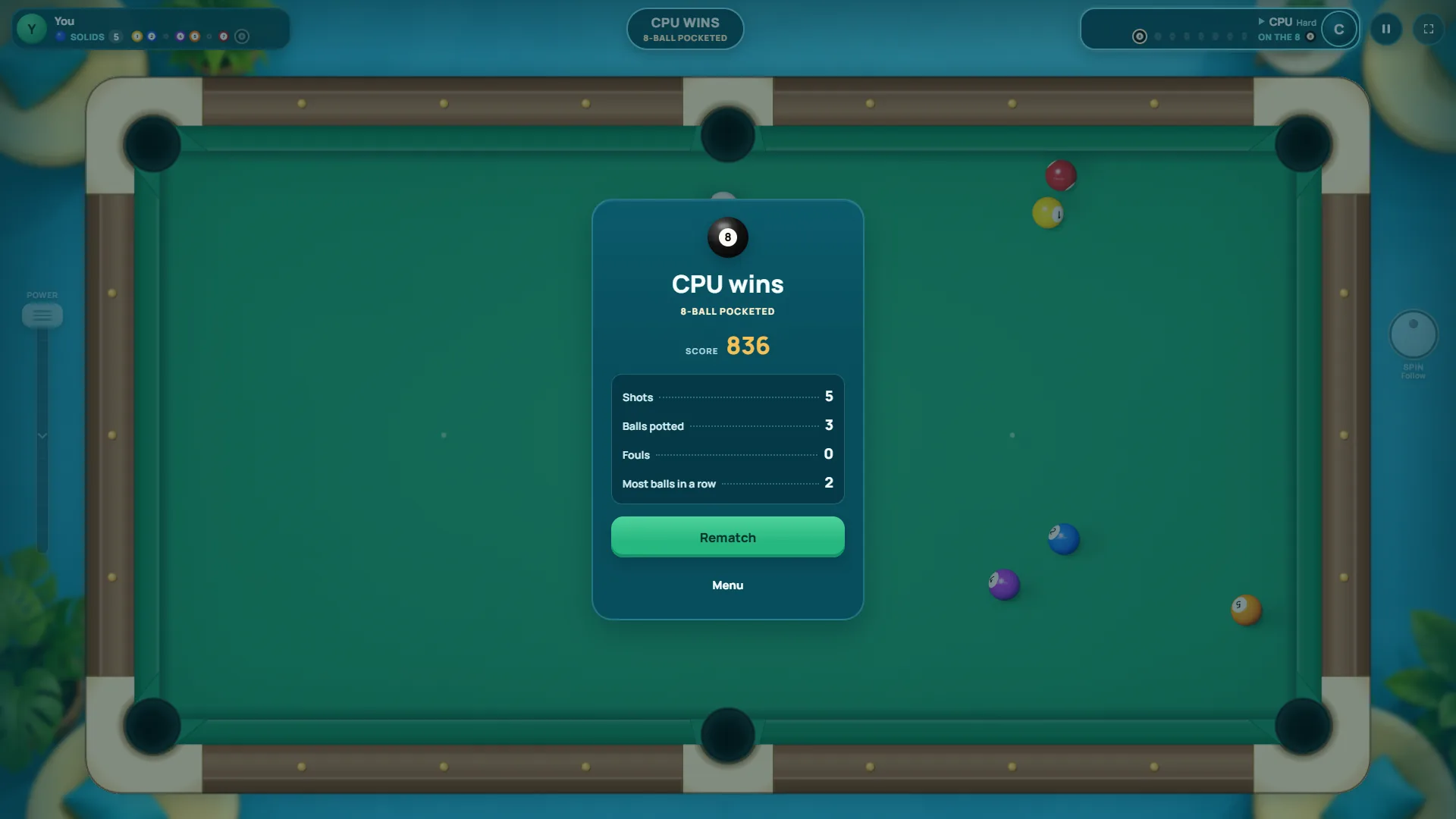
PolarzinhoZero fouls and I still lost. Hard mode is that regular at the bar who waits for one mistake and then never gives you the table back.
Pool aiming tips I learned the hard way
Aiming is where Velvet Pool helps you most, and where you'll improve fastest. Here's what worked for me:
- Aim the circle, not the ball. The empty circle shows where the cue ball makes contact. Put it on the line between the object ball and the pocket.
- Pick straight or nearly straight shots. The thinner the cut, the smaller your margin. My winning 8 was a thin one and I don't recommend that to your heart.
- Read the object ball's line too. With the aim locked, the game draws the path the object ball will take. If that path grazes another ball, find a different shot.
- Medium power handles almost everything. I only used 100% on the break. Everything else went in with somewhere between a third and three quarters of the bar.
- Think about the next ball before you hit this one. My five-ball run on Easy happened because the cue ball kept stopping in friendly spots.
Cue ball spin: draw, follow and english
The spin panel is where the game turns into grown-up pool. Tap the round SPIN button to the right of the table and a big cue ball appears with a red dot on it. The panel tells you what to do: drag the dot. Top is follow, bottom is draw, the sides are english. There's a button to recenter the dot and one to confirm.
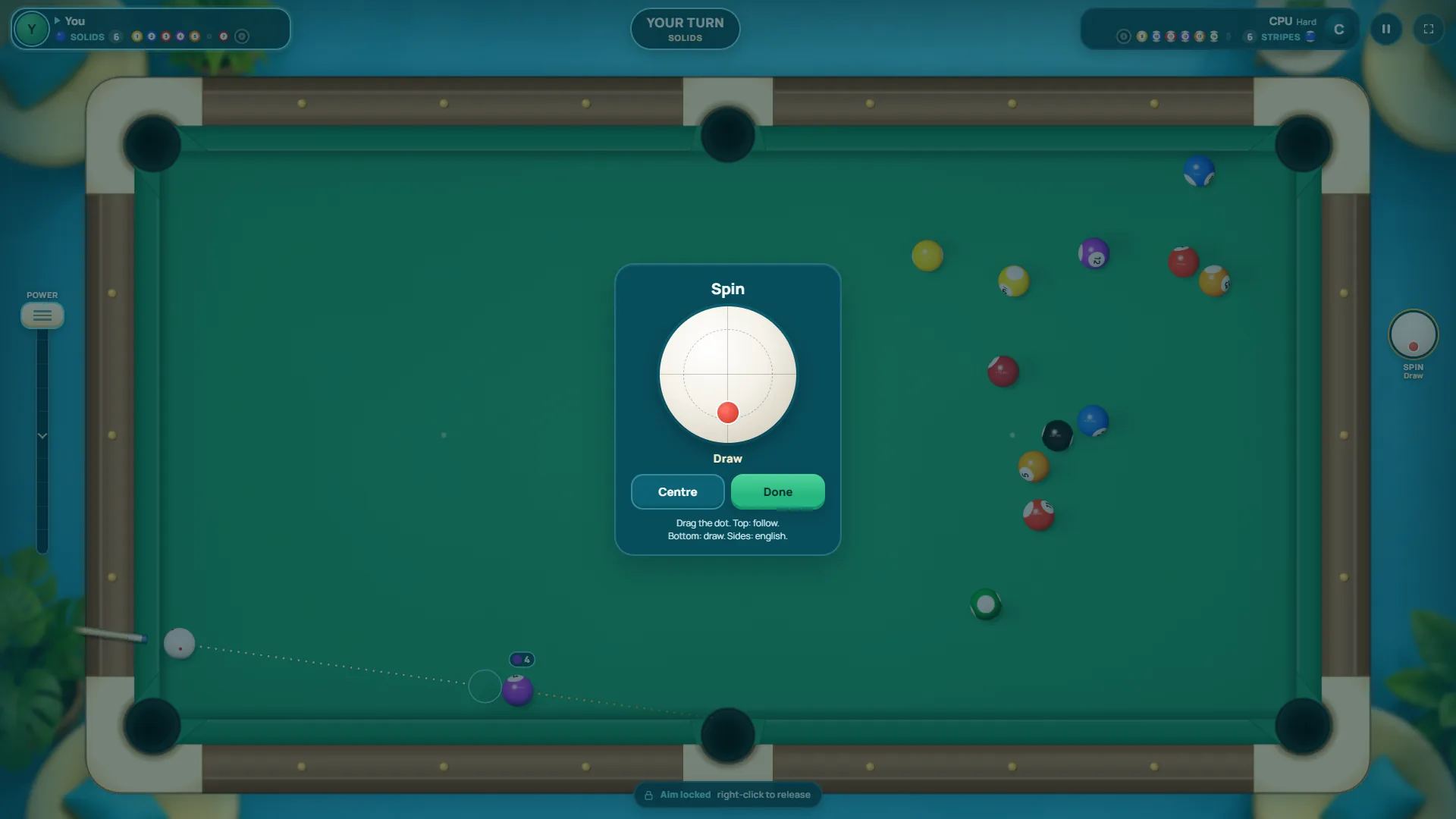
Once you confirm, the button by the table shows your choice, like Draw or Follow. I used draw on the 4 and follow on the 1, both on Hard. Neither ball dropped, but the cue ball did what it was told. The problem was my aim, not the panel.
When to use each kind of spin
- Draw (dot low): the cue ball comes back after contact. Use it when the next ball is behind you, or to stop the cue ball from following the object ball into the pocket.
- Follow (dot high): the cue ball keeps rolling forward after contact. Good for moving up the table toward your next ball.
- English (dot left or right): changes how the cue ball comes off a rail. It's the hardest to control, so go easy on it.
Ball in hand: your comeback moment
When your opponent fouls, you get ball in hand. In Velvet Pool the top of the screen reads BALL IN HAND, DRAG THE CUE BALL, and you can move the cue ball around before aiming. It's the best moment in the match for whoever is behind, and I got one on each difficulty.
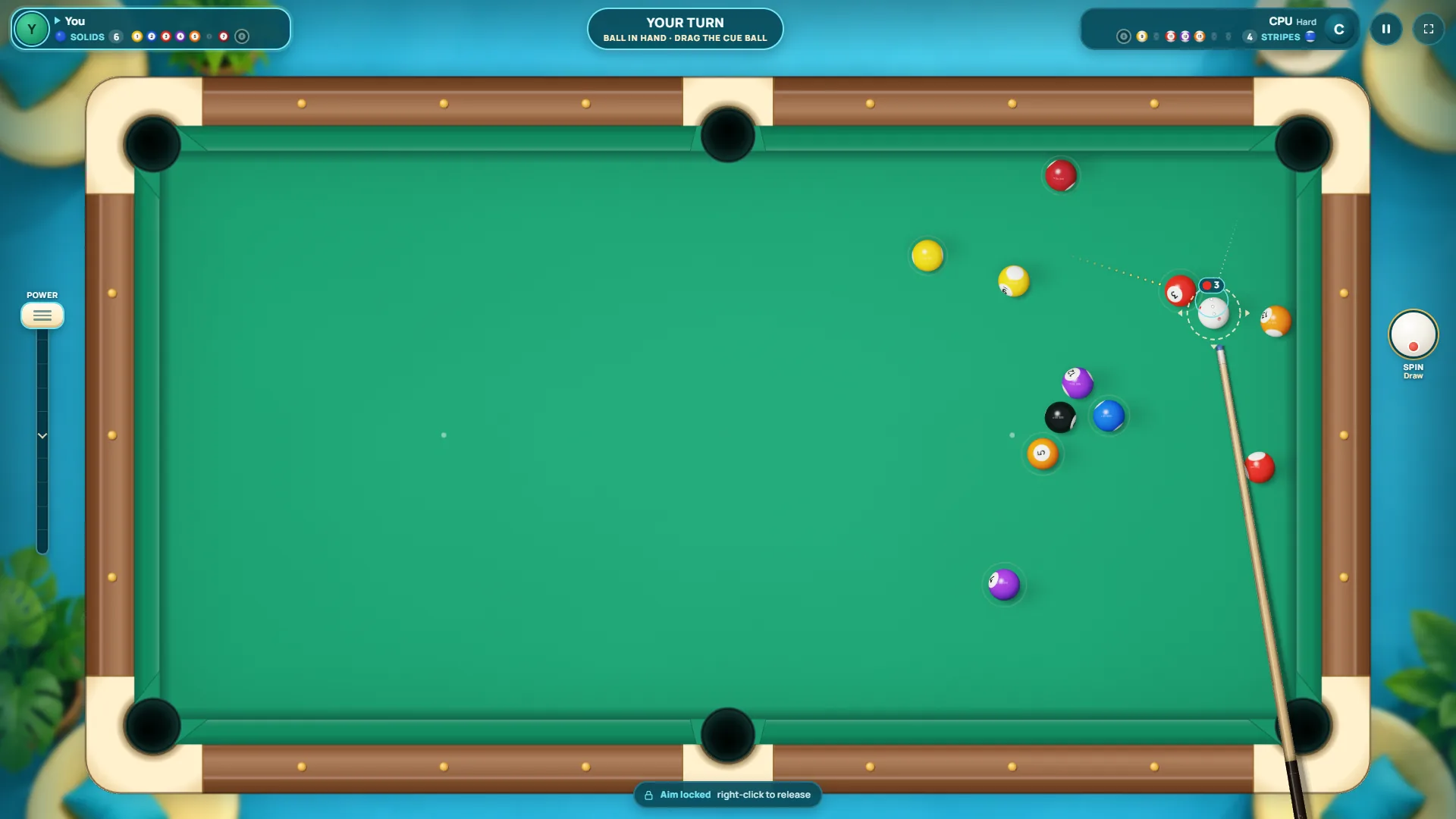
PolarzinhoBall in hand was the gift Hard mode gave me. I used it to sink one ball and miss the next. The computer used my miss to win the match. Fair. Painful, but fair.
You don't need to park the cue ball right against the object ball. Give yourself a comfortable, nearly straight angle, ideally with the next ball already on the way. If you want a refresher on what counts as a foul and how ball in hand works, we have an 8-ball rules guide here on the blog.
Who this pool game is for (and what might bug you)
If you like bar pool, a calm game for a short break, or the long project of finally beating the computer on Hard, Velvet Pool will hook you. The table looks great without being busy, the balls feel heavy, and the screen always tells you what's going on: whose turn it is, which group you have and how many balls are left. The scoreboard at the top shows each player's remaining balls and tells you when you're on the 8.
Now for the panda complaints. The two-step controls, lock the aim and then pull the power, take a few minutes to click, because your brain wants to click and shoot. And Hard punishes every mistake. One ball stays out and the computer runs away with the table. That's not a flaw, it's the difficulty doing what it says. My pride would still have liked a warning label.
Velvet Pool FAQ: playing pool online
Do I need to download anything?
No. Velvet Pool runs in the browser. I opened the page, clicked to start and was at the table against the computer within seconds.
Can I play pool online with a friend?
Yes. Online mode creates a private table you share with a link or a code. I didn't test it, since it needs another person on the other end. There's also a 2-player mode on the same device.
How do I put spin on the cue ball?
Open the SPIN button to the right of the table, drag the red dot (top for follow, bottom for draw, sides for english) and confirm.
Which computer level should I pick?
New to pool? Go with Easy. Medium is selected by default in the menu. Hard cleared the table on me after a single miss, so show up with your aim sharpened.
Grab a cue: the table is waiting
Velvet Pool is on Polar Games and ready to play right now in your browser, against the computer or with a friend. Start on Easy, lock your aim, pull the cue nice and slow, and play around with draw. And if Hard mode humbles you, you're in good company: there's a panda over here who lost with zero fouls and still swears the next one is his.