
How to Host an HTML5 Game on Your Website: Upload, Embed, Fix
A hands-on walkthrough for a static game folder: where it goes, how to open it, how to put it in a page, and what to check when it will not start.

How to host an HTML5 game, in one sentence: upload the contents of its game/ folder to any web host that serves static files, keep the subfolders exactly as they are, and open the folder's address in a browser. The ready-to-host game/ folder of every edition on our marketplace runs as it is: no PHP, no database, no build step and no account, so the host only has to hand files to the player's browser.
That is the whole job when everything goes right. This guide is about the other days: a blank screen, 404 errors, a MIME type message, an iframe that refuses to show anything. We sell these templates, so read it as a field manual for our own packages. We served copies of Gridspark and Velvet Pool from a throwaway local server, broke Gridspark on purpose in several ways, and read the public manuals of other editions. When a statement comes from a manual instead of our own test, we say so.
What hosting an HTML5 game actually involves
A static host stores files and hands them to browsers on request. It never runs your game; the player's browser does. That is why the requirements of our editions read so plainly: a current browser, a host that serves static files over HTTP or HTTPS, and no PHP, database or account to play. The game/ folder is already built, so publishing it takes no npm and no build step.
Two limits to know before you start. Some editions have optional parts that are not static: Zabum and Ricopop list an optional leaderboard that needs PHP 7.4 or newer and a writable folder, and the TypeScript editions (Beep Out, Pinloop, Trimora, Twirldrop, Riffvolt, Sunset Rally, Tenguin, Mochi Monsters, Deepforge, Barricade Z and Zabum) need Node.js only if you want to edit the source and rebuild; each manual gives the version. Velvet Pool, Puttide, Ricopop and Gridspark ship plain JavaScript, with no compile step between your edits and the files you upload. None of that is needed to publish the game as delivered. And hosting itself is not part of the purchase. The store terms list hosting and installation on your server among the separate services we quote before any work; support covers questions about installing and using the supplied files.
What goes up, and what stays on your computer:
- Upload everything inside game/: index.html, scripts, styles, images, sounds and fonts.
- Leave out source/ (the editable developer copy), documentation/ (the manual) and the ZIP itself. The Zabum manual lists uploading source/ by mistake as a cause of 404 errors such as main.tsx.
- Keep the third-party licence notices that come with the package alongside your product, as the terms ask.
See Gridspark, the edition we use as the example
How to host an HTML5 game: the short path from ZIP to playable page
These steps follow the installation chapters of the Velvet Pool, Puttide, Gridspark and Sunset Rally manuals, plus the checks we added after testing. Gridspark is the example because it is the edition we served and broke most often.
- Unzip the package on your computer. You will find game/ (the folder you publish), source/ (the editable copy) and documentation/ (the manual).
- Optional but cheap: test it locally. Open a terminal inside game/, run python -m http.server 8765 and visit http://localhost:8765/. If it plays there, the files are fine and any later problem belongs to the host.
- Pick the final address now, for example https://your-site.example/games/gridspark/. A subfolder works because the paths inside the game are relative; the Gridspark manual suggests public_html/games/gridspark/.
- Upload the contents of game/ into that folder with your host's file manager or an FTP client, keeping every subfolder. index.html must end up directly inside the folder, not one level deeper.
- Open the folder's address over https, with the final slash. In Gridspark you tap the start screen (browsers wait for a touch or click before they allow audio) and press Play.
- Make one move, reload the page and check that the menu now offers Continue. That proves the browser is saving progress for your address.
- Link to the folder from your site, or embed it in a page (see the iframe section below).
A finished Gridspark folder holds index.html, style.css, gridspark.config.js, src/ and assets/ side by side, and the manual asks you to keep them together. Other editions lay things out differently (Velvet Pool has css/ and assets/ instead of one style sheet), but the rule is the same: upload the folder as it comes.
Why double-clicking index.html gives you a blank page
The editions we opened load their code as ES modules, and browsers refuse to load modules from file:// addresses. We opened Gridspark straight from disk in Chromium and got a dark, empty screen. The console said the script was blocked by CORS policy, with the reason "Cross origin requests are only supported for protocol schemes" such as http and https. The same folder served by a local web server showed the start screen at once. The Velvet Pool, Puttide, Sunset Rally and Gridspark manuals all say the same: do not open the game from file://.
- Will not work: file:///C:/Users/you/games/gridspark/index.html
- Works: http://localhost:8765/ from a local test server, or https://your-site.example/games/gridspark/ on your host.
We tested Chromium only. The manuals describe the block as something common browsers do, so plan on it everywhere.
Embed the game in a page with an iframe
To show the game inside a page you already have, point an iframe at the uploaded folder. This is the tag we tested:
<iframe src="https://your-site.example/games/gridspark/" title="Gridspark" allow="fullscreen; autoplay" width="960" height="540" style="border:0"></iframe>
- src: the full address of the folder, with https and the final slash.
- title: a short name. Screen readers use it to describe the frame.
- allow="fullscreen; autoplay": the manuals say to allow fullscreen and autoplay in an iframe when needed. In our test a frame from another address without it had fullscreen disabled, and Gridspark simply hid its fullscreen button. The older allowfullscreen attribute gave the same result as allow. A frame on the same address as the page gets fullscreen either way.
- No sandbox attribute. With sandbox="allow-scripts" alone, Gridspark never started: the frame gets a null origin, the browser blocked the game's own script and local storage threw a security error. Adding allow-same-origin makes it work, but MDN warns that this pair on a same-origin frame removes the protection, so for a game you host yourself, leave sandbox out.
Size it for phones
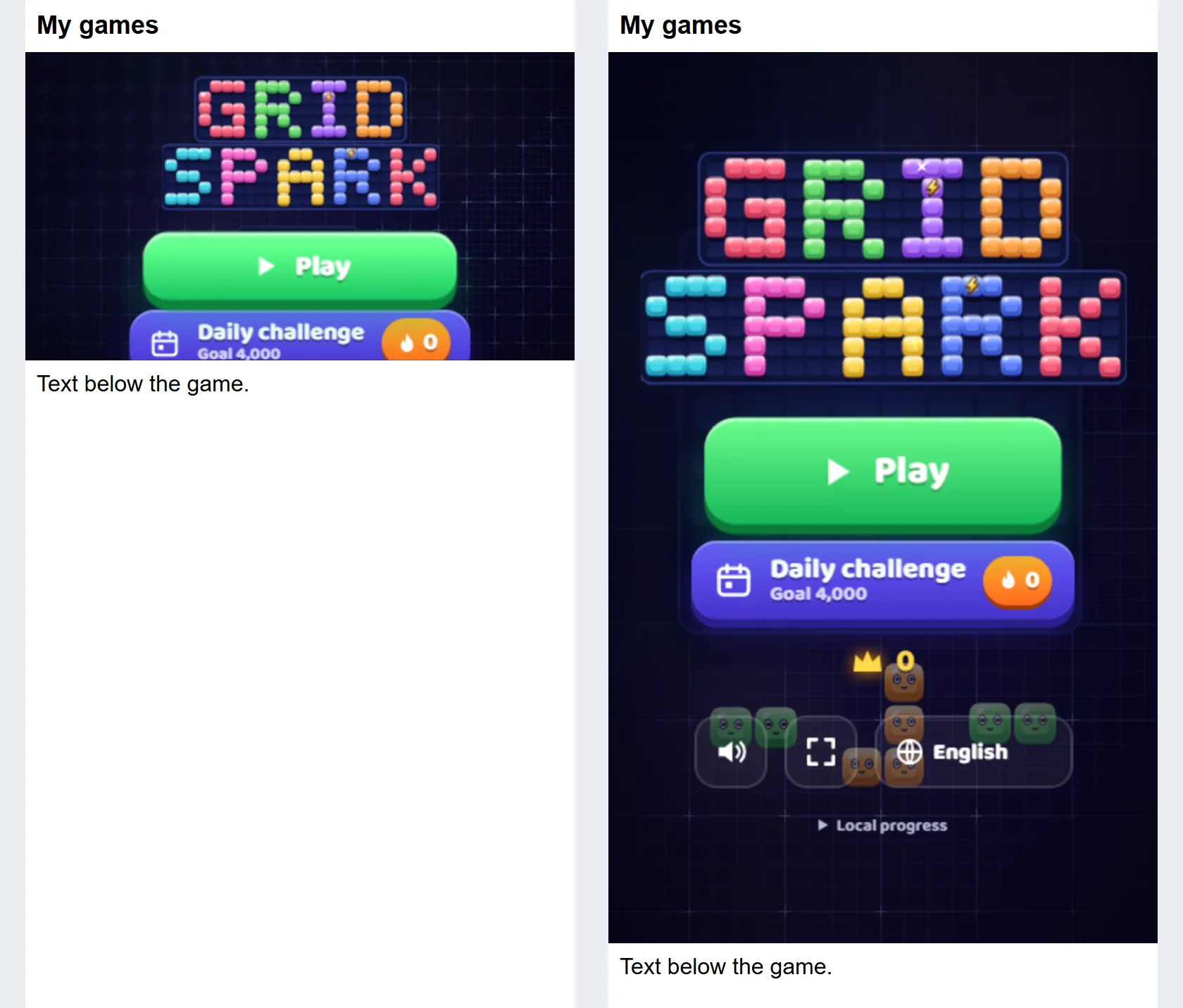
A fixed 16:9 box looks right on a desktop and wrong on a phone. At 390 px wide, an iframe with aspect-ratio 16/9 is only 219 px tall, and Gridspark's menu was cut off under the Daily challenge button. Giving the frame a height of 75svh, three quarters of the screen height, showed the whole menu. Your own page also needs a viewport meta tag; the six packages we opened all carry one in their own index.html, which is why the game scales when opened directly.
The game works at its own address with no page around it, so a plain link that opens that address is always a valid fallback.
See Velvet Pool, a 3D edition that embeds the same way
WordPress and other site builders
Hosting the folder and showing it on a page are two separate jobs, and in WordPress they use two different tools. Everything below comes from the WordPress documentation and developer reference, not from running WordPress ourselves.
- Upload the folder with your host's file manager or FTP, into the site's folder tree (for example a games/ folder next to the WordPress folders). Not through the Media Library: WordPress's code removes .html and .js from the allowed upload types unless the user has the unfiltered_html capability.
- Open the folder's address on its own before you touch any page. The default Apache rules WordPress documents send a request to index.php only when no matching file or folder exists (that is what the !-f and !-d conditions test), so an uploaded folder is served as it is.
- Add the iframe in a Custom HTML block. WordPress documents that users without the unfiltered_html capability, a Contributor for example, have iframe tags stripped when the post is saved. If the frame vanishes after saving, check who edited the page.
Other site builders and CMSs: we have not tested them and make no claims about any of them. The game needs the same two things everywhere, a place for the uploaded folder and an embed element that accepts an iframe. If a builder offers neither, host the folder anywhere that serves static files and link to its address.
When it does not start: a troubleshooting list
Open the browser's developer tools (F12 in most desktop browsers) and look at the Console and Network tabs before you change anything. Each failure below leaves a red line there, and the file name in it usually points at the cause.
A blank screen
Check in this order: the address starts with http:// or https://; the Console has no red lines; file names keep their exact upper and lower case; and, for the 3D editions, WebGL2 is available (the Velvet Pool manual says to enable hardware acceleration). Linux hosts treat Game.js and game.js as two files and Windows does not, so a folder that worked on your PC can break after upload. The Velvet Pool and Zabum manuals both warn about case.
404 for src/main.js, fonts or images
Part of the folder did not arrive, or it arrived one level too deep. We reproduced it by uploading only index.html, style.css and the config file: the screen stayed blank and the Network tab listed 404 for src/main.js and every font. Upload the missing folders, or move the contents up so index.html sits at the address you open. If images or sounds are missing or corrupted, the Zabum manual suggests FTP in binary or auto mode, or uploading a ZIP and extracting it in the host's file manager. A 404 is a missing file. It is not a MIME problem.
The page loads unstyled, with giant icons
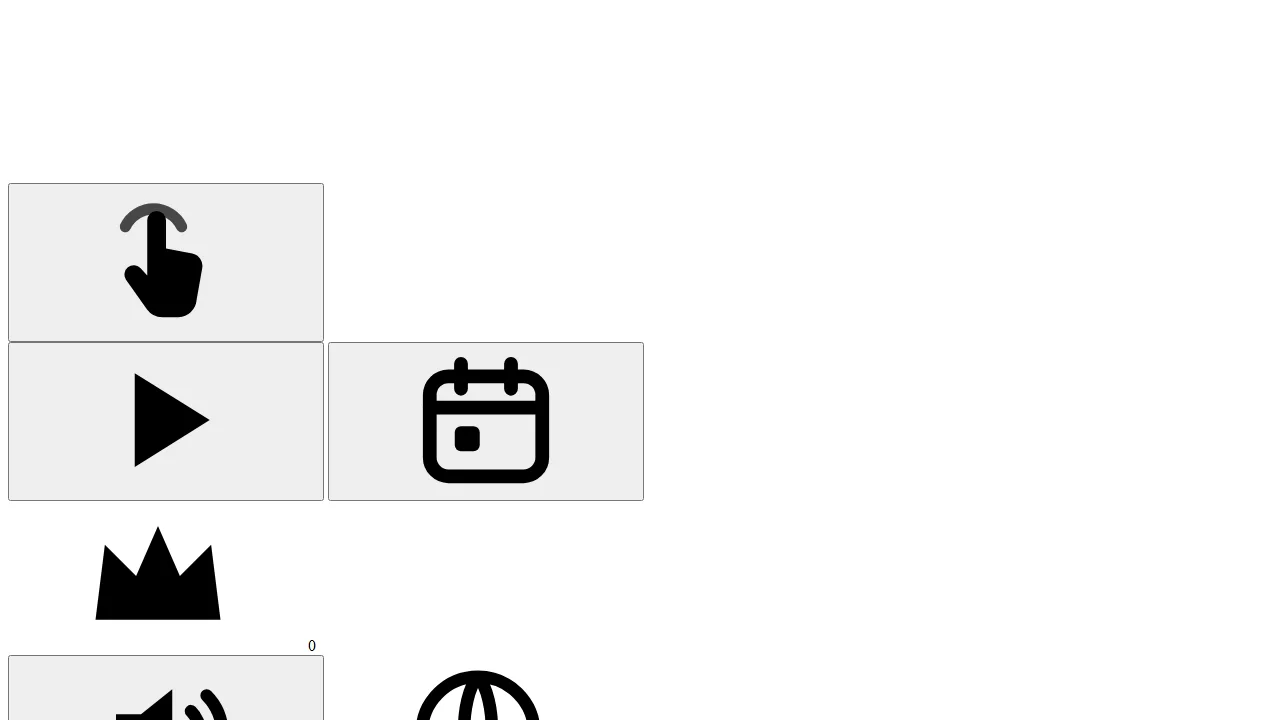
If a rewrite or clean-URL setting serves the folder without the final slash, relative paths resolve one level up. We reproduced it with a test server that returns the folder page without redirecting. The browser asked for /games/style.css and /games/src/main.js instead of the files inside /games/gridspark/, got 404s, and drew the menu as raw buttons and oversized icons. Link to the folder with the trailing slash, or point straight at index.html.
A MIME type error on a module script
In our test the console read: Failed to load module script: Expected a JavaScript-or-Wasm module script but the server responded with a MIME type of "text/plain". Browsers are strict about module scripts. The manuals say the server must send .js files with a JavaScript MIME type, and .wasm as application/wasm; the Sunset Rally manual adds .mjs. The Network tab shows the Content-Type of each file. In the builds we opened, the modules are .js files. If you add .mjs files of your own and an older Apache configuration does not map them, one line in .htaccess fixes it, the same one our own site uses:
AddType text/javascript .mjs
The Apache 2.4.62 type table on our test machine already maps js and mjs to text/javascript and wasm to application/wasm, so a stock install does not need the line. Other servers keep their own tables; ask whoever runs yours.
Blocked by CORS policy
Module scripts and fonts loaded from a different address need an Access-Control-Allow-Origin header from that address. In our test a page on one port could not load a module script from another port until the second server sent the header. In practice the fix is dull: keep the game's files together in one folder on one address, which is how the packages are built. You do not need CORS to embed the game in an iframe on another site, because the iframe simply loads the game's address. A CORS error inside an embed usually comes from a sandbox attribute, described above.
Mixed content on an https page
A page served over https cannot load scripts or iframes over http: browsers block both, and MDN lists fonts and fetch requests among the blocked types too. Use https:// in the iframe src and in any full address you typed. The game's own files use relative paths, so they follow the scheme of the address you opened. If the https address does not open at all, enable the certificate in your host's panel first.
The iframe says "refused to connect"
In our test Chromium logged this line, with the address of the blocked frame in the first quotes: Refused to display 'https://game-host.example/' in a frame because it set 'X-Frame-Options' to 'sameorigin'. The server that hosts the game was sending that header. SAMEORIGIN allows embedding only from the same address, and DENY never allows it; a frame-ancestors rule in a Content-Security-Policy header does a similar job. Change the header for the game's folder, or serve the page and the game from one address.
No audio at first
Browsers block audio until the first tap or click, which is why Gridspark opens on a tap-to-start screen. Tap once, then check the volume and the browser's permissions.
See Puttide, the golf edition with a ready-to-host build
Updating the game without serving a half-old version
Browsers cache scripts, so after an upload you or a player can still be looking at the old game. The Gridspark manual gives the rule: back up your edits, replace the playable files as one set, test, and hard-refresh if the host caches old modules. Do not mix old and new modules. A game made of many small files that import each other is the wrong thing to update halfway.
Editions with a service worker keep a cache of their own. Zabum is a PWA: after an update, hard-refresh (Ctrl or Cmd plus Shift plus R). If you replaced audio files, change the cache name in sw.js (the manual's example goes from zabum-v5 to zabum-v6) and upload that file. If your site sits behind a CDN, purge its cache too. Of the manuals we read, Zabum is the only PWA; the Velvet Pool and Puttide manuals say outright that theirs is not an installable offline app.
Read the changelog before you replace files, and keep a copy of anything you edited. Saves live in each player's browser, not in the folder you upload, so replacing the files does not delete them.
See Zabum, the PWA edition with an optional PHP leaderboard
Where progress is saved, and what clearing the browser does
These editions have no accounts and no server database. Settings, language, the current run and personal bests sit in the browser's local storage, and nothing is sent to Polar Games. The Gridspark manual names the keys gridspark.standalone.v1.*; after one move we saw gridspark.standalone.v1.best and gridspark.standalone.v1.save.
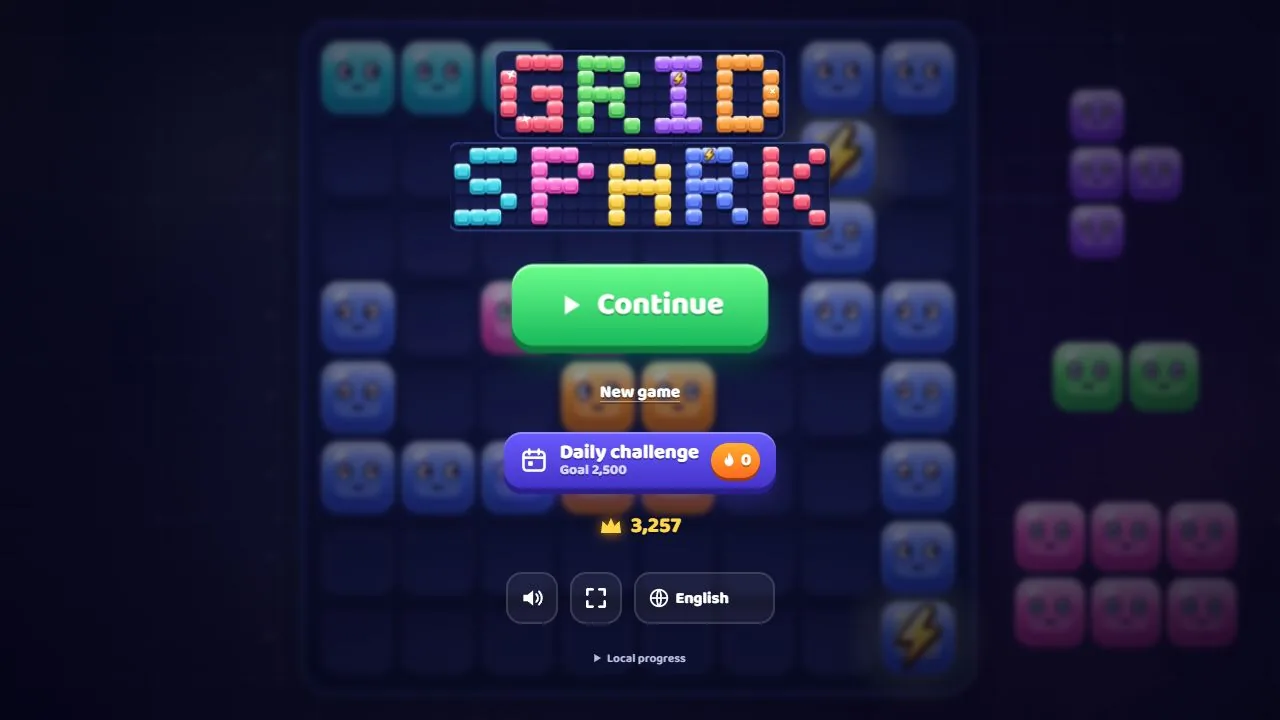
Storage belongs to the address (protocol, host and port), not to the folder. We checked it three ways. A copy of Gridspark in another folder of the same address read the same saved values. The same game opened as localhost instead of 127.0.0.1 started empty, and so did the same address on another port. The Zabum manual adds that http and https, www and non-www, and subdomains each have their own storage.
- Clearing site data or cookies erases the saved game and the records. In a private window progress may last only for the session; the game keeps running when storage is blocked.
- Another browser or another device starts from zero. There is no sync and no account to sign in to.
- Changing the address resets everyone: http to https, www to non-www, a new domain.
- Moving the game to another folder of the same address keeps the saves, as our Gridspark test showed.
A test checklist before you share the link
- Open the final address in the browsers your players use: a Chromium-based one (Chrome or Edge), Firefox and Safari. Our own tests ran in Chromium only, so this is the list for you to run.
- Open it on a real phone, first at the game's own address and then inside your page, in both orientations.
- Throttle the connection in the developer tools and watch the first load. Gridspark, served uncompressed from our local server, needed about 0.5 MB and 26 requests to reach its start screen. With Chromium throttled to 1.6 Mbit/s and 150 ms latency, the screen appeared after about 3 seconds. The whole game/ folder is about 3.4 MB on our copy; Velvet Pool is about 7.3 MB and Puttide about 15 MB. If old phones struggle, the Zabum manual suggests checking that your host compresses files with gzip or brotli.
- Make a move, reload, and confirm that Continue and the best score are there.
- Tap once and check that audio starts. Silence before the first tap is normal.
- Open a private window. The game should still run, even if it forgets progress when you close it.
- Read the Console and Network tabs on a first load: no red lines, no 404s.
- In an embed, check that the fullscreen button appears and that the frame is tall enough on a phone.
FAQ
Do I need PHP, a database or a special server to host an HTML5 game?
Not for our editions as delivered. They are static: upload the game/ folder to a host that serves files over HTTP or HTTPS and open it. Zabum and Ricopop have an optional leaderboard that does need PHP 7.4 or newer and a writable folder.
Can I just double-click index.html?
No. Browsers block game modules on file://, and the page stays blank. Open the game through an http or https address, either your host or a local test server such as python -m http.server 8765.
Do I need HTTPS?
The manuals say to use HTTPS for public hosting. The Zabum manual says Add to home screen needs it, and an https page cannot embed an http iframe because browsers block it as mixed content.
How do I add the game to a WordPress page?
Upload the folder with your host's file manager or FTP, open its address to confirm it plays, then add the iframe in a Custom HTML block. Users without the unfiltered_html capability have iframes stripped, so check the role of whoever edits the page.
Where is progress saved, and what if players clear their browser data?
In the browser's local storage, per address. Clearing site data erases it, another browser or device starts empty, and changing the domain or switching between http and https resets it. There are no accounts and nothing is sent to us.
Does Polar Games host the game for me?
No. The store sells the files. Support covers questions about installing and using them; hosting and installation on your server are separate services that we quote before any work.
Next step
If you are still choosing HTML5 games for your website, each item page lists its requirements, links its manual and lets you play the demo before paying. Read the installation chapter of the manual first: it is the page you will use for the job in this guide.