Contents
1 Overview
Pinfall Bowling is an HTML5 3D bowling game with its own WebGL 2 renderer and a real physics simulation of the ball, the pins and the oil on the lane. The player drags to choose a position and swipes up to bowl: the speed of the swipe is the power and its curve is the hook.
It has three modes: Classic (10 frames with official scoring, up to 300), Party (2 to 4 players on one device, passing it between turns) and Challenges (14 trick shots and splits with 3 stars each, 42 stars in total).
Around the game: 3 complete lanes (Starlight Club, Cosmic Neon, Tiki Sunset), each with its own scenery, music and ambience; 16 balls that can be swapped during a game; 4 celebrations and 5 ball trails unlocked with the tickets earned by playing or with achievements; 12 achievements, statistics, replays, an interactive tutorial, 14 interface languages and layouts for desktop, tablet and phone.
2 Installing on your website
Installing takes a few minutes if you have FTP access or a file manager in your hosting panel.
- 1. Extract
pinfall-bowling-static-1.0.0.zipon your computer. -
2. Connect to your hosting by FTP or its file manager and open the folder where the game should live, for
example
public_html/games/pinfall-bowling/. -
3. Upload only the contents of the
game/folder, so thatindex.htmlsits directly inside the target folder. -
4. Keep
assets/,config/,css/,src/andmanifest.webmanifestbesideindex.html, with names and letter case unchanged. -
5. Open
https://your-domain.example/games/pinfall-bowling/in a modern browser.
source/ folder, the documentation/ folder or the ZIP itself.
Players need no Node.js, PHP, database or account.
3 Requirements
-
Any static web hosting with HTTPS (or HTTP). Opening
index.htmldirectly from the disk (file://) does not work, because browsers block JavaScript modules there. - A current browser with WebGL 2: Chrome, Edge, Firefox, Safari or Opera, on desktop or mobile. If WebGL 2 is not available, the game shows a clear message.
-
About 10 MB of space on the server. The game makes no request to other websites: fonts, pictures and
sounds are all inside
game/. -
Node.js is only needed to run the tests or to rebuild the game from
source/(see the development section).
4 How to play
Swipe controls (default, mouse or touch): drag the ball sideways to choose where to stand, then swipe up from the ball to bowl. A faster swipe gives more power, and curving the swipe spins the ball so that it hooks late, near the pins.
Precision controls (Settings, Gameplay): position, aim and spin are set with on-screen buttons or the keyboard, then hold BOWL to charge the power meter and release to throw.
Keyboard: Left and Right arrows move, A and D aim, Q and E spin, hold Space to charge and release to bowl, P or Esc pause. Pressing one of these keys switches to the precision controls.
Scoring follows the official rules: a strike is 10 plus the next 2 balls, a spare is 10 plus the next ball, and the 10th frame gives bonus balls. While aiming, the round ball button under Pause opens the list of balls, so the player can change ball at any moment of the game.
5 Screens
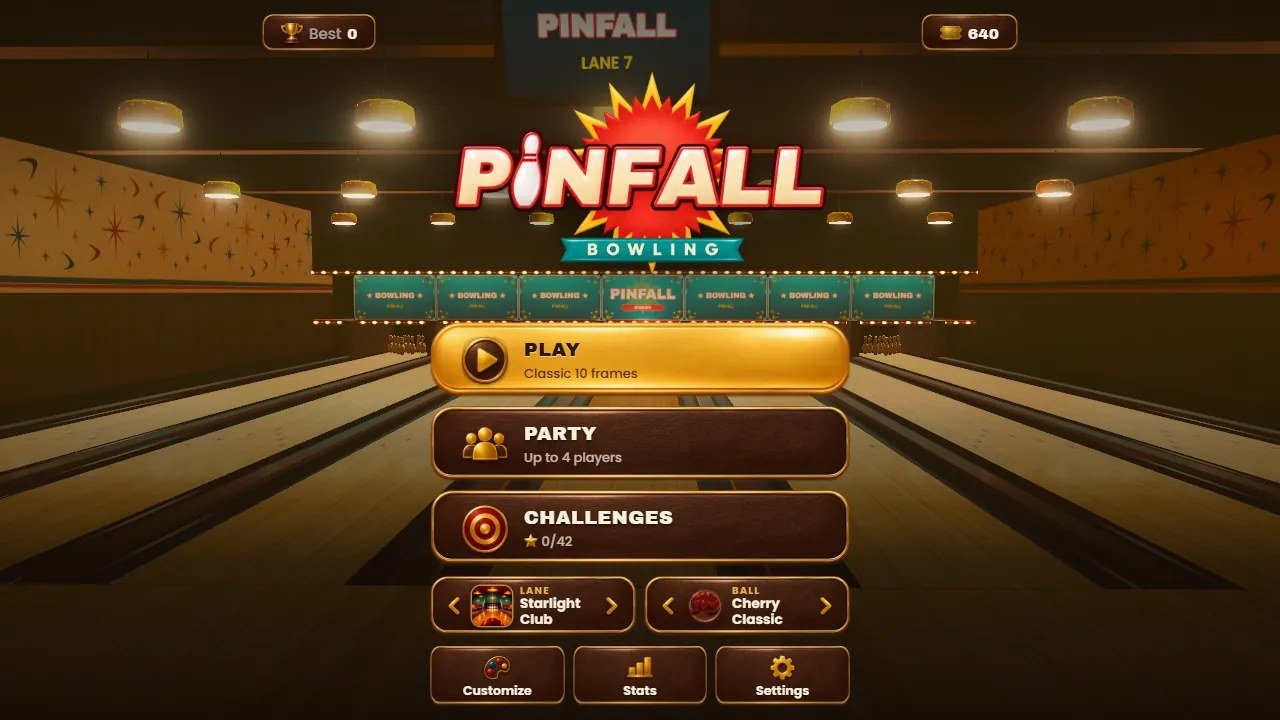
Marks on the screenshot
- Play (Classic)
- Party, 2 to 4 players
- Challenges
- Lane picker
- Ball picker
- Customize
- Statistics and achievements
- Settings
- Tickets
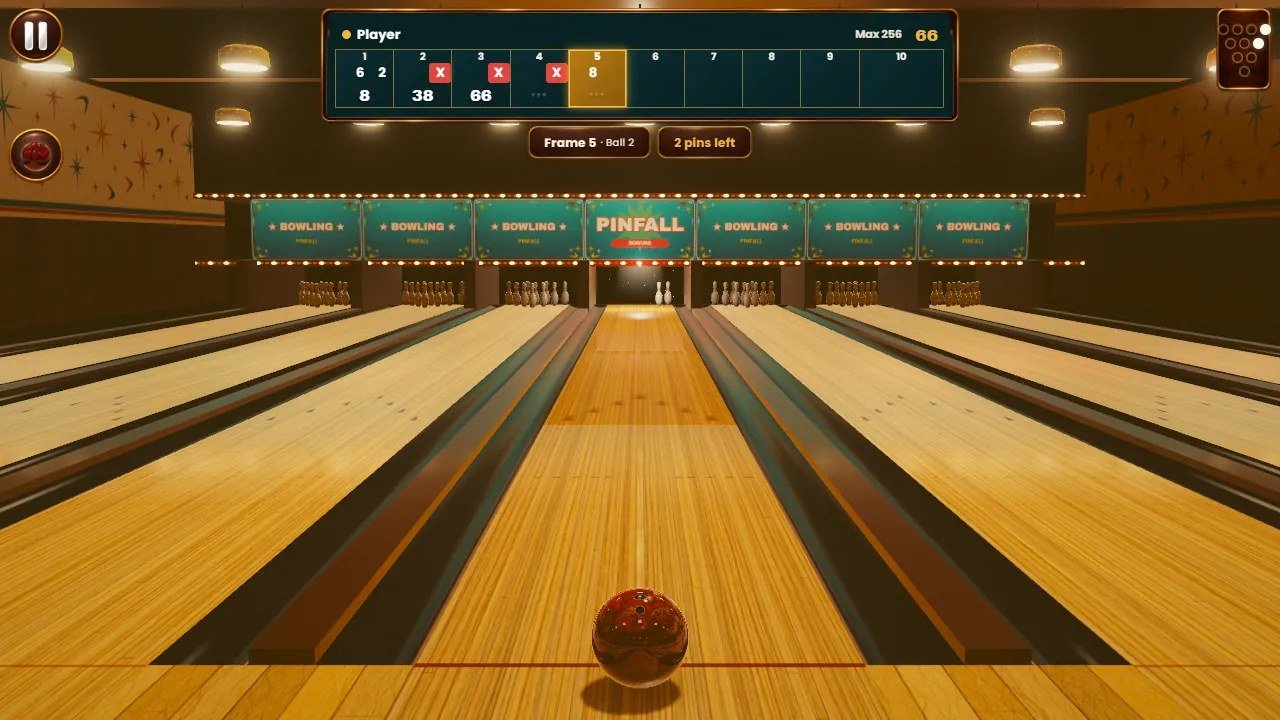
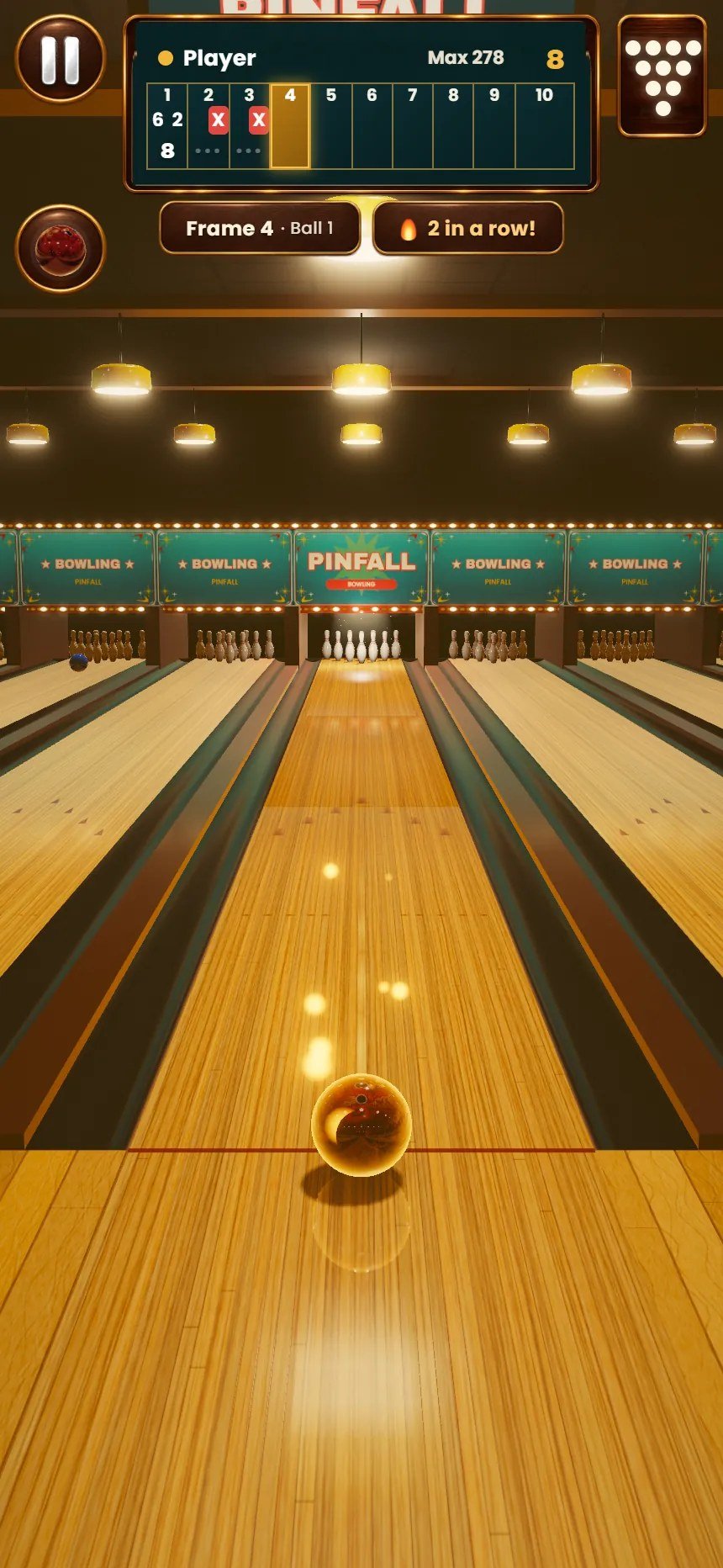
Marks on the screenshot
- Pause
- Scoreboard (tap to expand)
- Pin map
- Change ball
- Current frame and ball
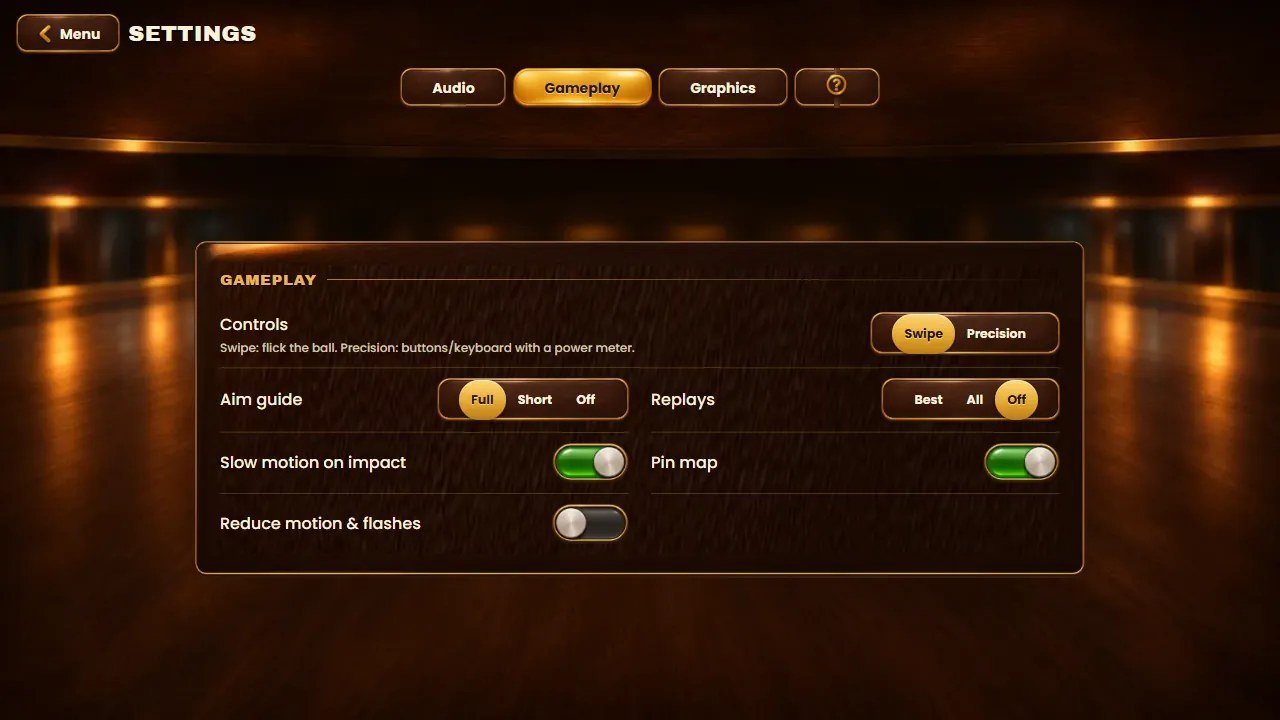
Marks on the screenshot
- Tabs
- Swipe or precision controls
- Aim guide
- Back
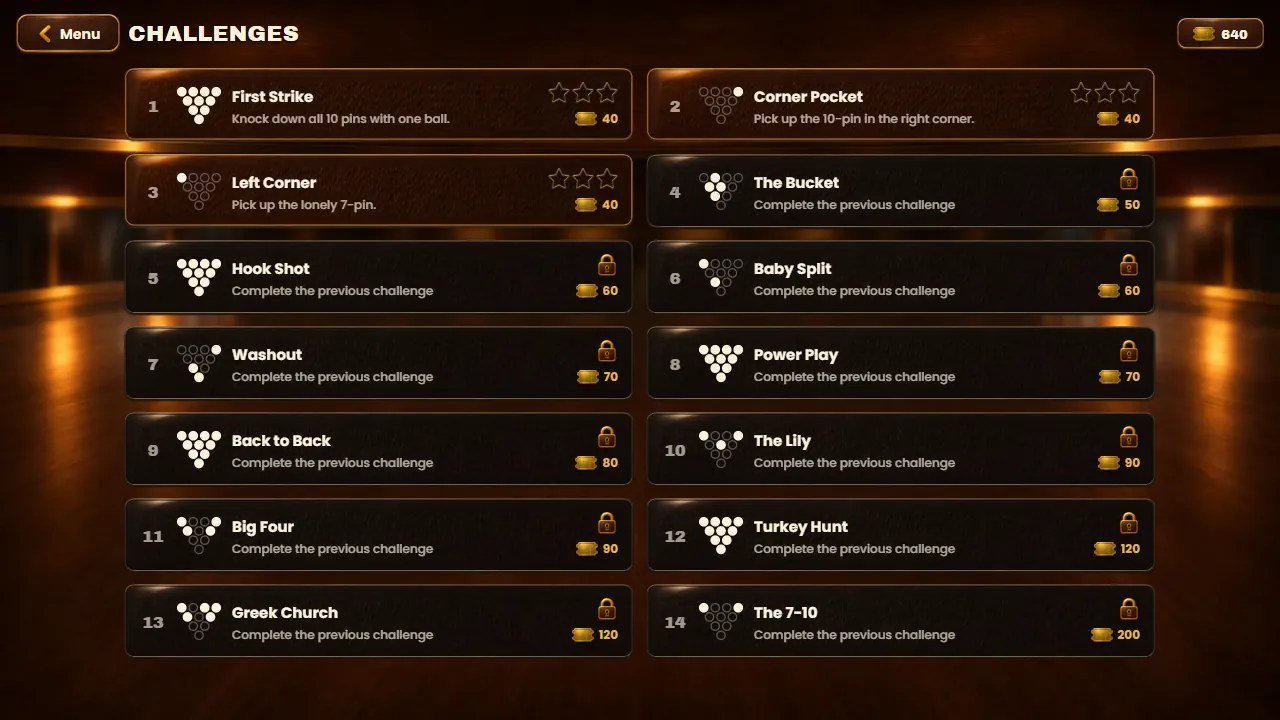
Marks on the screenshot
- A challenge
- Stars earned
- Locked challenge
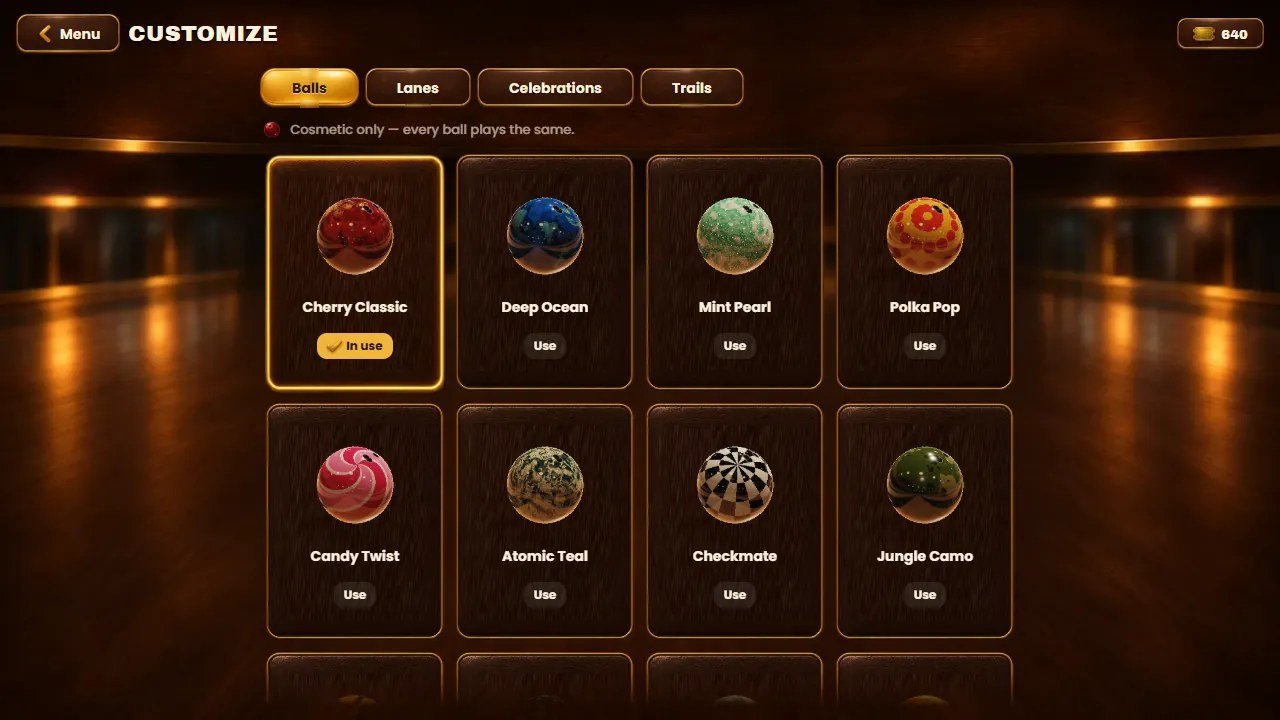
Marks on the screenshot
- Tabs
- Ball in use
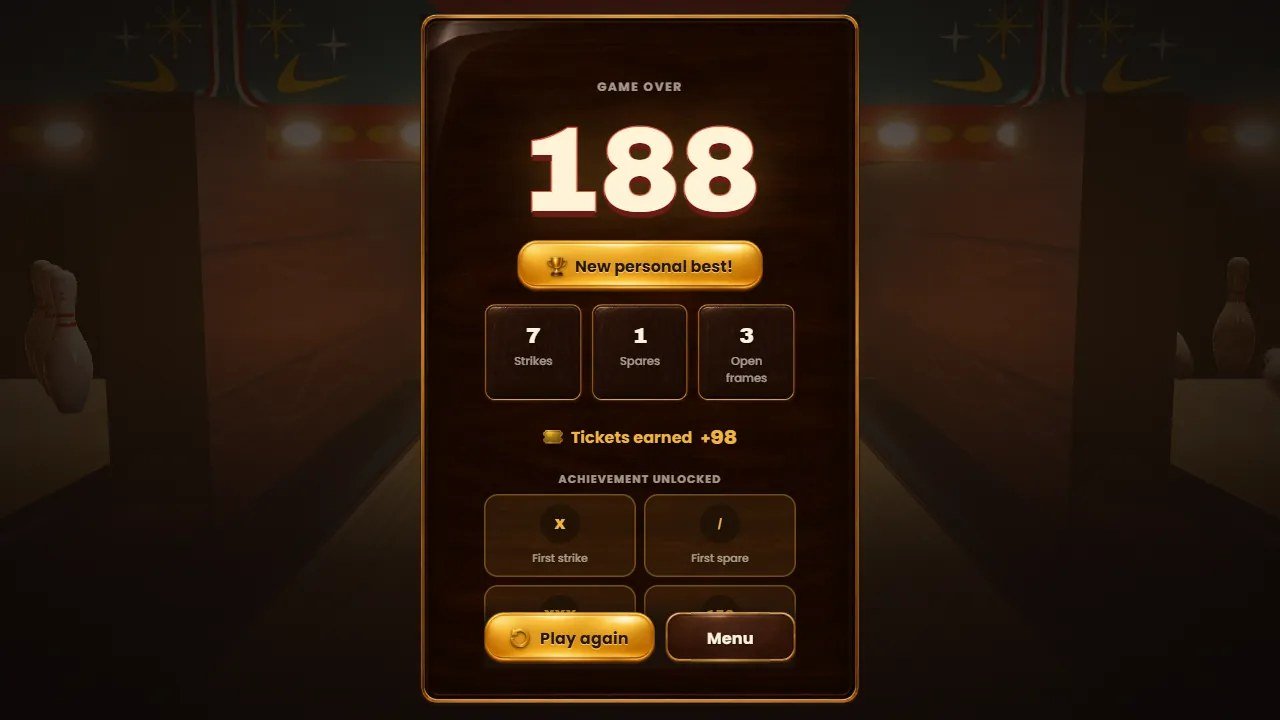
Marks on the screenshot
- Final score
- Tickets earned
- Play again
- Back to the menu
6 Files and folders
game/ is the ready-to-host game. source/ has the same editable files plus the
tests, a local preview server and the build command. The code is plain JavaScript ES modules with no compile
step and no npm dependency.
game/                        upload these contents to your web host
  index.html                 the page: loads config/, css/ and src/main.js
  manifest.webmanifest       name and icons when the game is added to a home screen
  embed-example.html         example of the game inside your own page (iframe)
  config/game.config.js      START HERE: brand, colors, gameplay, tickets, audio, catalog
  css/                       styles of the screens (theme.css is the walnut and brass skin)
  src/main.js                starts everything
  src/config/feel.js         every game-feel number: hit-stop, slow motion, shake, banners
  src/game/                  rules and flow: scoring, session, throw, challenges, catalog, save
  src/physics/               rigid-body physics of the ball and the pins
  src/engine/                WebGL 2 renderer, shaders, camera, textures
  src/world/                 the alley and the three lanes (themes/retro, neon, tropical)
  src/ui/                    screens, HUD, tutorial, settings
  src/audio/                 audio engine and the list of recorded sounds (sound-files.js)
  src/lib/locales/           interface texts, one file per language
  assets/ui/                 interface art (WebP)
  assets/scenery/            painted scenery of the lanes (WebP)
  assets/audio/              sound effects, music and ambience (MP3)
  assets/branding/           logo
  assets/fonts/              Archivo Black, Poppins and their licenses
  assets/icons/              app icons
  DOCUMENTATION.txt          short note that points to this guide
source/                      the same editable files, plus:
  package.json, package-lock.json
  README.md
  tests/                     npm test (50 checks)
  tools/build.mjs            copies the game into dist/
  tools/serve.mjs            local preview server (npm run dev, npm run preview)
  tools/check-node.mjs       checks the Node.js version before the commands
documentation/index.html     this guide (offline, 14 languages)
documentation/customization.html   step-by-step customization guide
documentation/img/           the screenshots of the guides
DOCUMENTATION.html           shortcut to this guide
CUSTOMIZATION.html           shortcut to the customization guide
START-HERE.txt, CHANGELOG.txt
THIRD-PARTY-LICENSES/        Archivo Black and Poppins licenses
-
config/game.config.js: the first file to edit. Brand, colors, language, gameplay, tickets, audio, catalog, challenges and the save prefix. -
src/game/: rules and game flow:scoring.js,session.js,throw.js,simulation.js,challenges.js,catalog.js,save.js,input.js. TheGameclass is split intogame.js,game-physics.js,game-loop.jsandgame-view.js. -
src/physics/world.js: the rigid-body physics.src/engine/: the WebGL 2 renderer, shaders, camera and textures.src/world/: the alley and the three lanes inthemes/retro.js,themes/neon.jsandthemes/tropical.js. -
src/ui/: the screens, HUD, tutorial and settings.css/: the styles (theme.cssis the walnut and brass skin).src/config/feel.js: every game-feel number (hit-stop, slow motion, shake, banners). -
src/audio/: the audio engine andsound-files.js, the list of every recorded sound.src/lib/locales/: one file per language. -
assets/ui/: interface art.assets/scenery/: painted scenery of the lanes.assets/audio/: effects, music and ambience in MP3.assets/branding/,assets/icons/,assets/fonts/: logo, app icons and fonts with their licenses.
7 Internal names in the code
A few ids in the code differ from the names on screen. They are only names: players never see them.
-
Lanes:
retrois Starlight Club,neonis Cosmic Neon andtropicalis Tiki Sunset. -
Music:
music_loungeplays on Starlight Club,music_synthwaveon Cosmic Neon andmusic_islandon Tiki Sunset. Ambience:amb_club,amb_neonandamb_beach. -
shopis the Customize screen.effectsin the catalog holds both celebrations and trails.teeteris the suspense when a pin wobbles. -
Sound ids:
ballPin,pinPin,pinFloor,pinWall,pinPit,ballDrop,ballGutterandballPitare impacts;roll_laneandroll_gutterare rolling loops;sting_*are celebrations;ui_*are interface sounds. -
window.PINFALLis the public handle of the game. Onlocalhostonly, adding?debugto the address also exposes test helpers.
8 Customizing
CUSTOMIZATION.html in the main folder of the download, or
documentation/customization.html.
Brand: in config/game.config.js, the brand block sets the name, the tagline, the
text on the pins, the logo, the image of the big lane panel and the interface colors. Save the file and
reload the page.
Pictures: replace a file in assets/ui/ or assets/scenery/ with another WebP of the
same name and a similar size. The menu logo is assets/branding/logo-pinfall-bowling.webp.
Balance: gameplay (lane length, players, default controls), economy (tickets per
point, strike and spare) and catalog.unlockAll (what is free from the start) are in
config/game.config.js. Prices and designs of balls and effects are in
src/game/catalog.js; challenges are in src/game/challenges.js.
Game feel: src/config/feel.js holds the hit-stop, the slow motion, the camera shake and the
banner times in one place.
Sounds and music
Every sound is an MP3 in assets/audio/. Most effects have 2 versions (for example
ballPin-1.mp3 and ballPin-2.mp3) and the game picks one at random. Replace a file
keeping its name.
To use another name, add the id and your path to audio.files in
config/game.config.js, for example music_lounge. Volumes and the crowd are in the
same block.
storagePrefix in config/game.config.js, otherwise they share scores, tickets and
settings.
9 Languages
The game has 14 languages: English, Portuguese, Spanish, French, German, Italian, Dutch, Polish, Turkish, Russian, Indonesian, Japanese, Korean and Chinese. The first visit uses the browser language; the player can change it in Settings, on the Graphics tab.
To change a text, edit the same key in src/lib/locales/<code>.js, or override it without
touching those files with texts in config/game.config.js. A key missing in another
language falls back to English.
To force one language, set language in config/game.config.js, for example
pt-BR. Russian, Japanese, Korean and Chinese use the fonts of the device, because the included
fonts have Latin letters only.
10 Saving and resetting
- Best scores, statistics, tickets, unlocked items, achievements, challenge stars, settings and language are saved automatically in the browser of each player (localStorage). Nothing is sent to a server.
-
Everything is stored under the key below. Change
storagePrefixinconfig/game.config.jsto give a copy its own save. - To start over, use Settings, the Help tab, Reset all progress. You can also delete the key in the developer tools (F12), under Application, Local Storage.
pinfall-bowling.template.save.v1
11 Development (optional)
This section is only for changing the code. The game/ folder already contains the finished
game, so installing it needs no Node.js. The game has no dependencies and no compile step:
npm run build only copies the files into dist/.
1. Install Node.js. Open https://nodejs.org/en/download and choose the latest Node.js 26 LTS installer for your system (minimum 26.13.0). npm is included.
Windows: run the .msi installer, keep npm and Add to PATH enabled, finish the installation and reopen Command Prompt. macOS: run the official .pkg installer and reopen Terminal. Linux: follow the instructions on the same page for your distribution.
2. Check the installation. Run node --version and npm --version separately. Both
must print a version number, and Node.js must be 26.13.0 or newer. If a command is not found, reopen the
terminal and check that Node.js is in PATH.
node --version
npm --version
3. Extract the complete ZIP first and open its source/ folder, where
package.json is. Windows: type cmd in the address bar of that folder in File Explorer. macOS
and Linux: open Terminal and use cd with the path of the folder.
4. Run the commands below one by one. npm ci checks the lock file (nothing is downloaded, the
project has no dependencies). npm test runs 50 checks: 46 on the scoring and the state of each
turn and 4 on the package.
npm ci
npm test
5. Preview: npm run dev starts a local server; open http://localhost:5180/ in your browser,
play for a while, and stop the server with Ctrl+C.
npm run dev
6. Build: npm run build empties source/dist/ and copies index.html,
manifest.webmanifest, embed-example.html, config/, css/,
src/ and assets/ into it. dist/ is what you publish; while the source
is unchanged it is identical to game/.
npm run build
7. Publish: back up the game on your website, then upload the contents of dist/ in place of the
old files, keeping the folders. If you deleted or renamed a file, delete the old one on the server yourself.
Clear the cache afterwards.
npm test, means Node.js is too old. If PowerShell
blocks npm.ps1, use Command Prompt or run npm.cmd.
Test helpers (local addresses only)
On localhost or 127.0.0.1, adding ?debug to the address exposes
window.G (the game), window.LOG (the events) and
window.step(seconds), which advances the game frame by frame. On a public address these helpers
stay off.
http://localhost:5180/?debug
12 Updating and clearing the cache
Clearing the cache without losing progress
Progress is stored in this browser, not on the server. Clearing cached images and files, or doing a hard reload, keeps your progress.
Computer: press Ctrl+F5 on Windows and Linux, or Cmd+Shift+R on macOS. Phone: in the browser settings, choose the option to clear cached images and files.
Do not choose cookies and site data, or clear site data, for the game's address. That deletes the local save.
13 Licences and credits
The game code, the artwork, the sound effects and the music are supplied under the license of the item you purchased.
Third-party parts, with their complete license texts in THIRD-PARTY-LICENSES/: the Archivo
Black and Poppins fonts (SIL Open Font License 1.1, also in assets/fonts/). The project has no
other third-party library.
14 Common problems
-
Blank page or a game that never opens: the game was opened from the disk or a file is missing. Use a web
host and keep every file and folder of
game/next toindex.html. - A message about 3D graphics: the browser or device has WebGL 2 turned off. Update the browser and enable hardware acceleration.
- No sound: browsers start audio only after the first click or tap (the Tap to start screen does this). Check the volumes in Settings and the volume of the device.
- Slow on an old phone: choose Low in Settings, Graphics. On Auto the game lowers the quality by itself when the device struggles.
-
The old version still appears after an update: clear the cache (see the section above). Two copies share
their scores: give each copy its own
storagePrefix.
15 FAQ
Does the game need a database or a server language?
Do the balls change how the game plays?
Can I put my own brand on the lanes?
name and tagline in brand, or set
lanePanelImage to your own picture of about 1024 x 576 pixels. The signs above the pins
update by themselves.
Does it work on phones?
Is there real money or advertising in the game?
16 Support
Questions or problems: write to willian@polargames.com.br with your purchase code, the browser
and a short description or screenshot.
Support request
When you write to support, include the browser and device, the game version, the page address, the steps that caused the problem, a screenshot and the first error shown in the browser console. Never send passwords, payment details or secret keys.