
Contents
1 Overview
Glowpane Puzzle is an HTML5 jigsaw puzzle game in a stained glass style. Every level is a picture cut into square glass pieces and shuffled. The player drags a piece onto another to swap them; pieces that end up next to their true neighbours fuse with a line of light and from then on move together as one group. The level is won when the window is whole. The game has 50 levels in 5 chapters of 10 pictures each: Spring Meadow, Coral Lagoon, Autumn Woods, Winter Night and Golden Savanna.
Grids grow from 2×2 on the first level to 6×6 in the last chapter, and the 5th and 10th level of each chapter are bigger windows. Each level has a par, the fewest moves that can solve it; finishing at or under par gives 3 stars. The game also has hints, a Peek button that shows the whole picture, a level map with one page and one background per chapter, a rose window on the home screen that lights up as the chapter advances, 14 interface languages, two music tracks and synthesized glass sound effects.
The game runs in any modern browser on phones, tablets and computers, in portrait and in landscape; turning the device during a level rearranges the grid and keeps the moves already made. It uses plain HTML, CSS and JavaScript modules: no framework, no build step to play, no server code, no ads, no store, no ranking and no accounts. Levels come from a list of pictures in one file, so new levels need no programming.
2 Quick installation by FTP
Installing takes a few minutes if you have FTP access or a file manager in your hosting panel.
- 1. Extract
glowpane-static-1.0.0.zipon your computer. -
2. Connect to your hosting by FTP or its file manager and open the folder where the game should live, for
example
public_html/games/glowpane/. -
3. Upload only the contents of the
game/folder, so thatindex.htmlsits directly inside the target folder. -
4. Keep
assets/,src/andstyle.cssbesideindex.html, with names and letter case exactly as extracted. -
5. Open
https://your-domain.example/games/glowpane/in a modern browser.
source/ folder, the documentation/ folder or the ZIP itself.
Players need no Node.js, PHP, database or account.
3 Requirements and sound
-
Any static web hosting with HTTPS (or HTTP). Opening
index.htmldirectly from the disk (file://) is not supported, because browsers block JavaScript modules and the level list that way. - A current browser: Chrome, Edge, Firefox or Safari, on desktop or mobile. Pieces are dragged with the mouse or a finger.
- Browsers start sound only after a user gesture. The game opens on a tap-to-start screen and only then plays music and effects.
- When the page is hidden, the sound fades out over 30 seconds and everything pauses after 60 seconds; it comes back when the player returns.
4 Controls and how the game works
Drag a piece with the mouse or a finger and drop it on another piece: the two swap places. When a piece lands next to the piece that belongs beside it in the picture, the two fuse: the seam lights up and the group moves as one from then on. Dragging a group pushes the pieces in its way into the cells the group leaves. A drop outside the grid or on the same cell does not count as a move, and the piece springs back.
The counter at the top shows the moves and the par. Finishing at or under par gives 3 stars, up to one and a half times the par gives 2 stars, and more moves give 1 star. The bar at the bottom shows how much of the window is already joined. The player starts with 3 hints and earns 1 more the first time a level gets 3 stars. A hint makes one correct move by itself. Holding Peek shows the whole picture over the board. After 9 seconds without a move, a piece that is out of place glows softly.
Levels 1, 2 and 3 show a one-line caption: how to swap, how pieces fuse and how to move a group. Levels open in order, and a chapter opens when the one before it is finished. On the map, the arrows (or a side swipe) change the chapter; a locked chapter can be viewed but not played. The rose window on the home screen lights one petal for each finished level of the current chapter.
Settings (the gear on the home screen) has volume sliders for music and effects, vibration, reduced motion, the language list and full screen (where the browser allows it). During a level, the pause button (or the Escape key) opens the same panel with Resume, Home and Restart.
5 Screens and controls explained
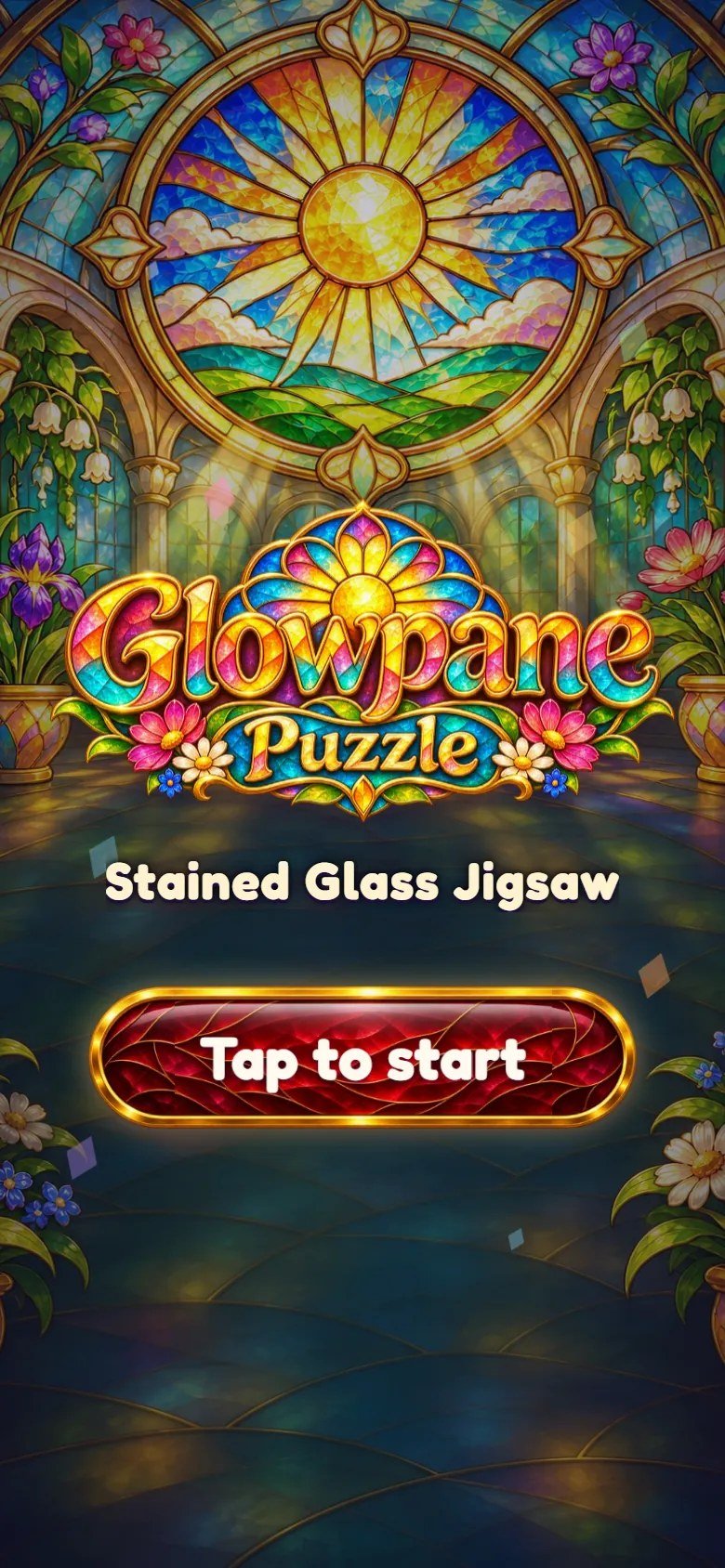
Marks on the screenshot
- Tap to start

Marks on the screenshot
- Stars earned
- Hints left
- Rose window of the chapter
- Chapter name
- Levels finished in the chapter
- Level map
- Play the next level
- Settings
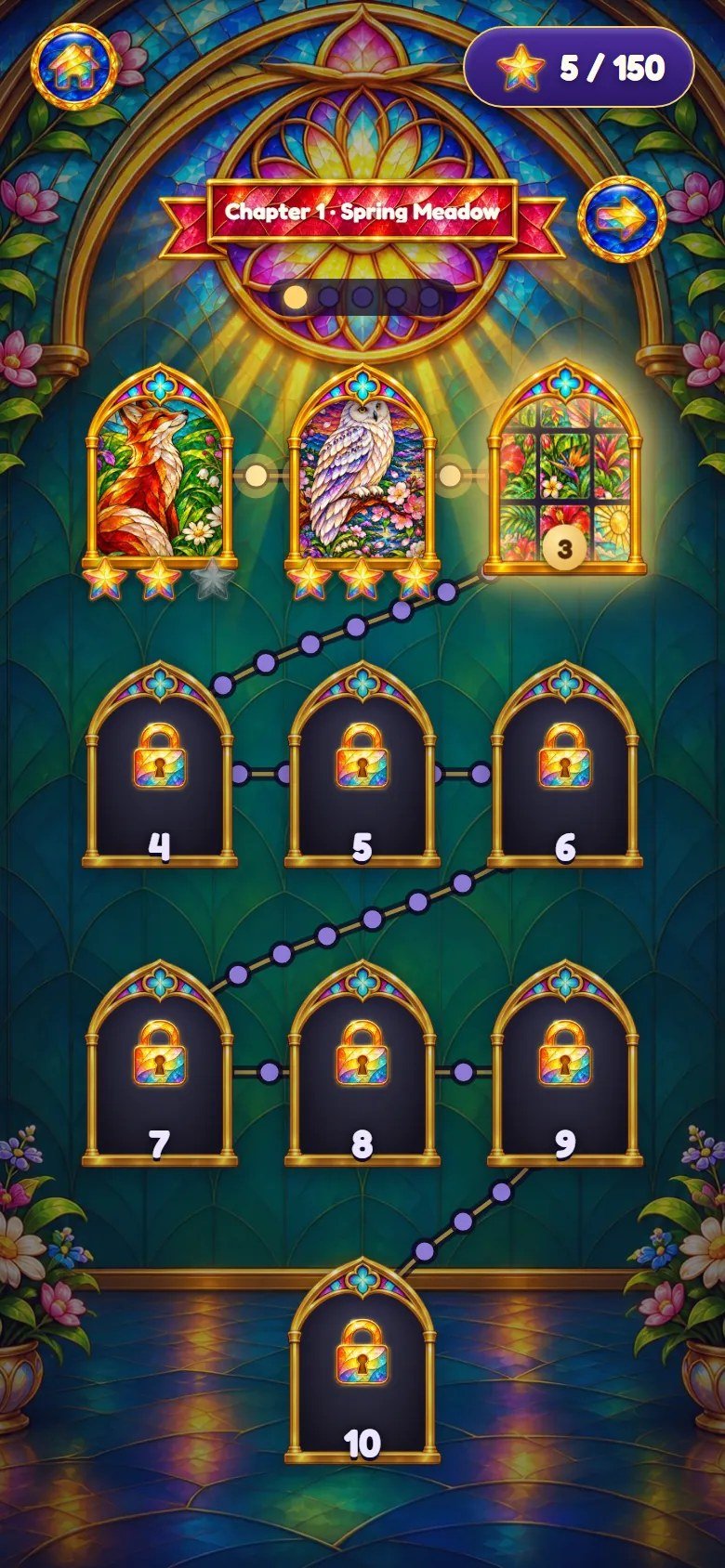
Marks on the screenshot
- Home
- Stars earned out of all
- Next chapter
- Chapter pages
- Current level
- Finished level with stars
- Locked level
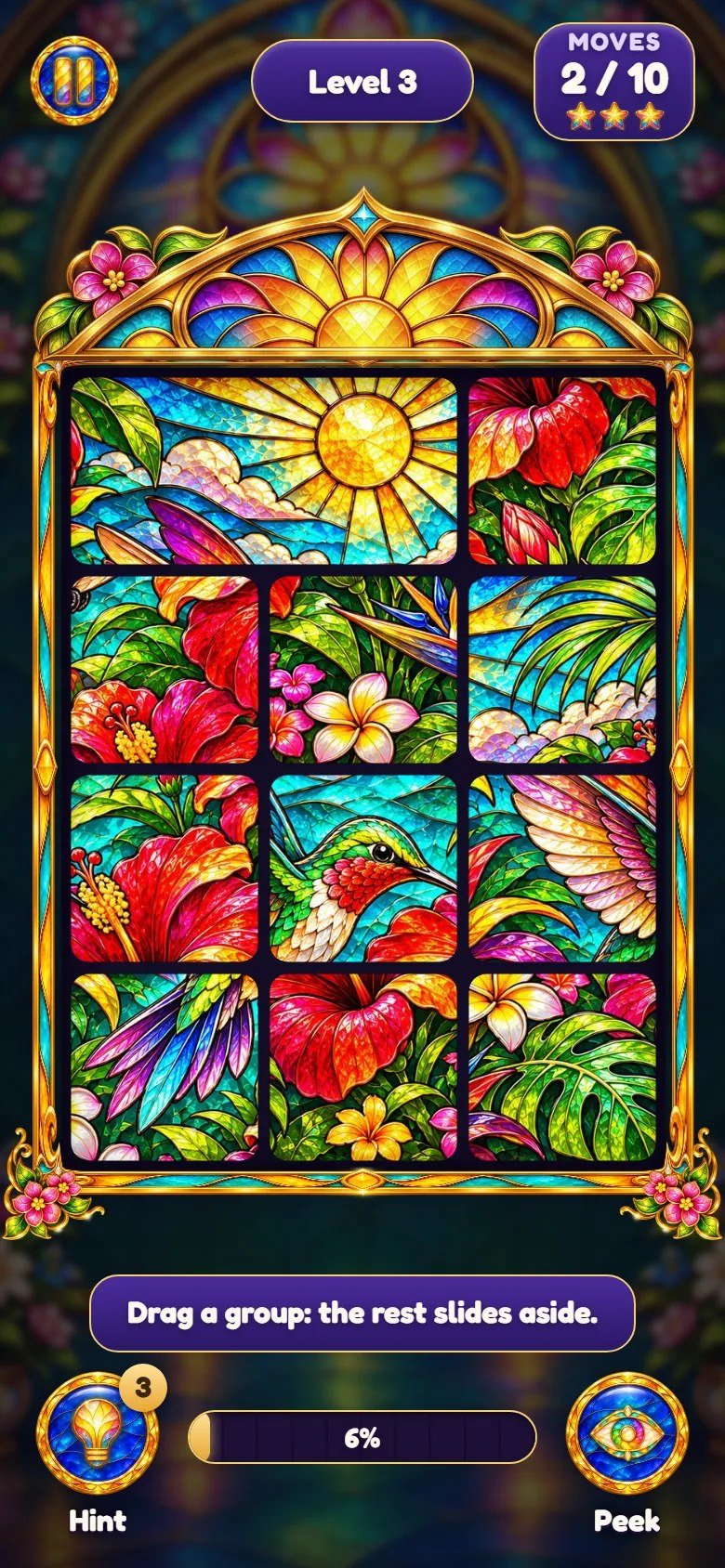
Marks on the screenshot
- Pause
- Level number
- Moves and par
- The window to restore
- Tutorial caption
- Hint
- Progress
- Peek
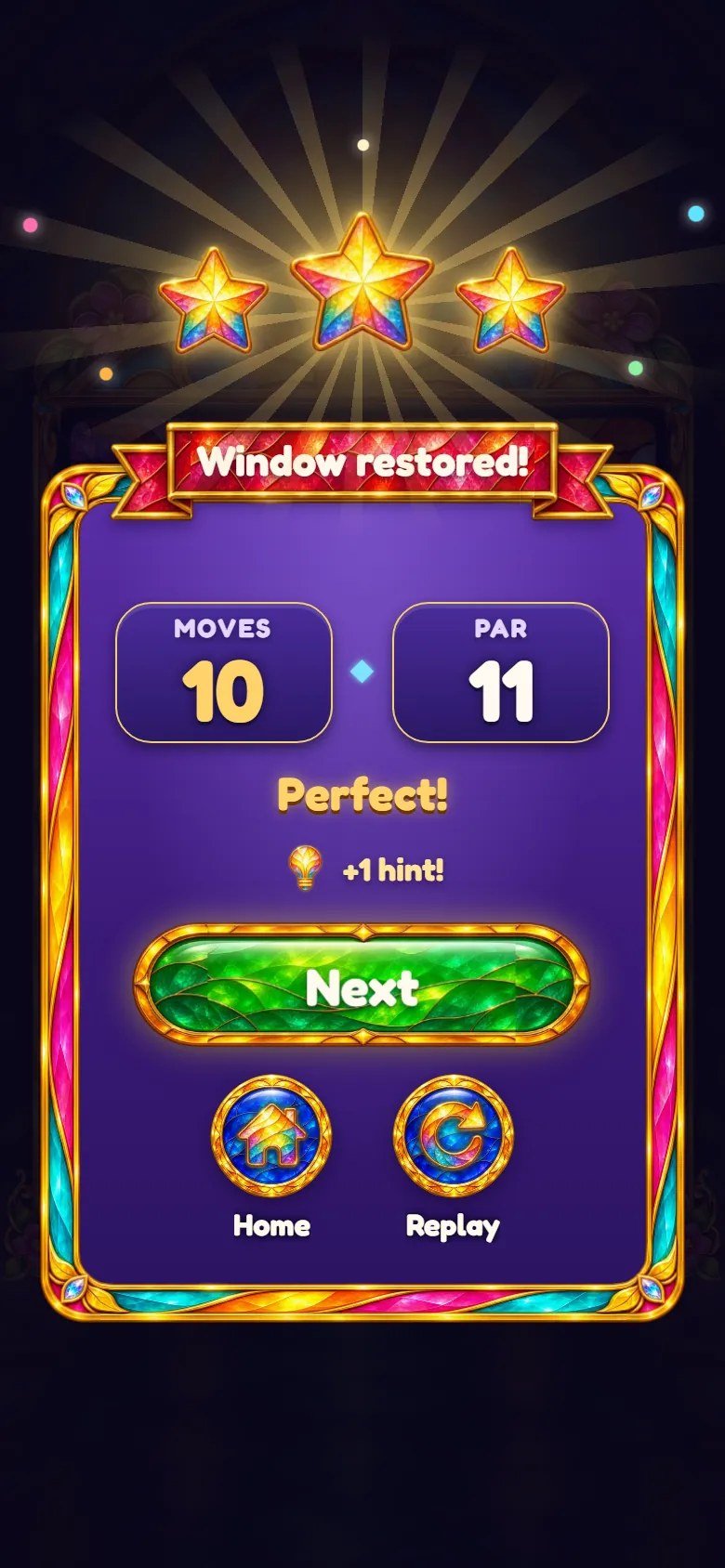
Marks on the screenshot
- Stars
- Moves and par
- Next level
- Home
- Play again
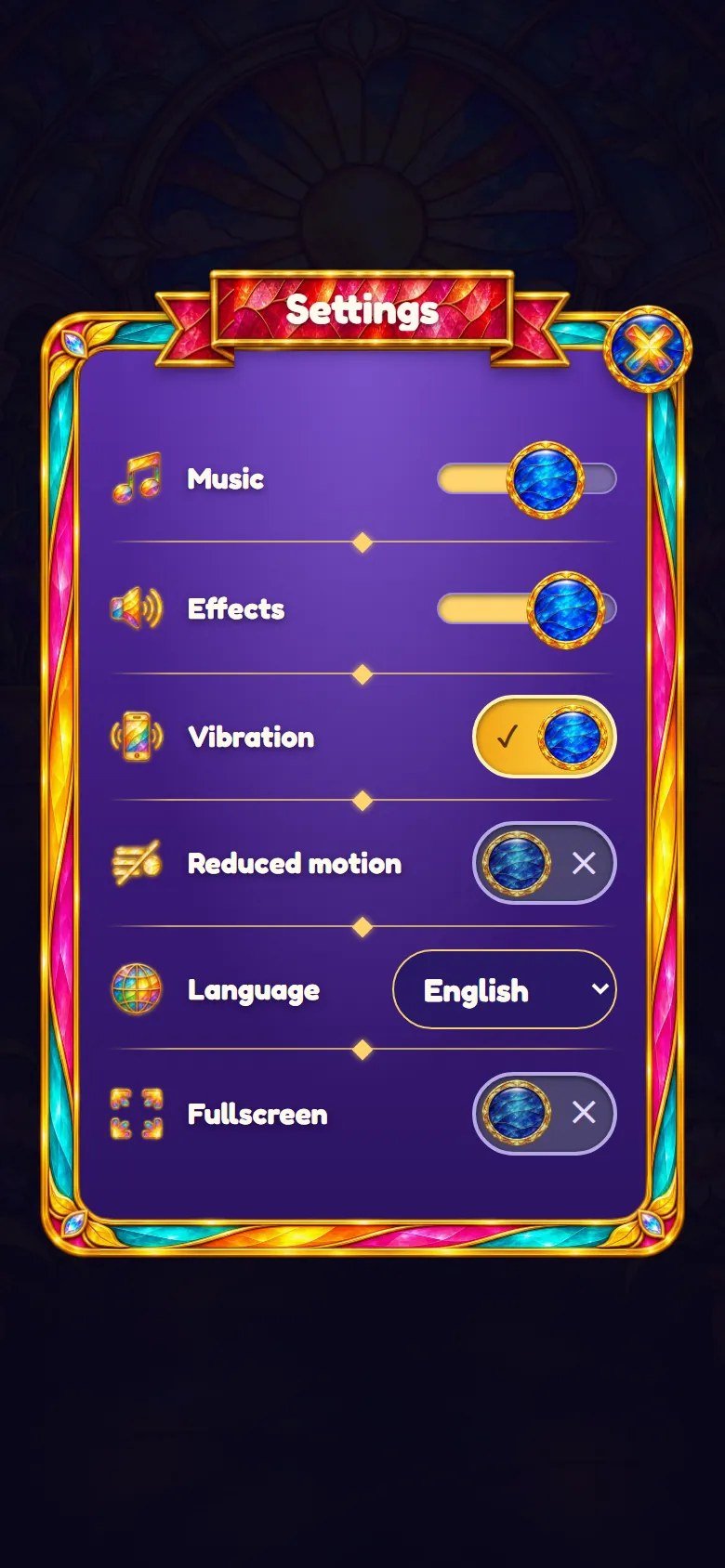
Marks on the screenshot
- Volume sliders
- Vibration and reduced motion
- Language
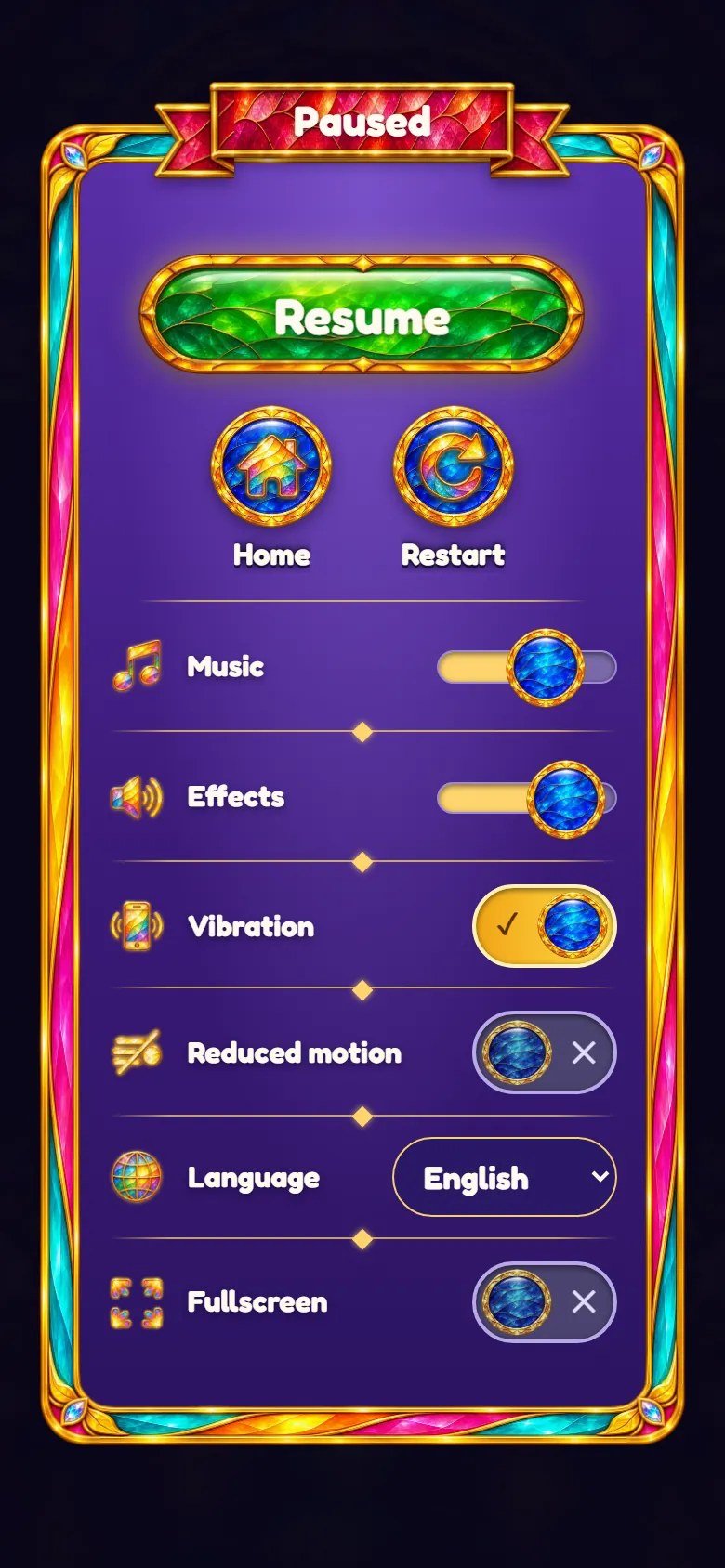
Marks on the screenshot
- Resume
- Home
- Restart
6 Map of the files
game/ is the ready-to-host game. source/ has the same editable files plus the
tests, a local preview server and the build command. Code comments are in Portuguese.
game/                        upload these contents to your web host
  index.html                 entry page: title, home, map, level and the panel
  style.css                  all the styles
  src/main.js                start-up, screens, map, win panel, settings, pause
  src/board.js               the board: drag, fuse, hint, effects
  src/sim.js                 the rules (shuffle, swap, groups, par, win)
  src/levels.js              grid of each level, picture crop, stars
  src/sound.js               synthesized effects and music
  src/locales.js             texts: English, Portuguese, Spanish
  src/locales-more.js        texts: the other 11 languages
  src/config.js              feel numbers, volumes, hints, save key
  src/save.js, storage.js, i18n.js, viewport.js, fullscreen.js
  assets/levels.json         chapters and their pictures (one = one level)
  assets/levels/ch1 ... ch5  the 50 level pictures (JPG)
  assets/art/                interface images and backgrounds (WebP)
  assets/music/              menu.mp3, play.mp3
  assets/fonts/              Fredoka font and its license
  DOCUMENTATION.txt          short note that points to this guide
source/                      the same editable files, plus:
  package.json               npm test, npm run build, npm run serve
  package-lock.json
  README.md
  test/                      node --test tests
  tools/build.mjs            copies the game into dist/
  tools/serve.mjs            local preview server
documentation/index.html     this guide (offline, 14 languages)
documentation/customization.html   step-by-step customization guide
documentation/img/           the screenshots of both guides
DOCUMENTATION.html           shortcut to this guide
CUSTOMIZATION.html           shortcut to the customization guide
START-HERE.txt, CHANGELOG.txt
THIRD-PARTY-LICENSES/        font license
-
assets/levels.json: the chapters. Each one has a name, the folder of its pictures, the list of pictures in order (one picture = one level) and the two map backgrounds. -
src/levels.js: reads that list, chooses the grid of each level (LADDER,BIG,ALT), crops each picture to the grid and gives the stars. -
src/sim.js: the rules with no drawing (shuffle, swap, groups, par, win).src/board.js: the board on screen (drag, fuse, hint, effects). -
src/main.js: screens, map, win panel, settings and pause.src/config.js: feel numbers in one place (FEEL), default volumes, starting hints and the save key. -
src/locales.jsandsrc/locales-more.js: every interface text in the 14 languages;src/i18n.jspicks the language.src/sound.js: the synthesized effects and the music.style.css: all the styles. -
assets/: level pictures (levels/ch1tolevels/ch5, JPG), interface images and backgrounds (art/, WebP), music (music/, MP3) and the font (fonts/).
7 Customizing pictures, texts and sounds
CUSTOMIZATION.html in the main folder of the
download, or documentation/customization.html.
Customization Guide (step by step, in English)
Pictures and levels: put your pictures in a folder inside assets/levels/ and list them in
assets/levels.json, in the order they should be played. One picture = one level. Any size and
shape works, because the game crops the centre of each picture to the grid; square pictures of 1024×1024 or
larger, with detail everywhere, give the best puzzles. JPG or WebP keep the download small.
npm test checks that every listed picture exists.
Chapters: add or remove a block in assets/levels.json. The chapter name is written there, in
one language for all players. mapBackground (tall picture) and
mapBackgroundWide (wide picture) are optional and set the background of that chapter on the map
and during its levels. The map and the rose window are designed for 10 levels per chapter; other counts
work, and with more than 10 the map page scrolls.
Difficulty: the grid of each level depends on its chapter and its position in the chapter.
LADDER in src/levels.js lists the grids from 2×2 to 6×6, BIG marks
the bigger windows (5th and 10th) and ALT the positions one step harder. Progress is saved by
level number, so reordering a published game keeps the stars on the same numbers.
Look: the logo is assets/art/logo.webp, the home backgrounds are
bg-portrait.webp and bg-landscape.webp, and buttons, ribbons, frames and icons are
the other files in assets/art/. Colors and sizes are in style.css, measured in
--u (1% of the game column). The page title is in index.html. Replace an image
with another of the same name and similar proportions.
Music and sound effects
Music: assets/music/menu.mp3 plays on the menus and assets/music/play.mp3 during
the levels, both in a loop. To change a track, replace the MP3 keeping the name. To remove the music, delete
the files: the game notices the missing file once and stays silent.
Sound effects: the glass chimes, clicks and the win fanfare are synthesized in src/sound.js, so
they have no files. Their pitch and loudness are set there; the music and effects volumes start at
VOL in src/config.js and players change them in Settings.
8 Languages
The game has 14 languages: English, Português (Brasil), Español, Français, Deutsch, Italiano, Nederlands, Polski, Türkçe, Русский, Bahasa Indonesia, 日本語, 한국어 and 简体中文. It follows the browser language on the first visit and the player can change it in Settings. English, Portuguese and Spanish are the reference texts; the other 11 languages were not reviewed by native speakers, so a native review is recommended before a launch in those markets. The bundled font covers Latin letters; Russian, Japanese, Korean and Chinese use a font of the device.
To force a language, add ?lang=pt (or another code) to the game address. Chapter names come
from assets/levels.json and are shown as written there in every language.
To add a language, copy one of the blocks in src/locales-more.js, translate it, add it to
MORE at the end of that file, and add its code and name to LANGS,
HTML_LANG and NUMBER_LOCALE in src/locales.js. The language test in
test/i18n.test.mjs expects 14 languages, so update that number too.
9 Local saves
-
Progress (level reached, stars of each level, hints) and the settings are saved in the browser
localStorageof each device. - There are no accounts or cloud saves. Clearing site data resets the progress on that device.
-
The two keys are shown below. Their prefix is
STORAGE_PREFIXinsrc/config.js.
glowpane.template.save.v1.progress
glowpane.template.save.v1.lang
10 Optional development
This section is only for changing the code. The game/ folder already contains the finished
game, so installing it needs no Node.js. The game has no dependencies and no compile step:
npm run build only copies the files into source/dist/, which is identical to
game/.
1. Install Node.js. Open https://nodejs.org/en/download and choose the latest Node.js 26 LTS installer for your system (minimum 26.13.1). npm is included.
Windows: run the .msi installer, keep npm and Add to PATH enabled, finish the installation and reopen Command Prompt. macOS: run the official .pkg installer and reopen Terminal. Linux: follow the instructions on the official download page for your distribution, including npm.
2. Check the installation. Run node --version and npm --version separately. Both
must print a version number, and Node.js must be 26.13.1 or newer. If a command is not found, reopen the
terminal and check the installation.
node --version
npm --version
3. Extract the complete ZIP first and open its source/ folder, where
package.json is. Windows: type cmd in the address bar of that folder in File Explorer. macOS
and Linux: open Terminal and use cd with the folder path in quotes.
4. Run the commands below one by one. npm ci checks the lock file (nothing is downloaded, the
project has no dependencies). npm test checks the rules, the level list (every picture must
exist), the 14 languages and the save key; stop and fix any error before going on.
npm ci
npm test
5. Preview: npm run serve starts a local server; open http://localhost:5196/ in your browser,
play a level, and stop the server with Ctrl+C.
npm run serve
6. Build: npm run build empties source/dist/ and copies index.html,
style.css, src/ and assets/ into it. dist/ is what you
publish; while the source is unchanged it matches game/ file by file.
npm run build
7. Publish: back up the game on your website, then upload the contents of dist/ in place of the
old files, keeping the folders. If you deleted or renamed a file, delete the old one on the server yourself.
Clear the browser cache to see the new version (see below).
Test shortcuts (local addresses only)
The shortcuts below work only when the page address is localhost, 127.x or a
private network address (192.168.x). On any public address they are ignored, so players cannot
use them. ?lang=pt (or another language code) is not a test shortcut and works on any address.
?skipopens the home screen directly, without the title screen.-
?qaexposes the running game aswindow.__glowpanefor automated tests in the browser console. -
?qa&screen=map&lv=12opens a screen directly (home,map,play,pause,settingsorwin) with level 12 reached.
http://localhost:5196/?qa&screen=map&lv=12&lang=es
11 Updating and cache
Clearing the cache without losing progress
Progress is stored in this browser, not on the server. Clearing cached images and files, or doing a hard reload, keeps your progress.
Computer: press Ctrl+F5 on Windows and Linux, or Cmd+Shift+R on macOS. Phone: in the browser settings, choose the option to clear cached images and files.
Do not choose cookies and site data, or clear site data, for the game's address. That deletes the local save.
12 Licenses
The game code, the level pictures and the artwork are supplied under the license of the item you purchased. The music used by the game is included in the package and can be replaced or removed (see the customizing section).
The Fredoka font is used under the SIL Open Font License 1.1; its complete license text is in
THIRD-PARTY-LICENSES/ and in game/assets/fonts/LICENSE-Fredoka-OFL.txt. The game
has no third-party code and no npm dependencies.
13 Troubleshooting
-
Blank page or no levels: the game was opened from the disk or a file is missing. Use a web host and keep
assets/,src/andstyle.cssnext toindex.html. -
A level never opens after you add pictures: check the folder and file names in
assets/levels.jsonagainst the real files, including the extension and letter case. - No sound: tap the screen once; check that the device is not silent and the volume sliders are up.
- Old version after an update: clear the browser cache (see below).
-
An address such as
?skipdoes nothing on your website: test shortcuts only work on local addresses (see the development section).
14 Frequently asked questions
Does the game work without internet?
Can I add ads, a store, cloud saves or a ranking?
Can I publish it on game portals or app stores?
Can I use my own photos or drawings?
assets/levels/ and list them in assets/levels.json;
no code changes are needed. Use pictures you have the right to publish.
How do I reset the progress while testing?
localStorage.clear() in the
browser console. Settings has no reset button.
15 Support
Questions or problems: write to willian@polargames.com.br with your purchase code, the browser
and a short description or screenshot.
Support request
When you write to support, include the browser and device, the game version, the page address, the steps that caused the problem, a screenshot and the first error shown in the browser console. Never send passwords, payment details or secret keys.