Overview
Desert Express is an HTML5 slot simulation game: 5 reels, 3 rows and 20
fixed lines, with a golden steam train crossing a desert canyon at dusk: a raccoon conductor with a pocket
watch, railway lanterns, tickets and gold bars. It ships as a ready-to-host game (game/) and as
its complete editable source (source/). It runs in any current browser, on phones, tablets and
desktops, in portrait and landscape, with no server, database or account.
Features: WILD on reels 2 to 4, SCATTER free spins with a growing multiplier, the Locked Coins bonus with MINI, MINOR, MAJOR and GRAND jackpots, a buy-bonus button, big/mega/epic win celebrations, auto spin and turbo, player levels, a daily wheel and timed free coins, 14 interface languages, recorded announcer voice and music.
Simulation only. The player gets free fictional demo credits. They have no monetary value
and cannot be bought, transferred, sold or redeemed. There are no deposits, withdrawals, prizes or rewards
of economic value. The purchase price is for a software licence, not participation in gambling. Real-money
or other real-value gambling use is not permitted under the licence. Read SCOPE.md (at the root
of the package and inside game/): it is part of the licence terms.
Install on your website
The playable game is the folder game/. It is plain HTML, CSS and JavaScript: no build, no
Node.js and no database are needed to host it.
- Open your hosting file manager, or connect with an FTP program (for example FileZilla).
- Create a folder for the game, for example
/games/desert-express/. -
Upload the contents of
game/into it:index.html,desert-express.config.js,SCOPE.md,DOCUMENTATION.txtand the foldersart/,audio/,assets/andmodules/. -
Open the address in a browser, for example
https://your-site.example/games/desert-express/.
The game uses relative paths, so it works in any folder or subdomain. Opening
index.html straight from your disk (file://) does not work, because browsers block
JavaScript modules there: test it on a web host or with the local preview described in "Editing the source".
Put it inside a page (iframe)
<iframe src="/games/desert-express/" style="width:100%;aspect-ratio:16/9;border:0" allow="fullscreen; autoplay"></iframe>
Leave the on-screen credits notice visible and keep SCOPE.md with the game when you publish it
to the public.
Requirements
- Any static HTTP or HTTPS web host (shared hosting, a CDN, GitHub Pages, Netlify...). No PHP, database or server code.
- A current browser: Chrome, Edge, Firefox, Safari (macOS and iOS), Samsung Internet or Opera.
- Only for editing the source: Node.js 26 LTS (the current LTS line) and npm, see "Editing the source".
-
No internet connection is needed to play: art, sounds and code are all inside
game/. The game makes no requests to other sites.
How to play and the screens
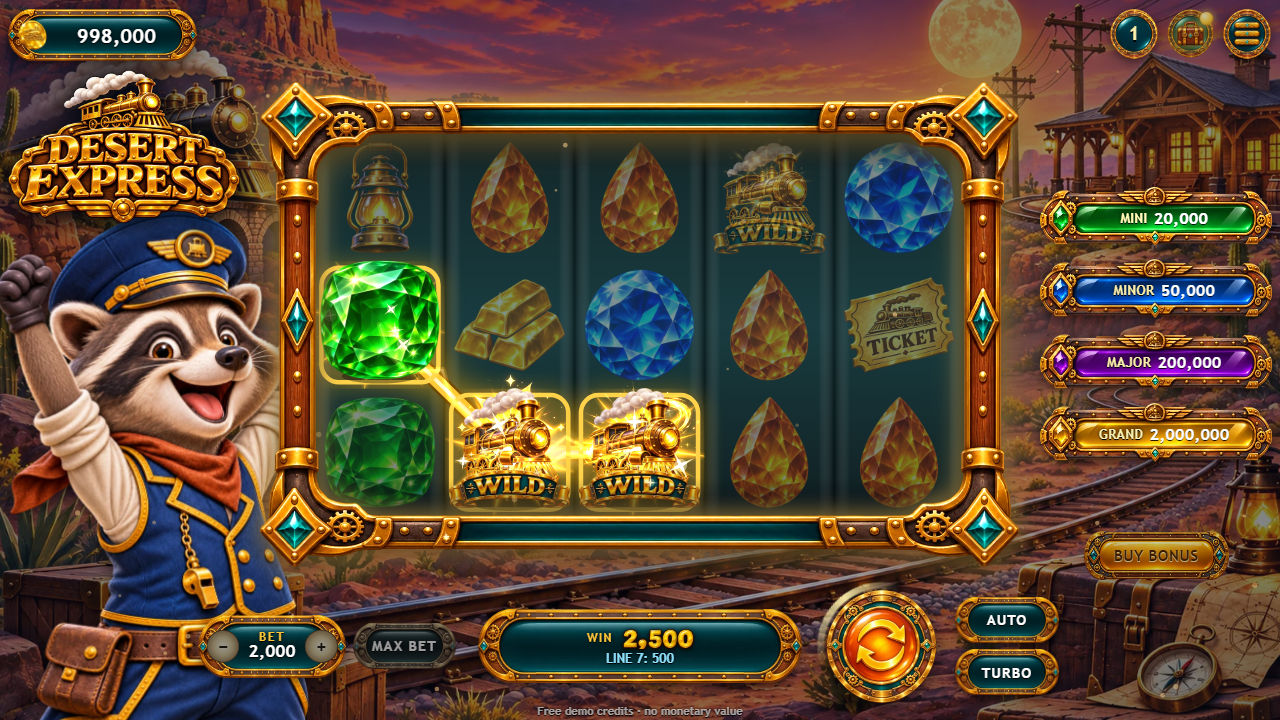
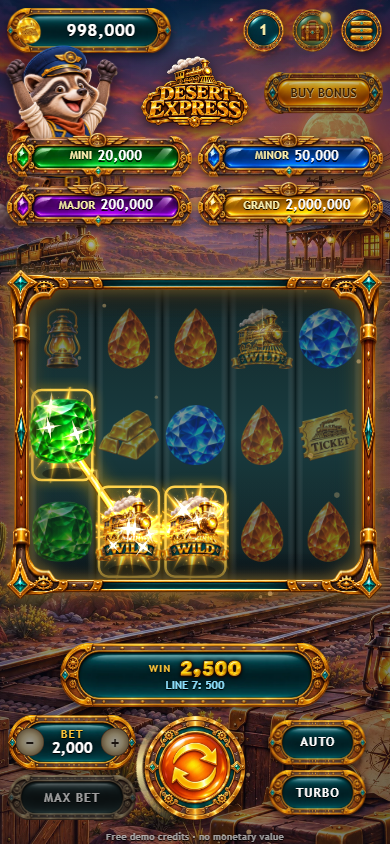
The player taps TAP TO PLAY, chooses a bet with – and + (or MAX BET) and taps the spin button. Wins pay left to right on 20 fixed lines. All amounts are fictional demo credits.
1
2
3
4
5
6
7
8
9
10
11
12
13
14
- Demo credits balance (+ = free refill when empty)
- Jackpots of the Locked Coins bonus
- Player level
- Free coins (every few hours)
- Menu: rules, sound, fullscreen
- BUY BONUS (paid with demo credits)
- Reels: 5 × 3, 20 lines
- Bet – / +
- MAX BET
- Win of the round and the paying line
- Spin (Space or Enter)
- Auto spin
- Turbo
- Credits notice (keep it visible)
- WILD (golden locomotive) lands on reels 2, 3 and 4 and replaces every symbol except SCATTER and COIN.
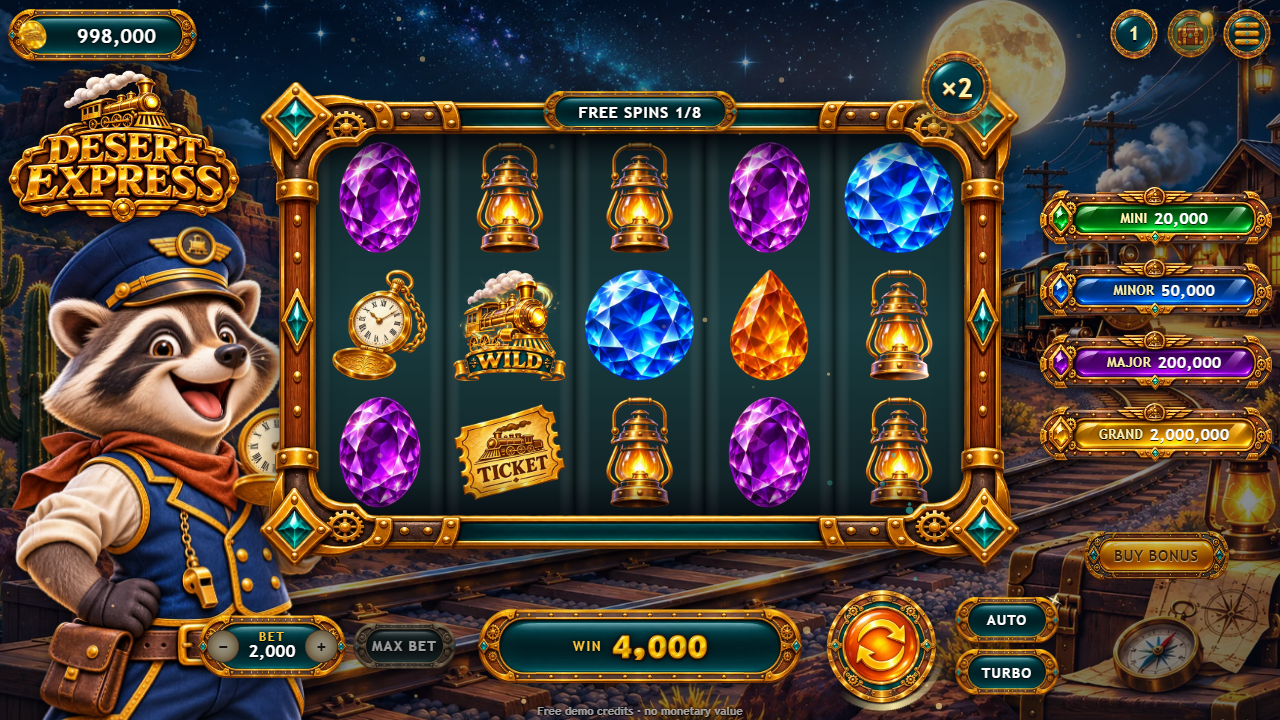
- SCATTER: 3, 4 or 5 anywhere pay 2×, 10× or 50× the total bet and start 8, 12 or 20 free spins. During free spins line wins are multiplied: the multiplier starts at ×2 and goes up by 1 after every spin with a line win, up to ×5. More scatters add spins (up to 50 per bonus).
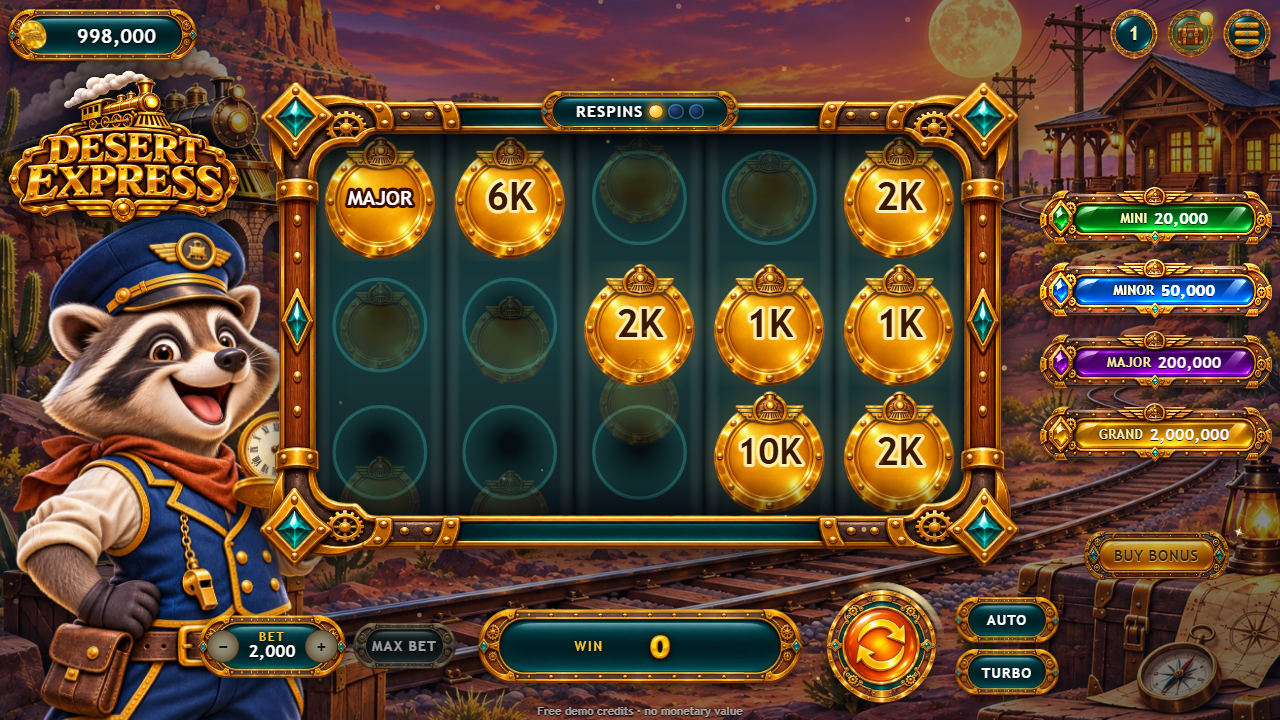
- Locked Coins: 6 or more COIN symbols lock in place and give 3 respins; each new coin locks and resets the respins to 3. At the end every coin value is paid. MINI, MINOR and MAJOR coins pay their jackpot; filling all 15 positions adds the GRAND.
- BUY BONUS starts the free spins at once for a price in the same free demo credits. It is not a purchase.
- No round pays more than 5,000× the total bet.
Rewards outside the reels
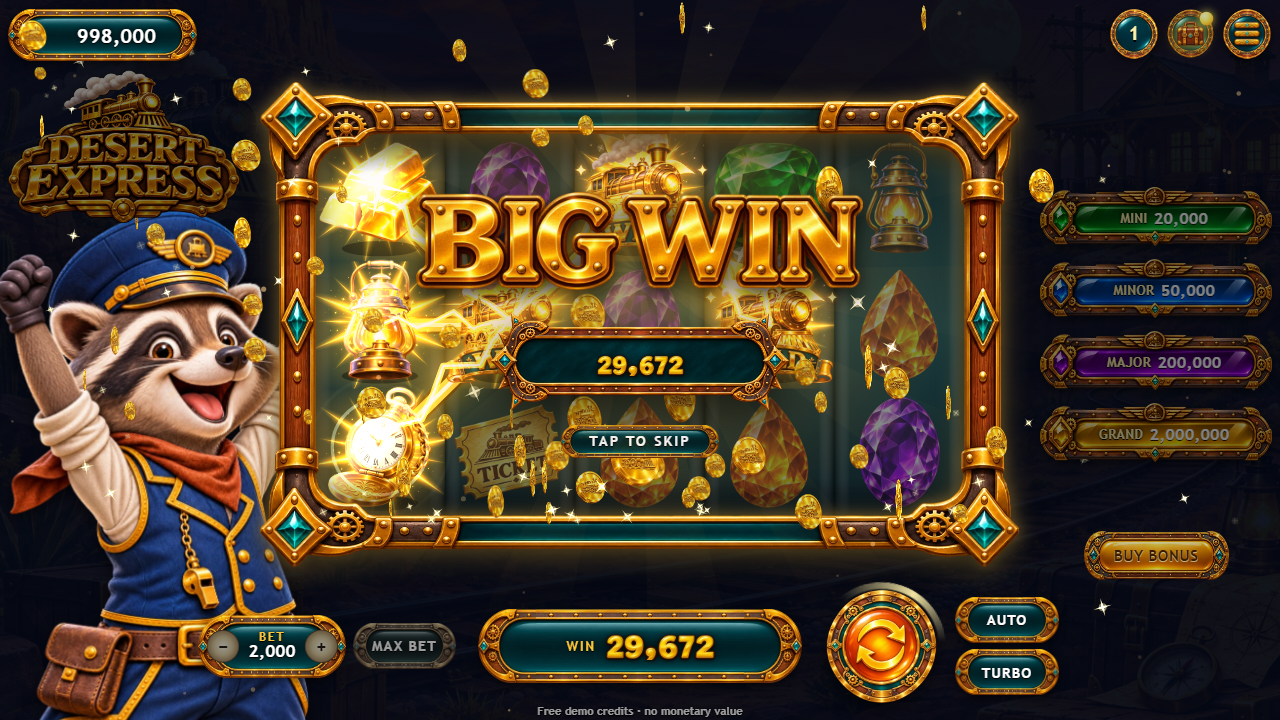
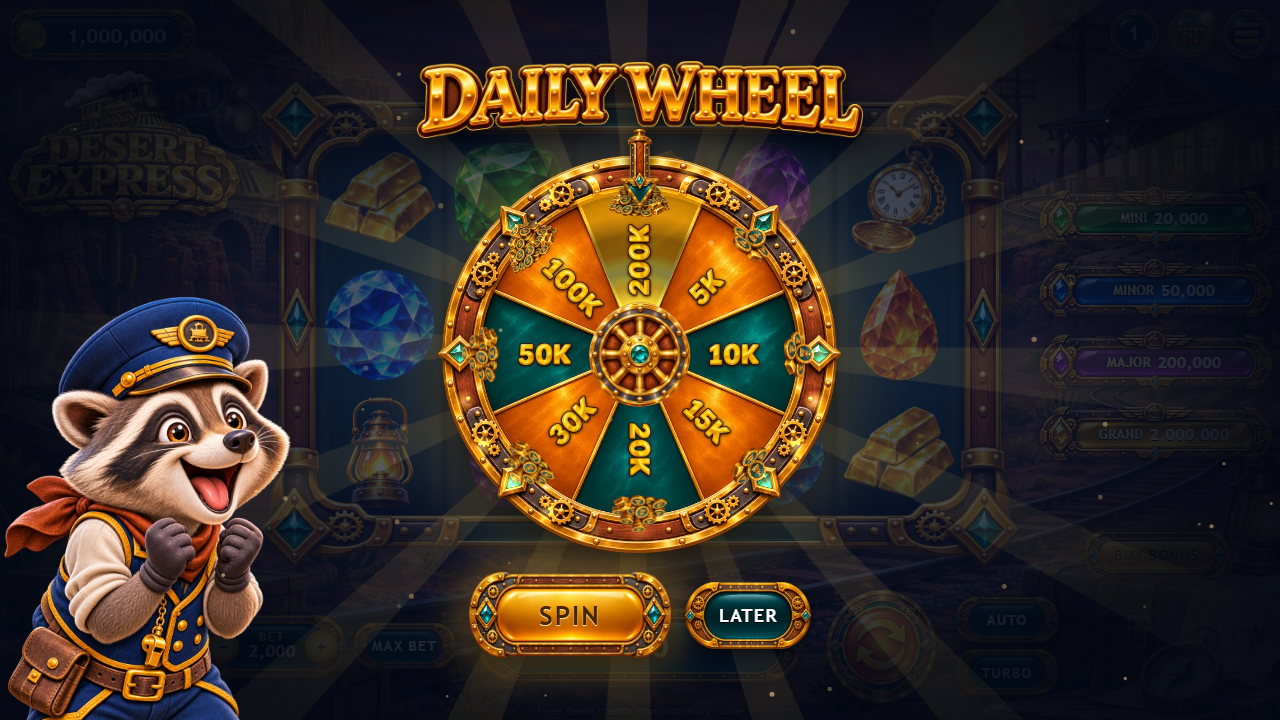
Levels (the round button with the number) grow with play and give free credits; higher bets open as levels grow. The daily wheel gives free credits once a day (in the shipped demo setting it is offered on every visit). The gift button gives free coins every few hours. When the credits run out, a free refill is offered.
 1
2
3
- The wheel and its prizes in demo credits
- Spin the wheel
- Later
Menu, rules and options
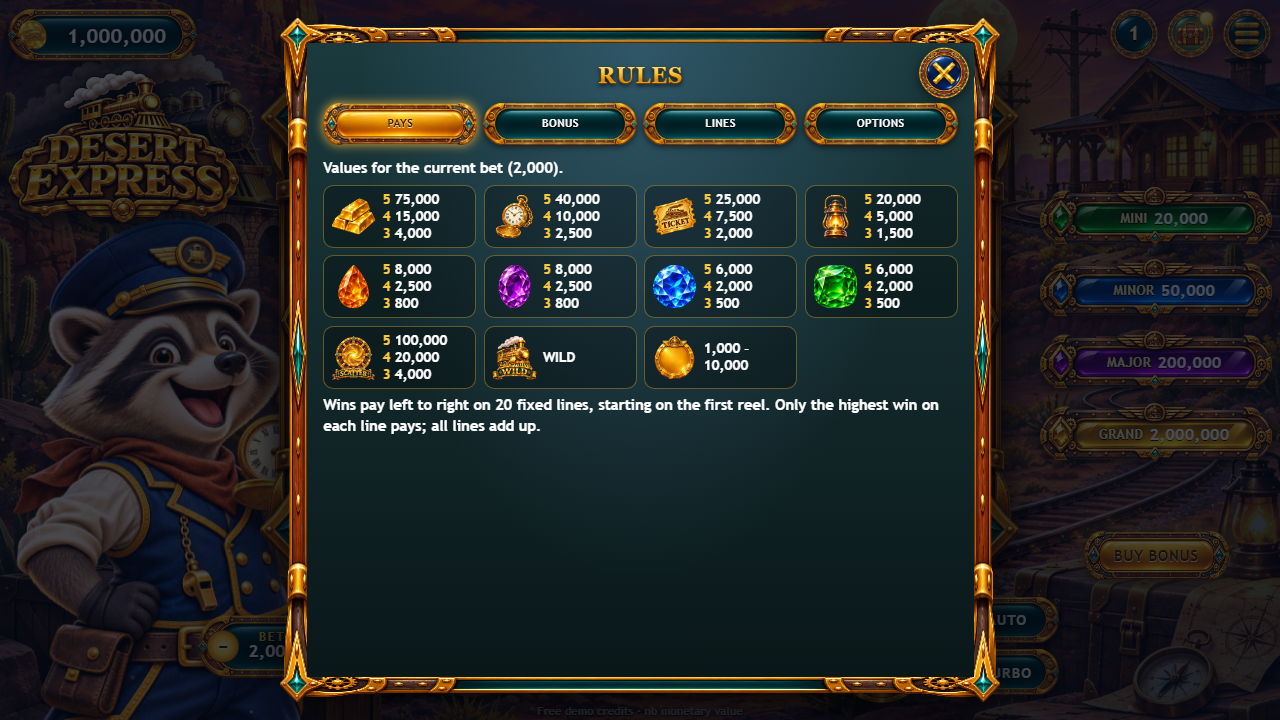
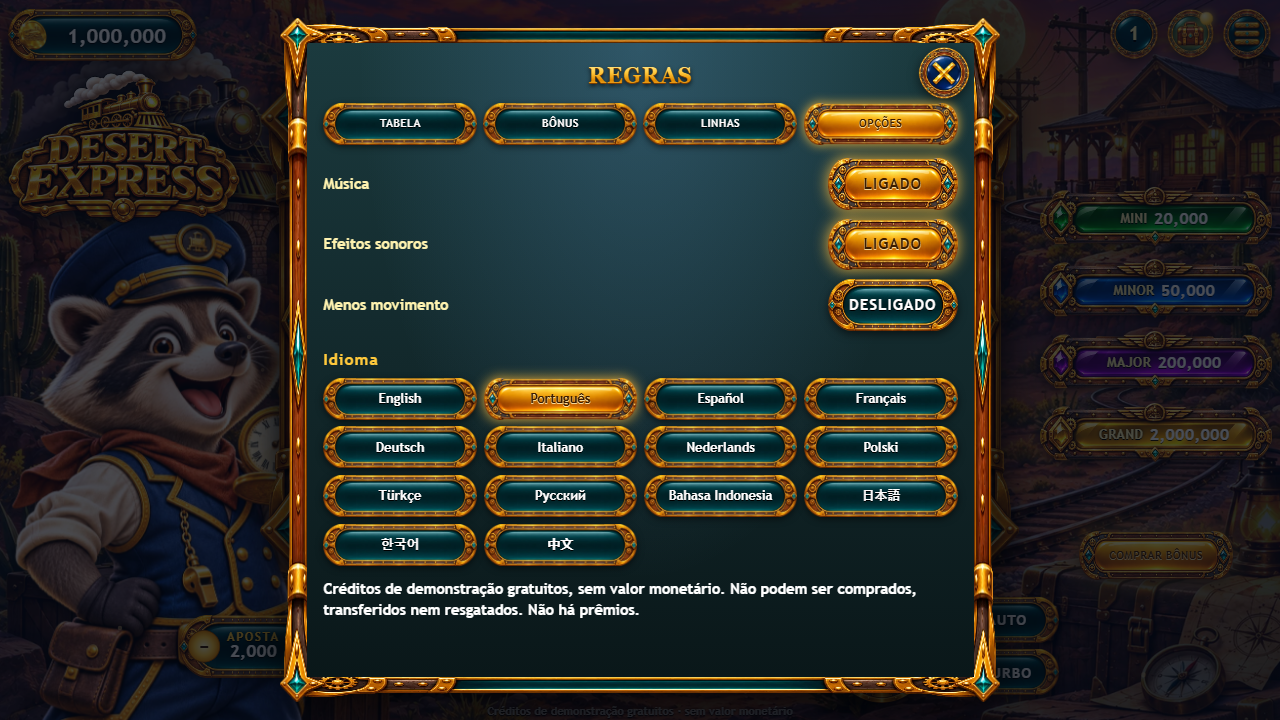
The menu button opens the rules (paytable, bonus rules, the 20 lines) and the options: music, sound effects, less motion and the language.
 1
2
3
4
5
- Paytable for the current bet
- WILD, SCATTER, free spins and Locked Coins rules
- The 20 lines
- Options: music, effects, less motion, language
- Close (Escape)
 1
2
3
4
5
6
7
8
9
10
- Demo credits balance (+ = free refill when empty)
- Jackpots of the Locked Coins bonus
- Menu: rules, sound, fullscreen
- Reels: 5 × 3, 20 lines
- Bet – / +
- Win of the round and the paying line
- Spin (Space or Enter)
- Auto spin
- Turbo
- BUY BONUS (paid with demo credits)
Keyboard
Space or Enter spins. The arrow keys change the bet, M switches the sound, T switches turbo, and Escape closes the menu or an open sheet.
What is in the package
desert-express-static-1.0.0/
  START-HERE.txt          first steps
  DOCUMENTATION.html      opens this guide
  CUSTOMIZATION.html      opens the customization guide (recipes, no coding)
  CHANGELOG.txt
  SCOPE.md                what the product is and what the licence does not allow
  documentation/          this guide and the customization guide (EN/PT/ES), screenshots
  game/                   UPLOAD THE CONTENTS OF THIS FOLDER
    index.html            the page
    desert-express.config.js  your settings (edit on the host, no rebuild)
    modules/              the JavaScript, one readable file per source module
    assets/ui/            the stylesheets
    art/                  images (WebP)
    audio/                sounds, voice and music (MP3)
    SCOPE.md, DOCUMENTATION.txt
  source/                 the complete editable project
    index.html            the page (development version)
    src/main.js           start-up, spins, celebrations, bonuses, menus
    src/config.js         defaults, events, save key
    src/logic/            math.js (symbols, pays, reels, RTP profiles), engine.js, progress.js
    src/ui/               reels, effects, wheel, sheets, theme.js, styles-1..3.css, i18n.css
    src/locales/          the 14 languages (en.js is the reference)
    src/audio/audio.js    the list of sounds, music and voices
    public/               art/, audio/, desert-express.config.js (copied to the build as they are)
    tests/                npm test
    tools/                RTP simulator, translation check, seed finder, in-page checks, build formatter
    package.json, package-lock.json, vite.config.js, .prettierrc, README.md
    licenses/             licences of the development tools
  THIRD-PARTY-LICENSES/   the same licence texts
game/ is exactly what npm run build makes from source/ (checked file
by file before packaging). Edit source/ and build again, or edit only
desert-express.config.js on the host.
Settings (desert-express.config.js)
game/desert-express.config.js is read every time the game opens, so you can change these
settings on your host with a text editor and no rebuild. Every field is optional: remove the
// in front of a line to use it. A wrong value stops the game with a message that says what to
fix.
window.DESERT_EXPRESS_CONFIG = {
  brand: { name: 'Desert Express', storageKey: 'mysite.desert-express' },
  language: 'auto',
  languages: ['en', 'pt', 'es'],
  texts: { tapToPlay: 'PLAY NOW', de: { tapToPlay: 'LOS!' } },
  audio: { volume: 0.8, muted: false },
  ageGate: true,
  notice: true,
  showRtp: true,
  math: { profile: 'standard', startBalance: 1000000, bets: [200, 400, 1000, 2000, 4000, 10000, 20000], maxWin: 5000 },
  progress: { wheel: { alwaysReady: false, everyHours: 24 }, coins: { everyHours: 3, amount: 50 } },
  winTiers: { big: 10, mega: 25, epic: 50 },
};| Option | What it does |
|---|---|
brand.name |
game name used in the page and messages |
brand.storageKey |
prefix of the saved data in the browser (default desert-express.template.save.v1);
change it to start a fresh save
|
language |
'auto' = the device language (English when not offered), or a code:
en pt es fr de it nl pl tr ru id ja ko zh. A player's pick in OPTIONS and
?lang=xx in the address come first
|
languages |
the languages offered in OPTIONS (default: all 14). One language hides the picker |
texts |
replace any text of src/locales/en.js in every language, or in one language (texts: { pt: {...} })
|
audio |
starting volume (0 to 1) and muted state |
ageGate |
true shows the 18+ badge and the social-casino notice |
notice |
the one-line credits notice under the controls. Leave it on: SCOPE.md requires it on
public releases
|
showRtp |
prints the RTP of the active profile on the rules sheet |
debug |
testing only: allows ?seed=123 in the address (the same rounds every time) on any host
|
math |
profile ('generous' about 97% RTP, 'standard' about 95%,
'house' about 92.5%), startBalance, bets (multiples of 20),
maxWin, jackpots, buyBonus: false to remove the buy button. Run
npm run rtp after changing it
|
progress |
levels (levels.enabled, need, reward, unlock),
the daily wheel (enabled, alwaysReady, everyHours,
prizes, weights) and free coins (enabled,
everyHours, amount). Amounts are multiples of the smallest bet
|
winTiers |
at how many times the total bet the big, mega and epic celebrations start |
integration, callbacks |
events for your own page, see "Events" |
The file in the package lists every option with a comment. The full defaults are in
source/src/config.js, source/src/logic/math.js and
source/src/logic/progress.js.
Languages
The interface is translated into 14 languages: English, Portuguese, Spanish, French, German, Italian, Dutch,
Polish, Turkish, Russian, Indonesian, Japanese, Korean and Chinese (simplified). The announcer voice and the
painted titles (BIG WIN, FREE SPINS...) are in English in every language. The game opens in the device
language; the player can change it in OPTIONS, and ?lang=pt in the address forces one.
Texts live in source/src/locales/<code>.js, one file per language, with the same keys as
en.js. A missing key falls back to English. To change a few texts without rebuilding, use
texts in desert-express.config.js. After editing the locale files, run
npm run locales to check that no translation lost a {value} placeholder.
Saved data
The game keeps the balance, level, settings and reward timers in the browser's localStorage, under keys that
start with desert-express.template.save.v1. (for example
desert-express.template.save.v1.balance). Nothing is sent anywhere. Clearing the site data in
the browser resets the game. If you publish two copies of the game on the same domain, give each one its own
brand.storageKey.
Events for your page
The game sends events so your page can show statistics, achievements or a leaderboard of fictional scores. They are not an accounting or payment interface and must not be used as one.
-
callbacksindesert-express.config.js:onReady,onSpin(round),onWin(round),onBalance({ balance }),onBonus({ kind, amount, balance }),onError. -
window.DesertExpress.on('spin', fn),window.DesertExpress.getBalance(),window.DesertExpress.version. -
DOM events on
window:desertexpress:spin,desertexpress:win... -
With
integration: { postMessage: true, targetOrigin: 'https://your-site.example' }the game also posts{ source: 'desert-express', type, payload }to the parent page when it runs in an iframe.
round.spent is the demo credits put into a round and round.payout the demo credits
it returned.
Editing the source (Node.js for beginners)
You only need this to change code, styles, art or sounds and build a new game/. To change
settings, edit desert-express.config.js instead.
1. Install Node.js
-
Go to
https://nodejs.organd download the LTS version (Node.js 26 LTS). Windows and macOS: run the installer with the default options. Linux: use your package manager or the official binaries. - Close and open your terminal again (Windows: PowerShell or Command Prompt; macOS: Terminal).
- Check the versions: both commands must print a number, and Node must be 26.13.0 or newer.
node --version
npm --version
2. Install the project tools
Open the terminal in the source/ folder (Windows: open the folder in Explorer, click the
address bar, type powershell and press Enter; macOS: drag the folder onto the Terminal icon).
Then run:
npm ci
This installs the exact versions in package-lock.json (Vite and Prettier) into
node_modules/. It needs an internet connection once.
3. Test, preview and build
npm test
npm run dev
npm run build-
npm testruns the engine tests (pays, bonuses, credits, levels, wheel, RTP). All must pass. -
npm run devstarts a local preview athttp://localhost:5213/that reloads when you save a file. Press Ctrl+C to stop it. -
npm run buildwrites the finished game tosource/dist/. Upload the contents ofdist/to your host (it replacesgame/). The build is not minified and is formatted with Prettier, so it stays readable.
Other commands
-
npm run rtpprints the real RTP of your math (src/logic/math.jsplus themathofpublic/desert-express.config.js).node tools/simulate.mjs buymeasures new buy-bonus prices. npm run localeschecks the translations.-
node tools/find-seeds.mjslists seeds that show a bonus on the first spin; openhttp://localhost:5213/?seed=Nto see it (seeds work on localhost or withdebug: true). npm run formatformats the whole project with Prettier.
Common problems
-
nodeornpmis not recognised: Node.js is not installed or the terminal was opened before installing it. Reinstall and open a new terminal. -
Windows says running scripts is disabled (
npm.ps1): use the Command Prompt, or runnpm.cmd ci. ENOENT ... package.json: the terminal is not in thesource/folder.EBADENGINE: your Node.js is older than 26.13.0. Install the current LTS.-
npm cifails with a network error: check the connection or the proxy of your company network, then run it again. -
npm cisays the lock file is out of sync: you changedpackage.json; runnpm installonce, thennpm ciworks again. - Port 5213 is busy: Vite picks the next free port and prints it.
Customize and reskin
The customization guide (CUSTOMIZATION.html) has step-by-step recipes for
people who do not program: replacing symbols, backgrounds, the logo, the mascot, sounds and music, colours,
texts, bets and rewards. In short:
-
Art:
source/public/art/(orgame/art/on the host). Replace a file with another WebP of the same name and the same size.s0.webptos10.webpare the symbols. -
Sounds:
source/public/audio/(orgame/audio/). Replace an MP3 with another of the same name. -
Theme colours and effects:
source/src/ui/theme.js(accent colour, sparks, the reel bed, the light rays of the celebrations, how each symbol moves when it pays). Presentation only: nothing there changes a result. -
Layout and styles:
source/src/ui/styles-1.csstostyles-3.css(palette variables at the top ofstyles-1.css). -
Texts:
textsindesert-express.config.jsorsource/src/locales/. -
Math:
source/src/logic/math.jsormathindesert-express.config.js, thennpm run rtp.
Changes in source/ need npm run build. Changes to files in game/ on
the host (art, audio, desert-express.config.js) need no build.
Internal names
The engine is shared with other themes, so some code names describe the art they were first made for. They are only names:
wild-hammer.webp, wild-banner.webp, bolt-0..3.webp, reels.wild.hammer |
the three painted layers of the WILD symbol (the locomotive, its WILD ribbon and the trail of hot sparks); the shared engine calls the top layer "hammer" |
|---|---|
frost.webp, fx.frost(), reels.freeze(), "ice", "shards" |
the puff of warm steam that rolls over the reels when Locked Coins starts, and the burst when a coin locks; comments of the shared engine describe it as ice |
fx.snow, THEME.ambient |
the ambient particles (here: small sparks rising from the engine, THEME.ambient.rise = true) |
.bg-aurora, "aurora" |
the light layer over the background that comes down on the biggest wins, and the swirl inside the SCATTER ring |
.entry-hoard |
the three floating symbols on the title screen |
CreditBank, round.spent, round.payout |
the fictional demo credits: credits put into and won by one round (no money) |
Updating the game and clearing the cache
After you upload a new version, browsers and hosts may keep the old files for a while. If a change does not show:
- Reload without the cache: Ctrl+F5 or Ctrl+Shift+R (Windows/Linux), Cmd+Shift+R (macOS). On a phone, close the tab and open it again.
- Clear the cached files of the site in the browser settings ("Cached images and files"). Do not clear "cookies and site data" unless you want to reset the saved game.
- Try a private (incognito) window.
- If your host or CDN (for example Cloudflare) has a cache, purge it.
- Add a version to the address once, for example
index.html?v=2.
Saved data survives an update as long as brand.storageKey does not change.
What the product is (and is not)
- Free, fictional demo credits only, with no monetary value. They cannot be bought, transferred, sold or redeemed. No prizes of any kind.
- No payment, deposit, withdrawal, account or wallet system: none is hidden, switched off or shipped in the package.
- The standard licence does not allow using this game, or any modified version of it, for gambling with real money or anything of real value: no buying credits, no cash-out, no prizes based on results, no connection to a gambling wallet, payment system or real-money operator, no advertising of real-money gambling.
-
You must follow the laws of every place where you publish the game (age ratings, minors, consumer
protection). Keep the credits notice visible;
ageGate: trueadds an 18+ notice. - Support does not cover wallet, deposit, withdrawal or any real-money integration; such requests are declined.
The full text is SCOPE.md.
Questions and problems
-
The page is blank. Check that you uploaded the contents of
game/(withmodules/andassets/) and that you open it through http(s), notfile://. The browser console (F12) shows the missing file. - No sound. Browsers allow sound only after a tap: the game starts it on TAP TO PLAY. Check the menu (sound button) and OPTIONS (music, effects) and the device volume.
-
Can I change the RTP? Yes:
math.profilechooses one of three measured profiles; your own math is measured withnpm run rtp. - Can players buy credits or win prizes? No. The game has no payment or prize system, and the licence does not allow adding one.
- Does it work offline? Once loaded, yes; it needs no other site.
-
Can I remove the credits notice? For a public release it must stay visible (see
SCOPE.md). -
The daily wheel opens on every visit. That is the demo setting
alwaysReady: true; setprogress: { wheel: { alwaysReady: false } }. -
How do I test a bonus? On localhost use
?seed=Nfromnode tools/find-seeds.mjs, or setdebug: truewhile testing.
Support and credits
Support e-mail: willian@polargames.com.br (bugs, installation, layout on supported browsers, translations, visual and audio customization and the settings in this guide). Please include your purchase or licence code, the browser and device, and a screenshot.
Development tools: Vite and Prettier (MIT licences in THIRD-PARTY-LICENSES/). No third-party
code is shipped in game/. Art, music, voice and effects are part of the game and covered by the
licence of your purchase.