Customization Guide
Make Tenfloe Puzzle your own game: your own levels and worlds, difficulty and helpers, pictures, logo, texts, music and colors. Every recipe below is a short list of steps and says exactly which file to open. You do not need to know how to program. All pictures on this page are real screenshots of the game in this package.
1. Before you start
Free tools you need:
- A code text editor: Visual Studio Code (Windows, Mac, Linux) or Notepad++ (Windows). Do not use Word or WordPad: they break the files.
- An image editor: Photopea (in the browser), GIMP or Krita. Interface pictures are WebP, most with a transparent background. You can save a PNG and convert it to WebP at squoosh.app.
-
To see the game on your computer, a browser and one of these: the local server included in
source/(npm run serve, needs Node.js, see the main guide), or any local web server you already use (for example XAMPP, WAMP or MAMP). Openingindex.htmlwith a double click does not work: browsers block the game files when the page comes from the disk. -
For new levels (recipes A and B) Node.js is strongly recommended:
npm testtells you if a level can be won and its exactpar.
game/ folder (or source/) to a
safe place before you change anything. If something breaks, put the backup back.
Which folder do I edit? The simplest way: edit the files inside game/ and upload
that folder. If you use the developer tools, edit source/ instead and run
npm run build, which copies everything to source/dist/ (the same as
game/). Both folders have the same file names, so every recipe below works in either one. The tests
and the level generator are only in source/.
2. Where everything is
Each number on the screenshot matches a line of the table next to it, with the exact file to change. Interface
texts are in src/locales.js (English, Portuguese, Spanish) and
src/locales-more.js (the other 11 languages); the table gives the key of each text. Pictures are in
assets/art/.
Title screen
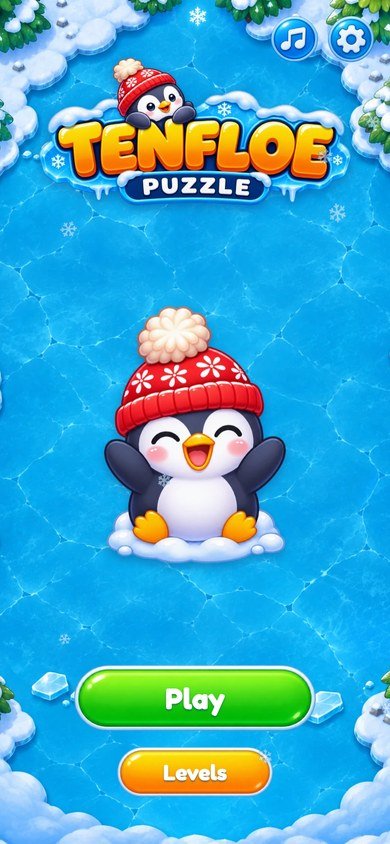 1
2
3
4
| # | What you see | File to change |
|---|---|---|
| 1 | Play button |
Text: key play in src/locales.js and src/locales-more.js.
Button picture: assets/art/btn-green.webp (recipe G).
|
| 2 | Levels button | Text: key levels. Button picture: assets/art/btn-amber.webp. |
| 3 | Sound button | Icon: assets/art/b-music.webp. Opens the Sound window (music and effects volumes). |
| 4 | Settings button |
Icon: assets/art/b-gear.webp. Opens vibration, reduced motion, language (and Sound and
Home during a level).
|
World map
 1
2
3
4
5
6
7
8
9
| # | What you see | File to change |
|---|---|---|
| 1 | Stars of the world | Icon: assets/art/star.webp. Counted by the game: 3 stars per level. |
| 2 | Settings button |
Icon: assets/art/b-gear.webp. Opens vibration, reduced motion, language (and Sound and
Home during a level).
|
| 3 | Sound button | Icon: assets/art/b-music.webp. Opens the Sound window (music and effects volumes). |
| 4 | Current level |
Stone: assets/art/stone-now.webp; the penguin on the map is
penguin-run.webp.
|
| 5 | Finished level |
Stone: assets/art/stone.webp; stars: star.webp and
star-off.webp.
|
| 6 | Locked level |
Same stone, drawn paler by the styles. Path positions: POS in src/map.js.
|
| 7 | World chest |
assets/art/chest.webp and chest-open.webp. What it gives:
chests in src/main.js and the text key chestText (recipe D).
|
| 8 | Gate to the next world | assets/art/gate.webp; padlock lock.webp. |
| 9 | Play the current level | Text: key level. Button picture: assets/art/btn-green.webp. |
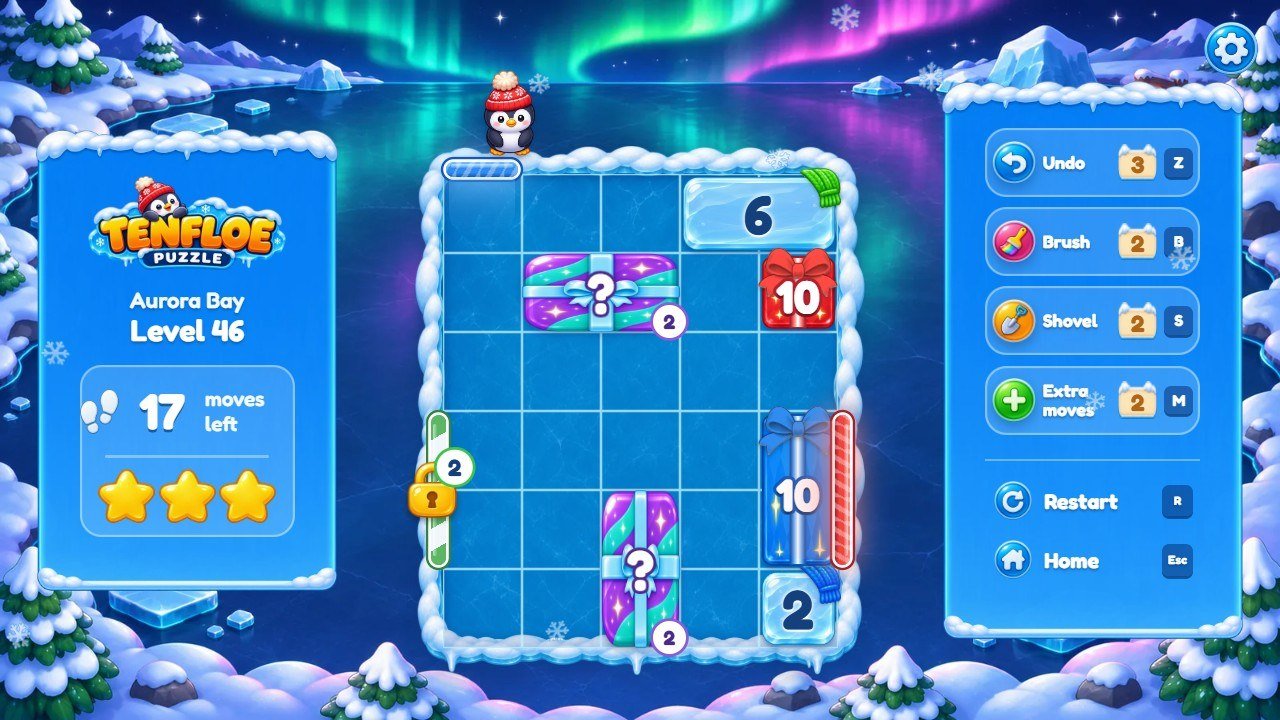
A level
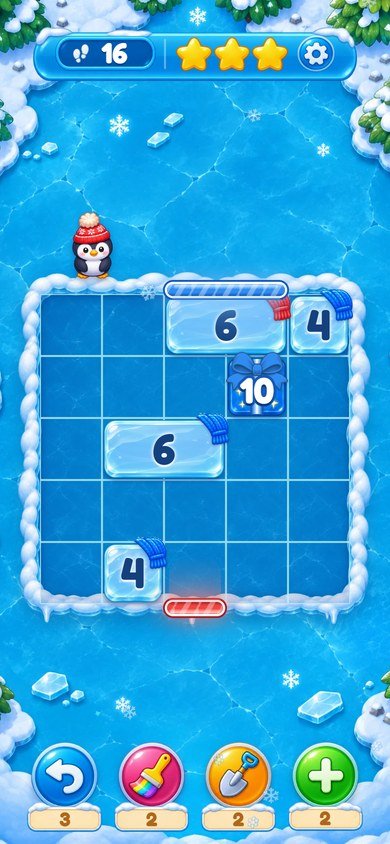 1
2
3
4
5
6
7
8
9
10
| # | What you see | File to change |
|---|---|---|
| 1 | Moves left |
Icon: assets/art/steps.webp; text: key movesLeft. The limit is a formula in
RULES_UI (recipe D).
|
| 2 | Stars you would get now |
assets/art/star.webp and star-off.webp. Star limits: star3 and
star2 in RULES_UI (recipe D).
|
| 3 | Settings button |
Icon: assets/art/b-gear.webp. Opens vibration, reduced motion, language (and Sound and
Home during a level).
|
| 4 | The penguin |
Poses assets/art/pip-idle.webp, pip-think.webp, pip-cheer.webp,
pip-run.webp, pip-wave.webp and pip-oops.webp (recipe E).
|
| 5 | Door |
A colored bar on the snow rim, drawn by the styles in the color of
COLORS (src/config.js). Position and size: the gates of the
level (recipe A).
|
| 6 | Numbered ice block |
Ice: assets/art/paper-r.webp … paper-k.webp (one per color); scarf:
scarf-r.webp … scarf-k.webp. Gifts: bow.webp and the color
(recipe E).
|
| 7 | Undo |
Icon: assets/art/p-undo.webp; name: key pUndo; 3 per level:
undoPerLevel (recipe D).
|
| 8 | Brush |
Icon: assets/art/p-brush.webp; name: key pBrush; opens on level 6
(unlockAt).
|
| 9 | Shovel | Icon: assets/art/p-shovel.webp; name: key pShovel; opens on level 12. |
| 10 | Extra moves |
Icon: assets/art/p-plus.webp; name: key pPlus; +5 moves
(plusMoves) or +20 seconds (plusSeconds).
|
3. More screens of the game
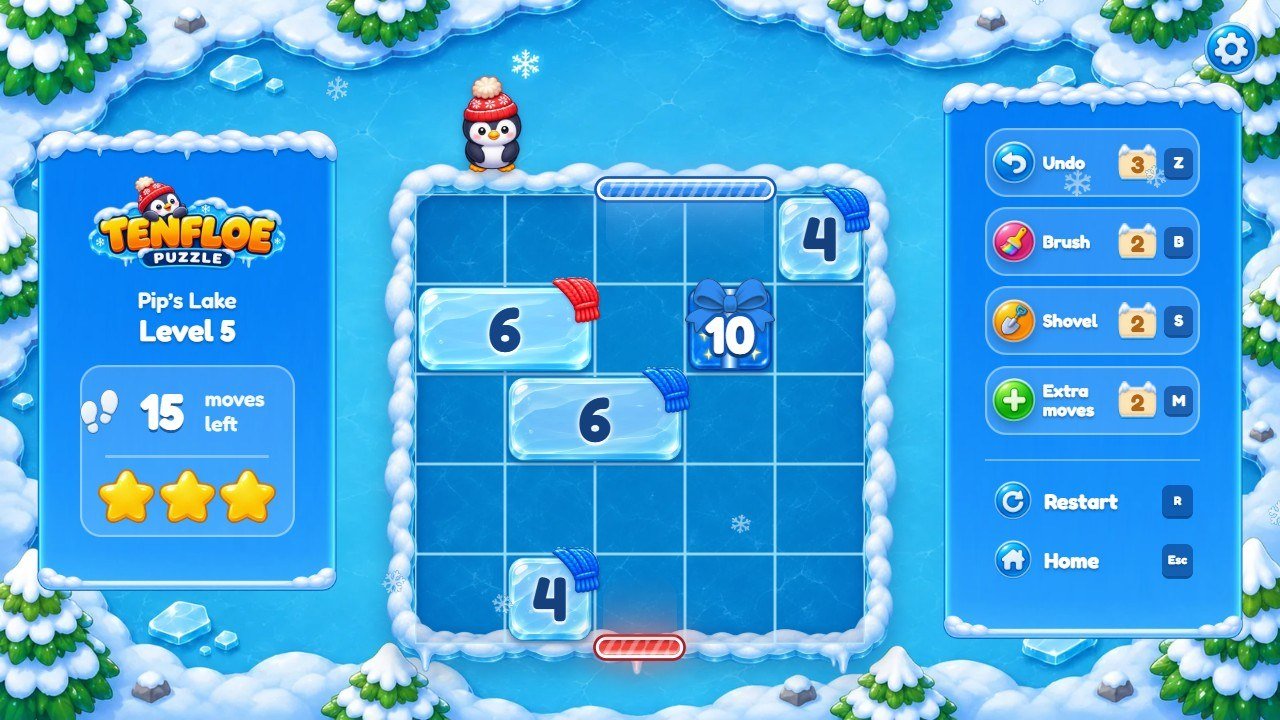
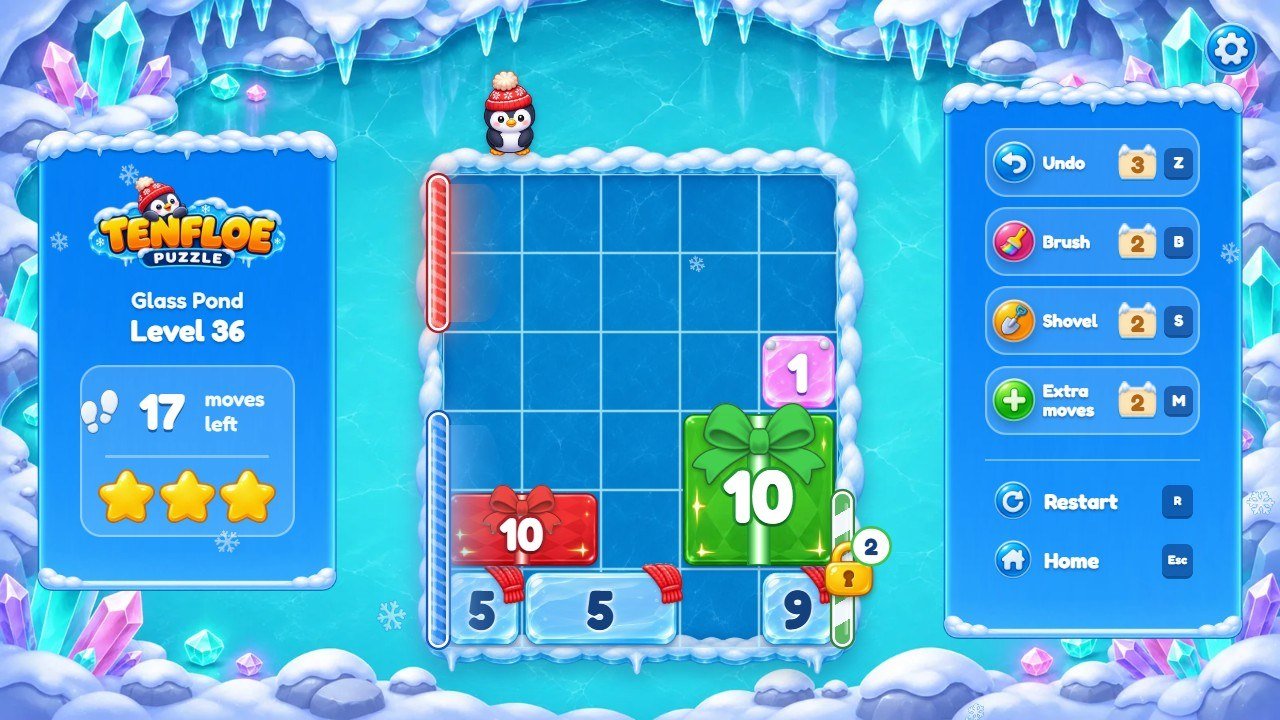
crystal.webp, type pin) and the world
backgrounds w4-bg-port.webp / w4-bg-land.webp.
surprise.webp, type box).
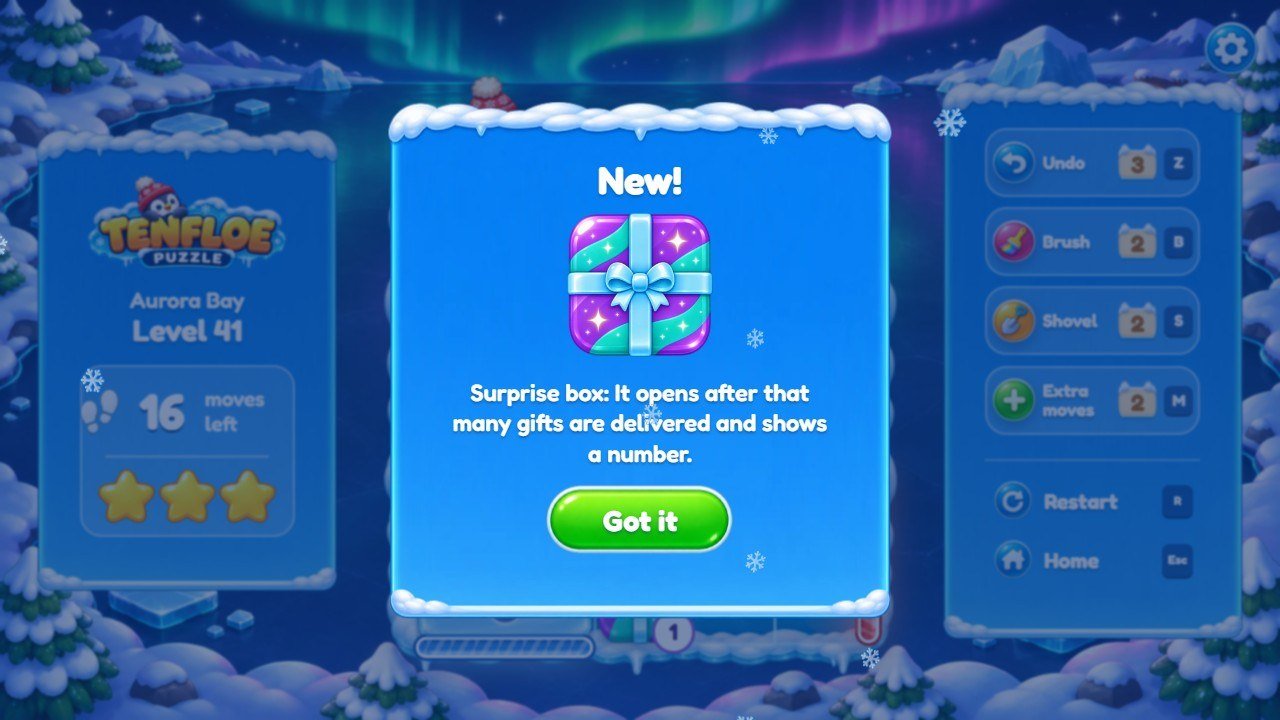
tBox, text dBox, picture
surprise.webp. Shown by card in the level.
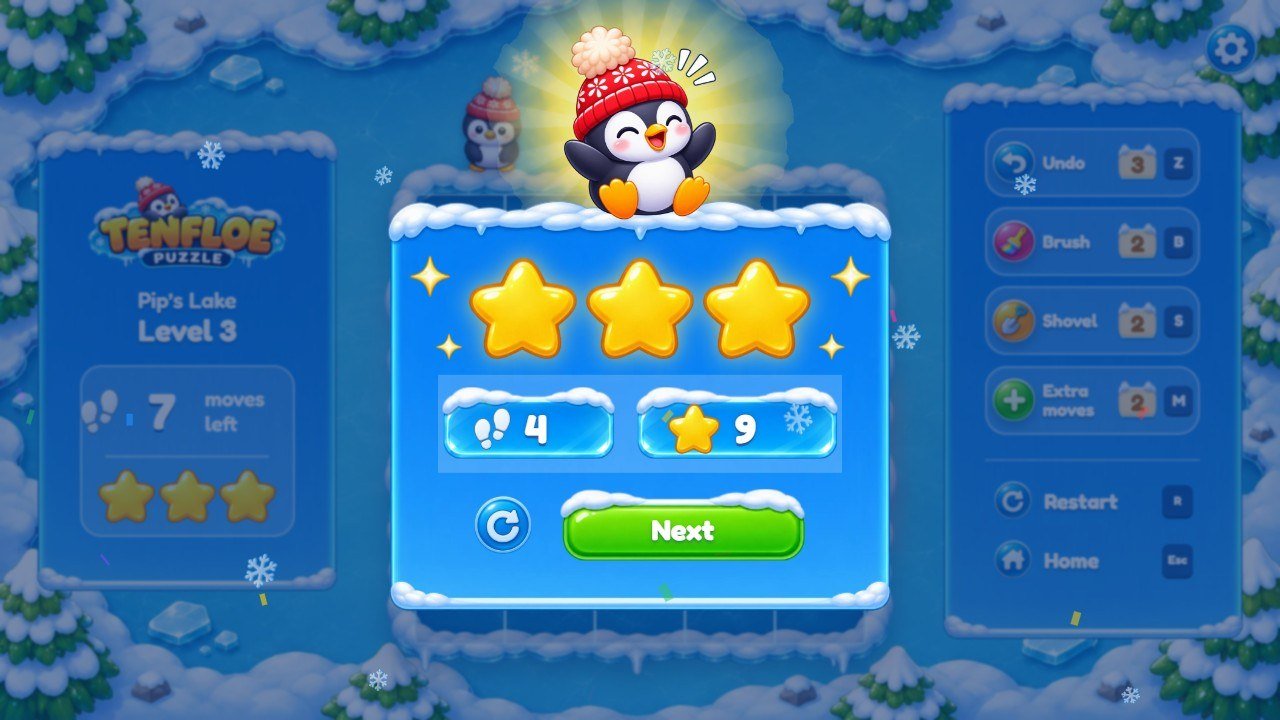
penguin-win.webp.
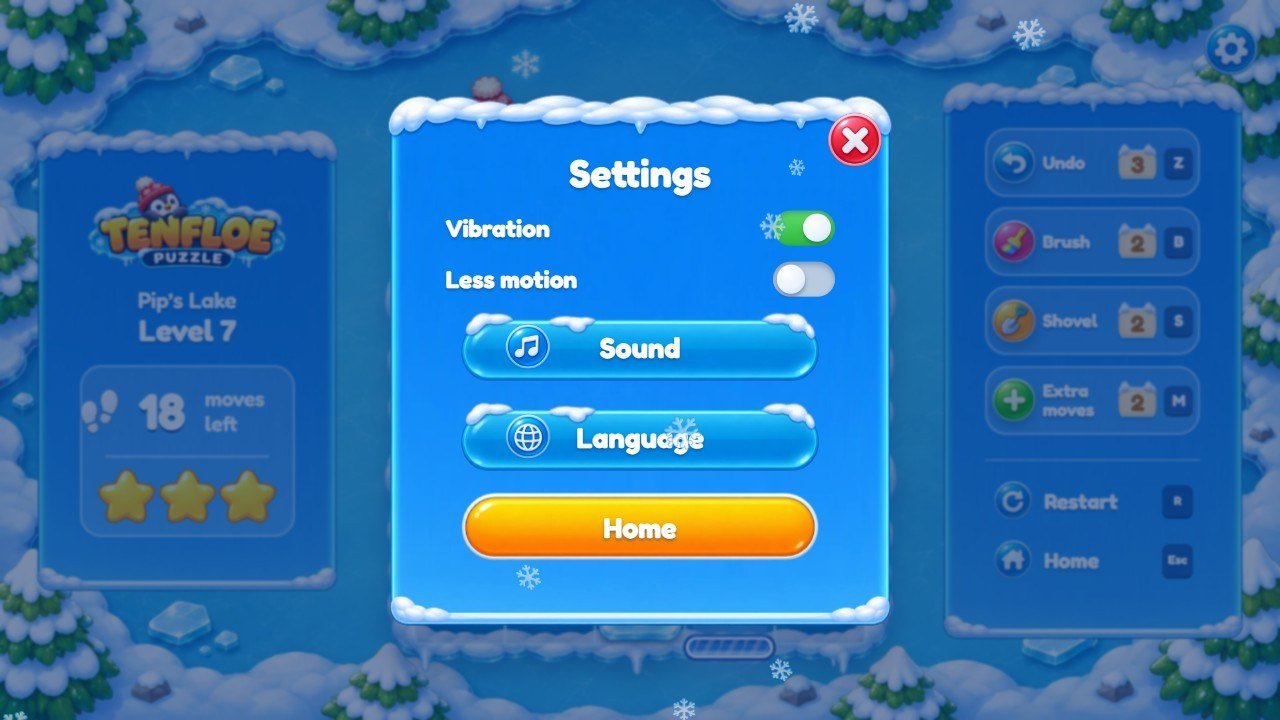
4. Recipe A: change a level or make a new one
All 50 levels are in src/levels.js, in five lists (W1 to W5, one per
world), one line per level. A level looks like this:
{ size: [4, 4], blocks: [[0, 2, 1, 1, 6, 'r'], [3, 2, 1, 1, 4, 'r']], gates: [['t', 1, 2, 'r']], par: 2, tut: ['tut1', 'tut2'] },size: [4, 4]: the board is 4 cells wide and 4 cells tall.-
blocks: one entry per block,[x, y, width, height, number, color].xandycount cells from the top-left corner, starting at 0. Colors are one letter:rred,bblue,ggreen,yyellow,ppurple,oorange,tteal,kpink. -
Special blocks add a seventh value:
[x, y, w, h, n, '', 'ice']is an ice block that melts afterndeliveries;[x, y, w, h, n, '', 'pin']is a crystal block with the numbern;[x, y, w, h, n, color, 'box', wait]is a surprise box that opens afterwaitdeliveries. -
gates: the doors,[side, start, length, color]. The side is't'top,'b'bottom,'l'left or'r'right;startis the first cell along that side andlengthhow many cells the door covers. A fifth value makes a locked door that opens after that many deliveries:['l', 1, 2, 'b', 1]. -
Optional:
holes: [[2, 3]](snow mounds),time: 120(a timed challenge, in seconds),tut(hint texts shown in order),card('Lock','Ice','Hole','Pin','Box'or'Clock': the card of a new element). par: the fewest moves that win the level. The move limit and the stars come from it.
- Copy a line of a level that looks like what you want and change its values. Every number must have a partner that adds up to 10 with it (directly or after merging), and every color of gift must have a door of that color.
-
In
source/, runnpm test. If the level cannot be won the test says "fase N sem saida" (level N has no solution). If only theparis wrong, it shows the right number (expected); write that number inparand run the test again. -
Open the level in the browser to play it:
http://localhost:5196/?level=12(works only on your computer).
5. Recipe B: create random levels with the generator
source/tools/gen-levels.mjs makes random levels and keeps only the ones the solver can win, with a
par inside the range you ask for. It prints ready-to-paste lines.
Windows (Command Prompt), inside source/:
node tools/gen-levels.mjs "{\"size\":[5,5],\"groups\":3,\"gates\":2,\"colors\":2,\"par\":[5,9]}" 3macOS and Linux (Terminal), inside source/:
node tools/gen-levels.mjs '{"size":[5,5],"groups":3,"gates":2,"colors":2,"par":[5,9]}' 3-
size: board size;groups: how many groups of numbers that add up to 10;gates: doors;colors: how many colors (1 to 8);par: the smallest and the largest par you accept; the last number (3) is how many levels to print. -
More options:
locks(locked doors),ice(ice blocks),holes(snow mounds),pins(crystal blocks),shapes(for example{"1x1":5,"1x2":2}for long blocks),tri(chance of a group of three numbers). -
Paste a printed line into a world list in
src/levels.jsand runnpm test. Big boards or many blocks can take a while.
6. Recipe C: worlds, their names and backgrounds
-
World names: keys
w1tow5insrc/locales.jsandsrc/locales-more.js(recipe F). -
Backgrounds of world 1:
assets/art/bg-port.webpandbg-land.webp(levels, phone held upright and wide screens) andmap-port.webp/map-land.webp(map). Worlds 2 to 5 use the same names withw2-…w5-in front. Replace a file with your own picture of the same name and a similar size (tall pictures about 900×1600, wide ones about 1600×900). -
Adding a sixth world is programmer work: a new list
W6and an entry inWORLDSinsrc/levels.js, the textw6in the 14 languages, and background rules like the ones fordata-world='5'instyle-3.css.
7. Recipe D: difficulty, stars, helpers and chests
Open src/config.js and find RULES_UI:
-
limit: the move limit of a level from its par (nowpar × 1.8 + 3, rounded up). A smaller number makes the game harder. -
star3andstar2: how many moves still give 3 and 2 stars. Any win gives at least 1. unlockAt: the level where each helper appears (Brush 6, Shovel 12, Extra moves 18).-
start: how many of each helper a new player gets;undoPerLevel: Undo per level;plusMovesandplusSeconds: what Extra moves adds.
The chest at the end of each world gives 1 Brush, 1 Shovel and 1 Extra moves (in src/main.js,
search for chests). If you change that, change the text chestText too.
8. Recipe E: replace pictures (blocks, penguin, logo, buttons)
Keep the same file name and a similar size and shape, with a transparent background where the original has one.
- Logo:
assets/art/logo.webp(title screen, map and levels). -
Penguin:
penguin-big.webp(title),penguin-win.webp(win),penguin-run.webp(map) and thepip-*.webpposes on the board. -
Blocks:
paper-r.webp…paper-k.webp(the ice of each color) andscarf-*.webp(the scarf); gifts usebow.webp; special blocks:ice.webp,crystal.webp,surprise.webp,mound.webp. -
Board frame:
board.webp; bars and panels:bar.webp,panel.webp,plate.webp; buttons:btn-green.webp,btn-amber.webpand the roundb-*.webpicons; helpers:p-undo.webp,p-brush.webp,p-shovel.webp,p-plus.webp. -
Map:
stone.webp,stone-now.webp,chest.webp,chest-open.webp,gate.webp,lock.webp.
9. Recipe F: change texts, the game name and translations
-
Open
src/locales.js. Each language is a block ofkey: 'text'lines; English isen, Portuguesept, Spanishes. The other 11 languages are insrc/locales-more.js. -
Change only the text between the quotes. Keep words in braces such as
{n}: the game puts a number there. If the text has an apostrophe, write it as’or\'. - Change the same key in every language you use. A key missing in a language shows the English text.
-
Game name: the page title is
<title>inindex.html, the logo is a picture (recipe E), and the end screen textendTextnames the game.
10. Recipe G: change colors and the font
-
Block and door colors:
COLORSinsrc/config.js, three shades per color letter (light, full, dark). The ice pictures of the blocks keep their own tint (recipe E). -
Other colors, sizes and positions are in
style.css,style-2.cssandstyle-3.css(loaded in this order; a later rule wins). -
Font: Fredoka, files in
assets/fonts/and the@font-facerules at the top ofstyle.css. A new font needs its license file next to it.
11. Recipe H: replace or remove the music and sounds
-
Music:
assets/music/menu.mp3(title screen),map.mp3(world map) andplay.mp3(levels), in a loop. Replace a file with your own MP3 of the same name, or delete it: the game stays silent there. -
Sound effects have no files: they are made by the code in
src/audio/sound.js(listSYNTH). The player sets the volumes in the Sound window.
12. Check and publish your changes
-
If you edited
source/: runnpm test, thennpm run build, and usesource/dist/. - Play the levels you changed in the browser on your computer.
-
Upload the contents of the folder (
game/ordist/) to your web host, keeping the folders. Then clear the browser cache (see the main guide) to see the new version.
13. If something goes wrong
- Blank page: a file is missing or has a typing error. Open the browser console (F12) to see the file and line, or put your backup back.
-
A picture does not appear: check the name and the letter case;
Logo.webpis notlogo.webp. - A level cannot be won: run
npm test(recipe A). - Need help or custom work: willian@polargames.com.br.