
Contents
1 Overview
Snipfin is a complete HTML5 rope cutting puzzle game. A dumpling hangs from one or more ropes. The player swipes a finger or the mouse across a rope to cut it, collects up to 3 stars on the way down and drops the dumpling into the mouth of a koi.
It has 60 levels in 4 worlds of 15 levels: Moon Pond, Bamboo Falls, Lantern Harbor and Frost Lake. Each world brings new things: bubbles, urchins, lotus flowers, pegs that slide on a rail, whirlpools, elastic ropes, lily pads and a moon that flips gravity. A world opens when you have enough stars.
The physics is original code written for this game, with no engine and no library. Around it: a world map, level select with stars, pause, a retry that rewinds the level, hints for players who get stuck, sound effects and music, vibration, 14 interface languages and layouts for phone, tablet and desktop, in portrait and landscape.
2 Installing on your website
Installing takes a few minutes if you have FTP access or a file manager in your hosting panel.
- 1. Extract
snipfin-static-1.0.0.zipon your computer. -
2. Connect to your hosting by FTP or its file manager and open the folder where the game should live, for
example
public_html/games/snipfin/. -
3. Upload only the contents of the
game/folder, so thatindex.htmlsits directly inside the target folder. -
4. Keep
assets/,src/anddata/besideindex.html, with names and letter case unchanged. -
5. Open
https://your-domain.example/games/snipfin/in a modern browser.
source/ folder, the documentation/ folder or the ZIP itself.
Players need no Node.js, PHP, database or account.
3 Requirements
-
Any static web hosting with HTTPS (or HTTP). Opening
index.htmldirectly from the disk (file://) does not work, because browsers block JavaScript modules there. - A current browser: Chrome, Edge, Firefox, Safari or Opera, on desktop or mobile.
-
About 10 MB of space on the server. The game makes no request to other websites: fonts, pictures, sounds
and level data are all inside
game/. -
Node.js is only needed to run the tests or to rebuild the game from
source/(see the development section).
4 How to play
Swipe a finger or the mouse across a rope to cut it. The dumpling falls (or swings), collects the stars it touches and must reach the mouth of the koi. The koi also swims a little to the side to catch a dumpling that falls close. Falling into the water or touching an urchin loses the level.
Tap a bubble to pop it, tap a lotus flower to make it puff and tap the moon to flip gravity. A swipe that cuts two ropes at once shows Double! Every level gives 0 to 3 stars, and finishing it opens the next one even without stars.
Buttons during a level: Pause (Escape on a keyboard) opens Resume, Restart and Levels. Restart, and Retry after a loss, rewind the level. Players who fail the same level twice see a ring that closes on the next cut at the right moment, and a new player who waits on the title screen sees a hand showing the swipe.
On the title screen, cutting the rope starts the game (Enter or Space also cut it). Progress is saved automatically after every level, so the player can close the page and come back later.
5 Screens
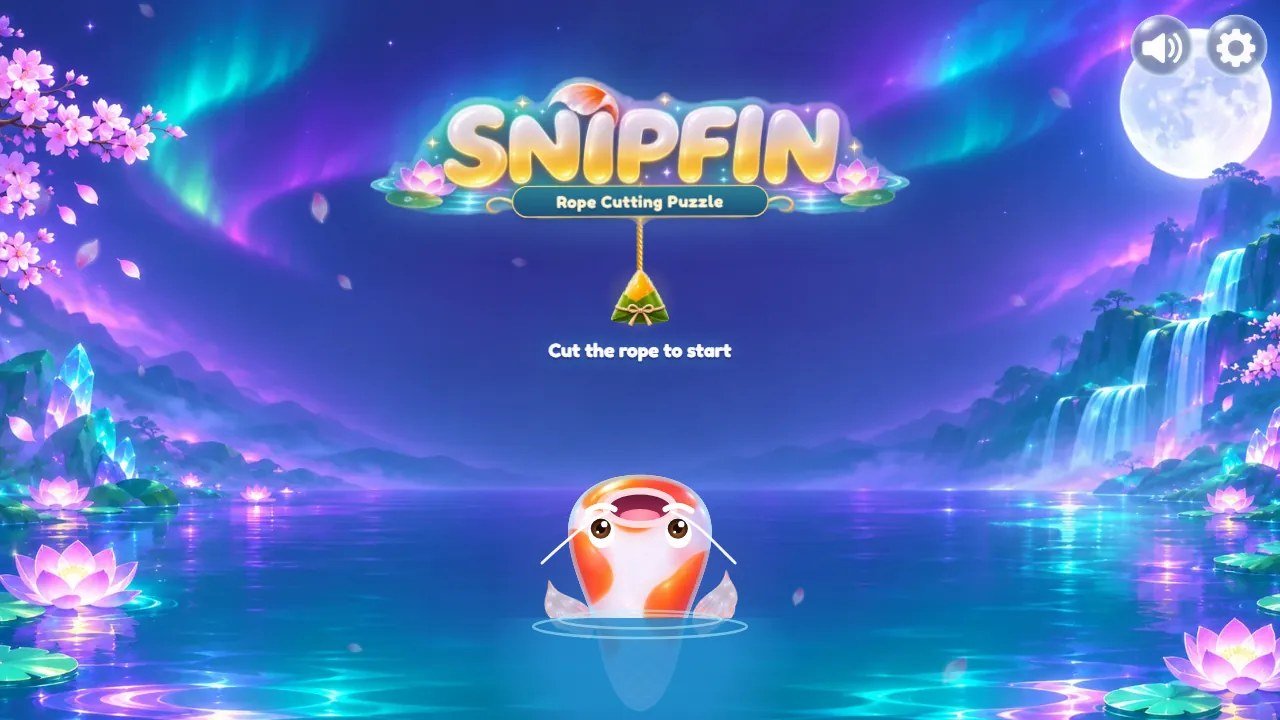
Marks on the screenshot
- Logo
- Start prompt
- Sound: effects and music volume
- Settings
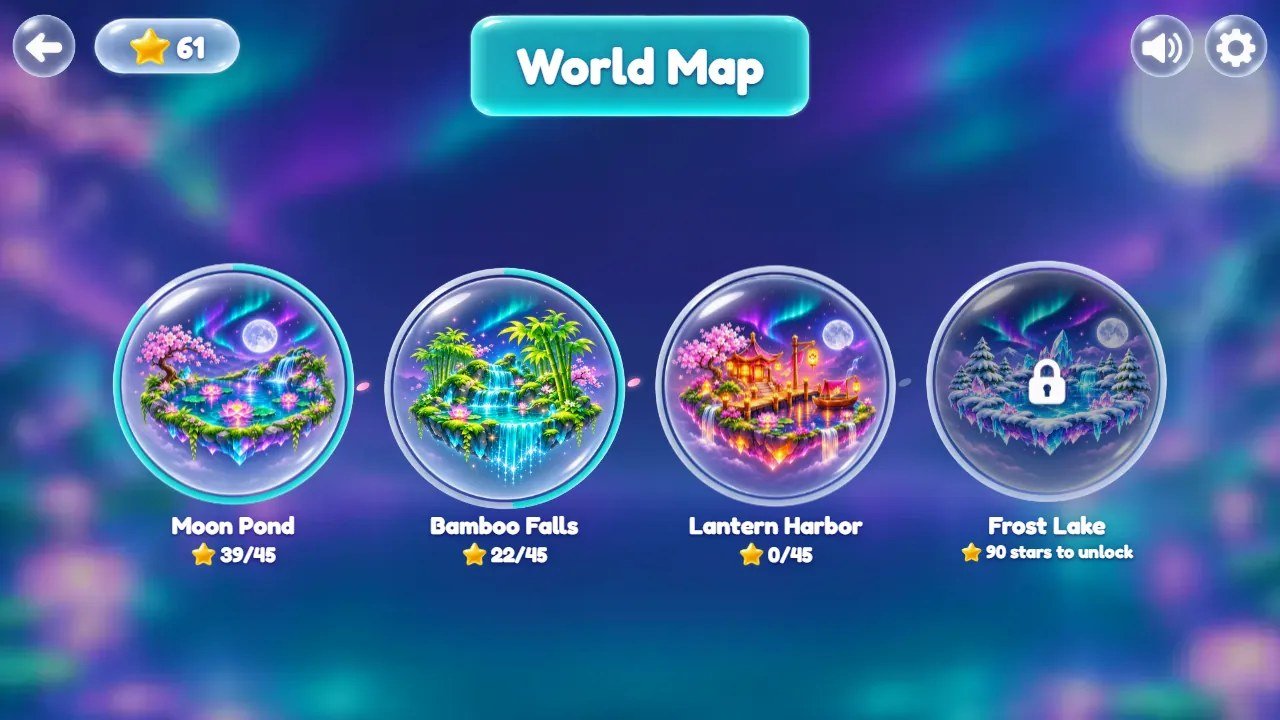
Marks on the screenshot
- Back
- Total stars
- Open world
- Locked world
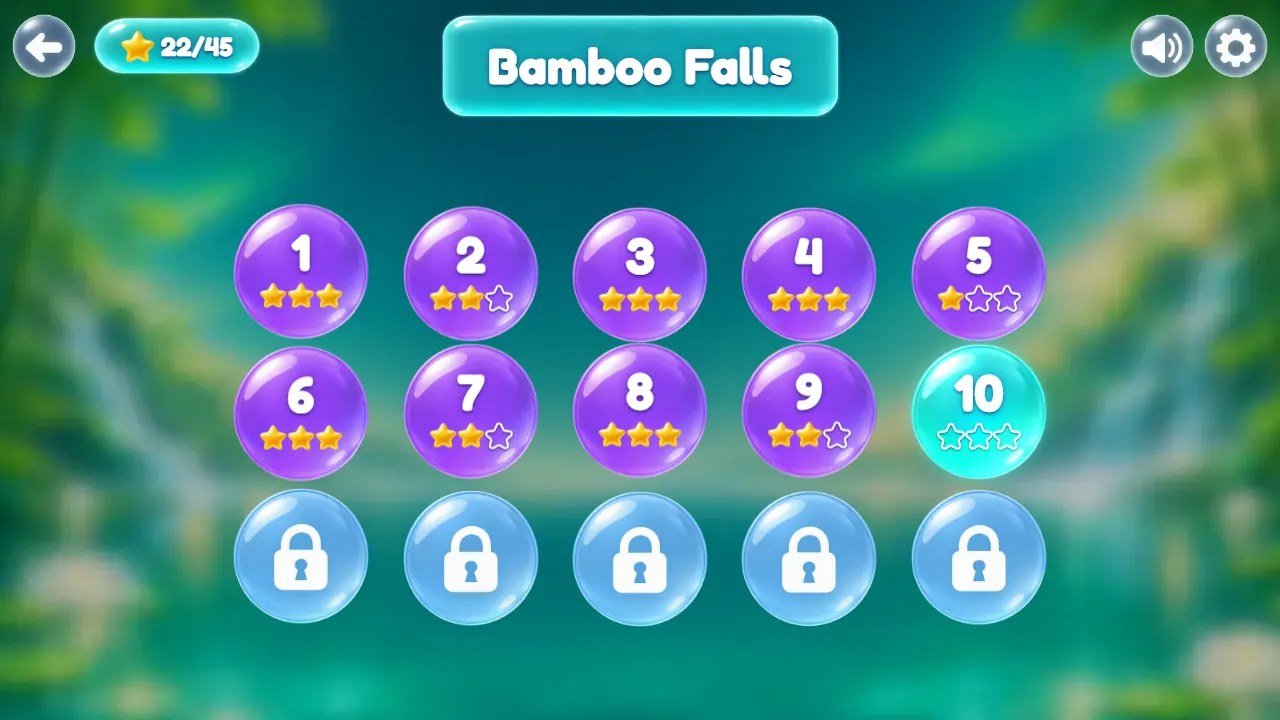
Marks on the screenshot
- World name
- Levels
- Next level
- Total stars
- Back
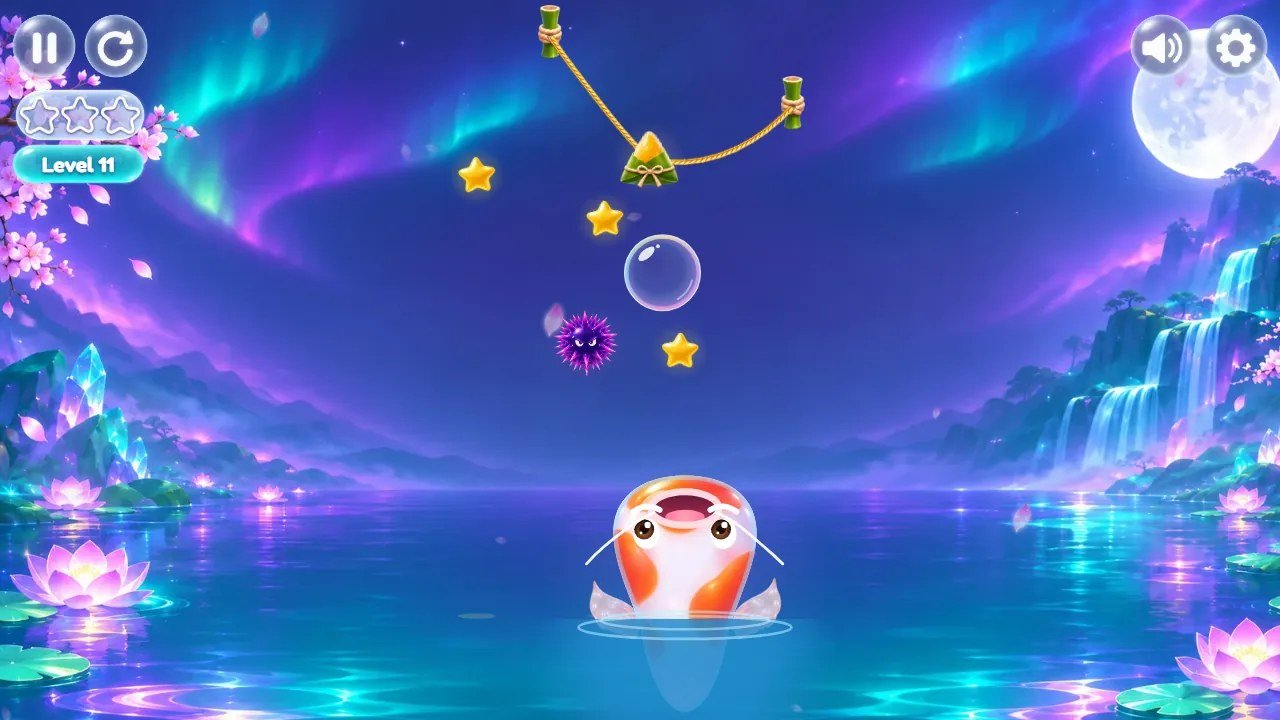
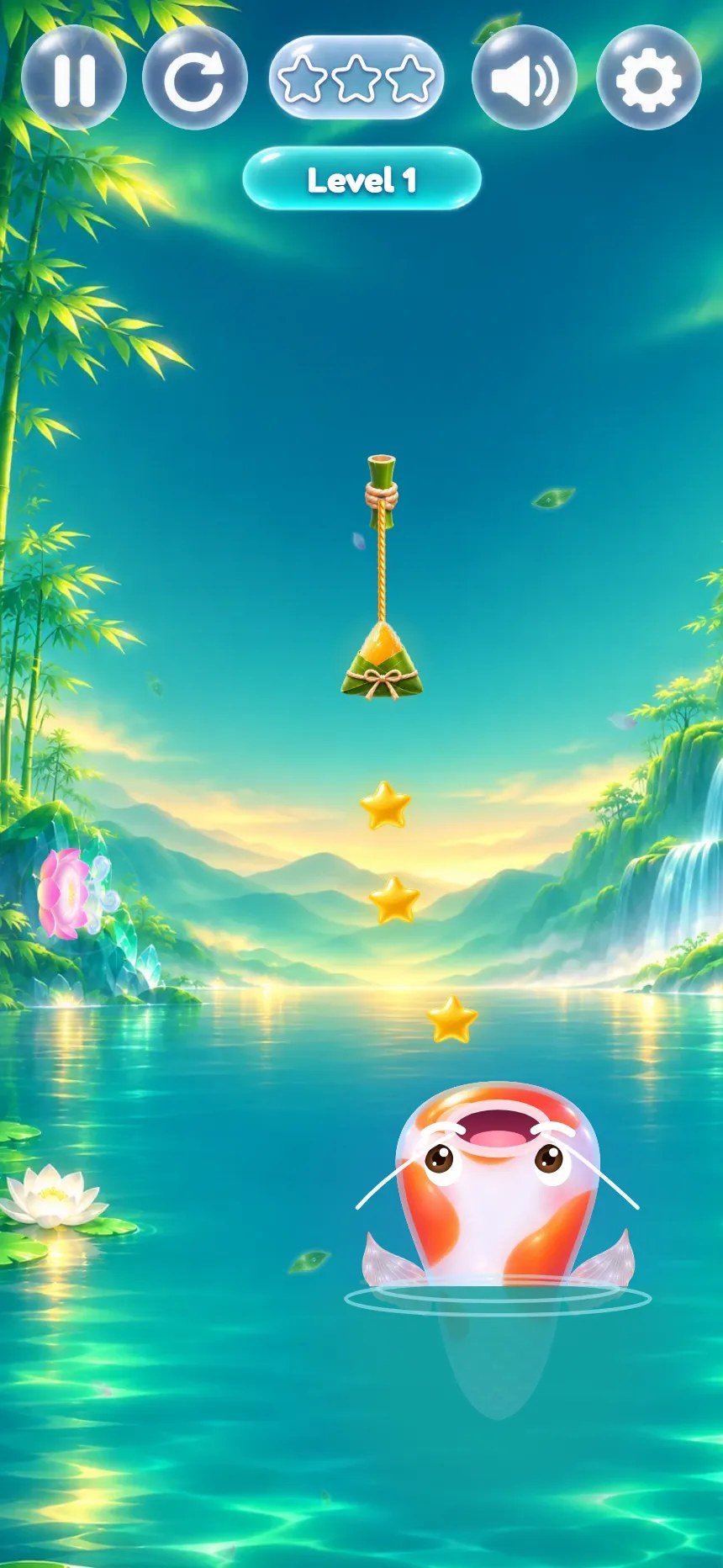
Marks on the screenshot
- Pause
- Restart
- Stars collected
- Level number

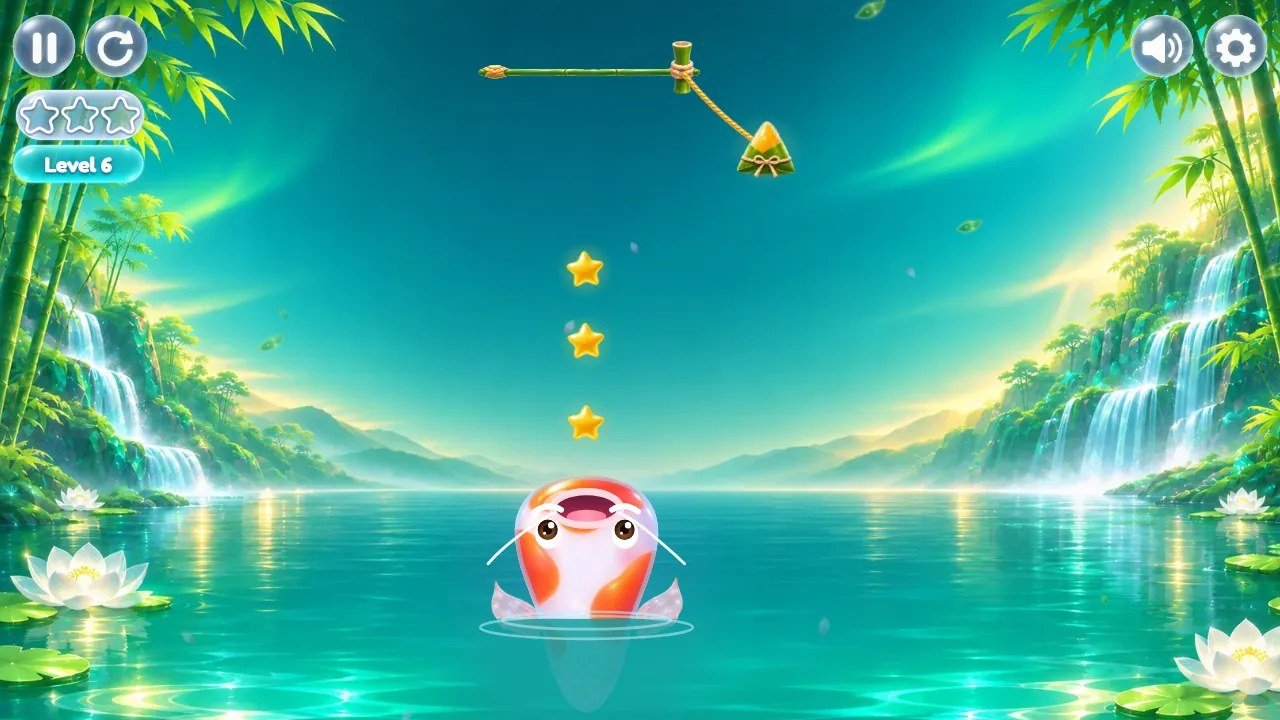
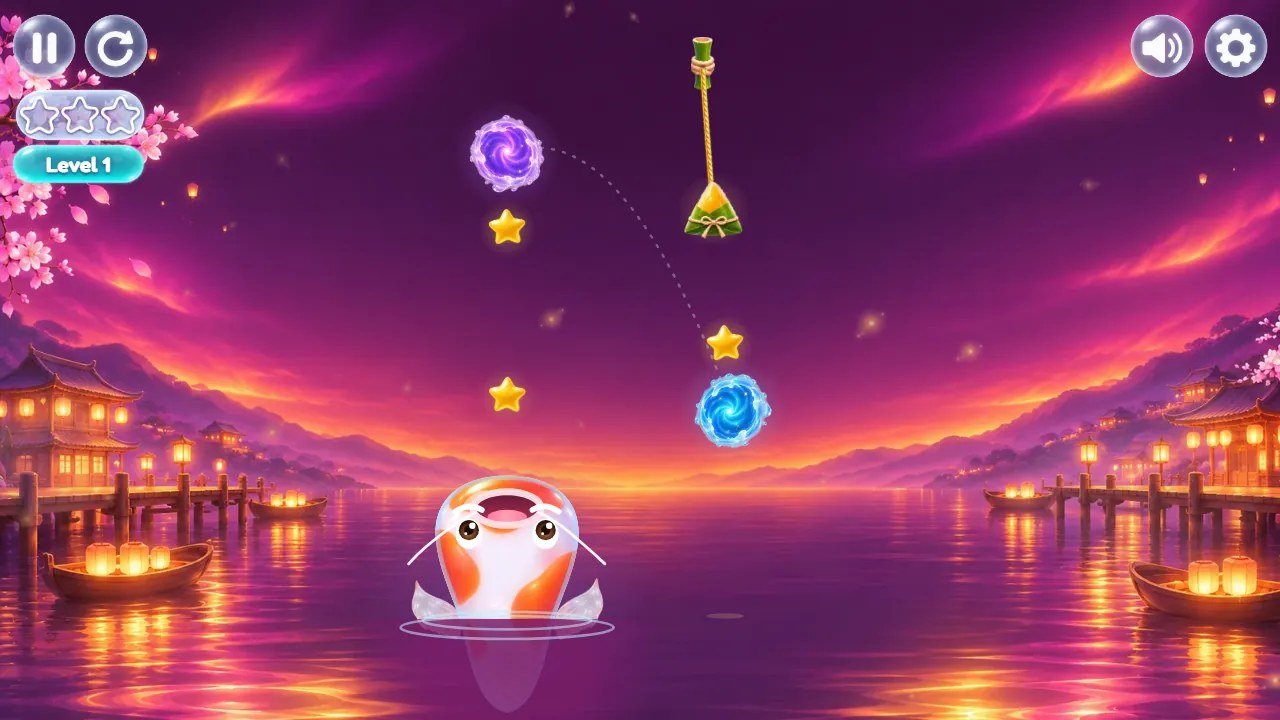
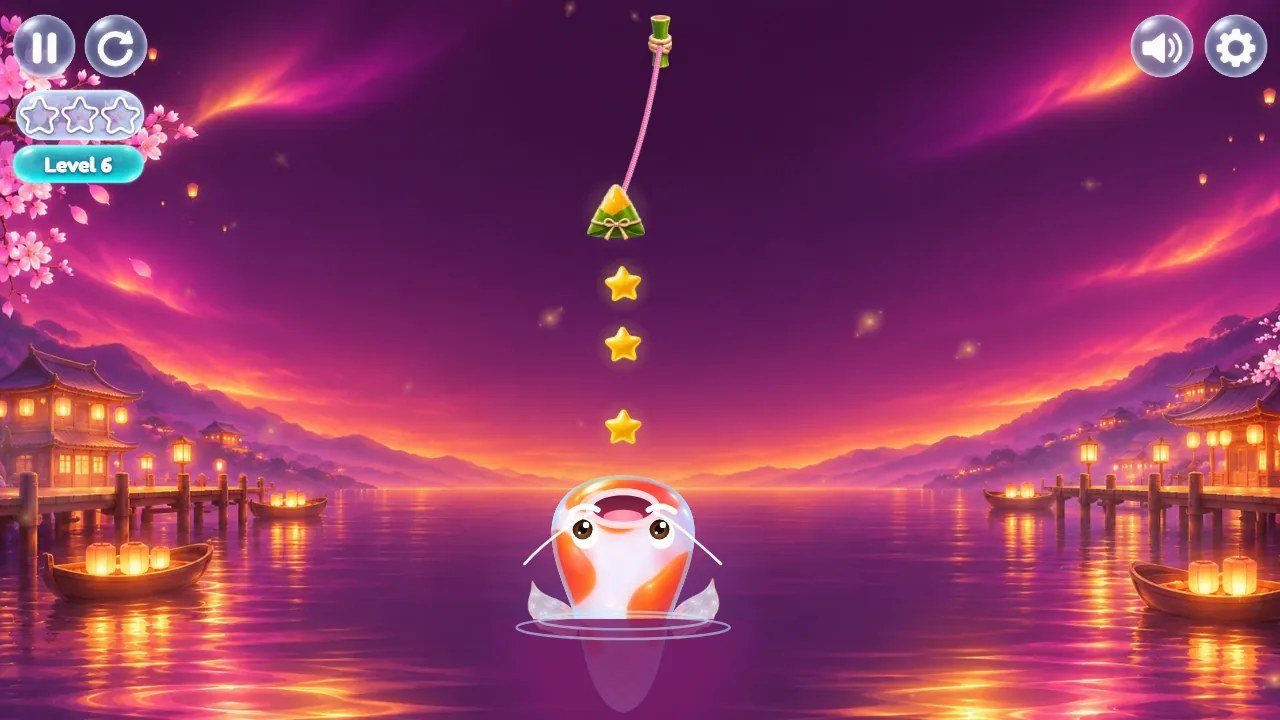

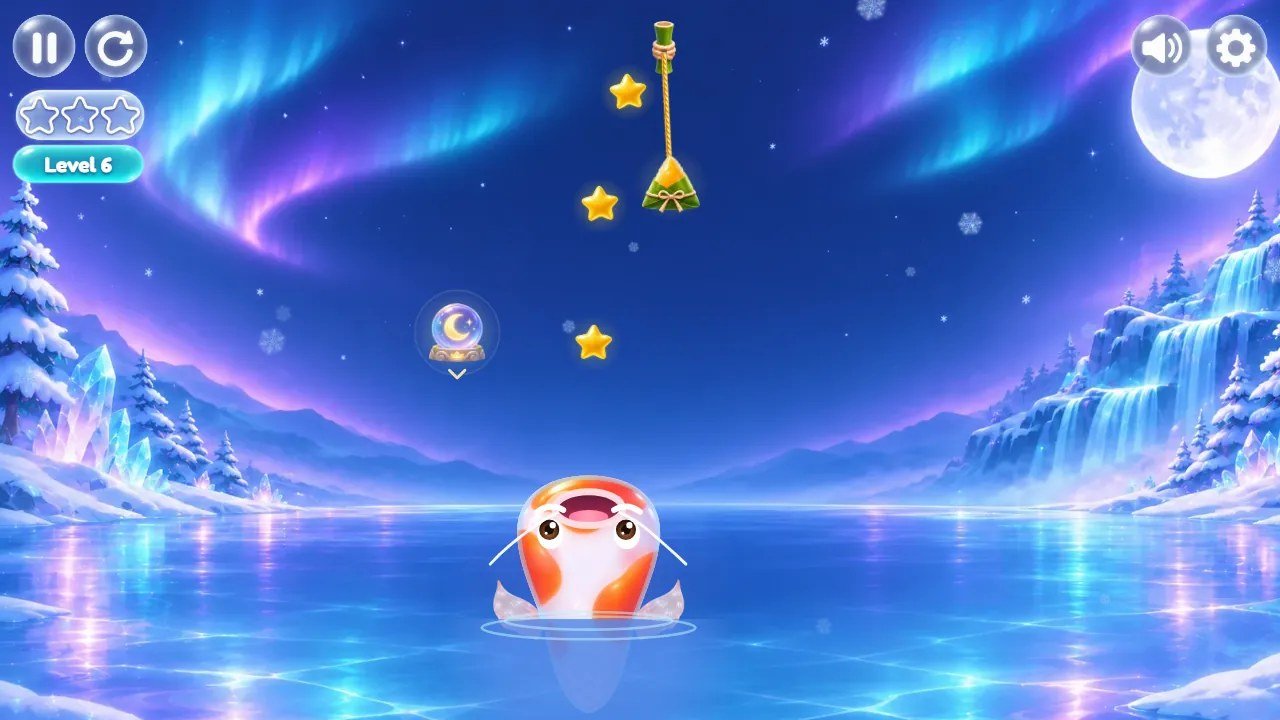
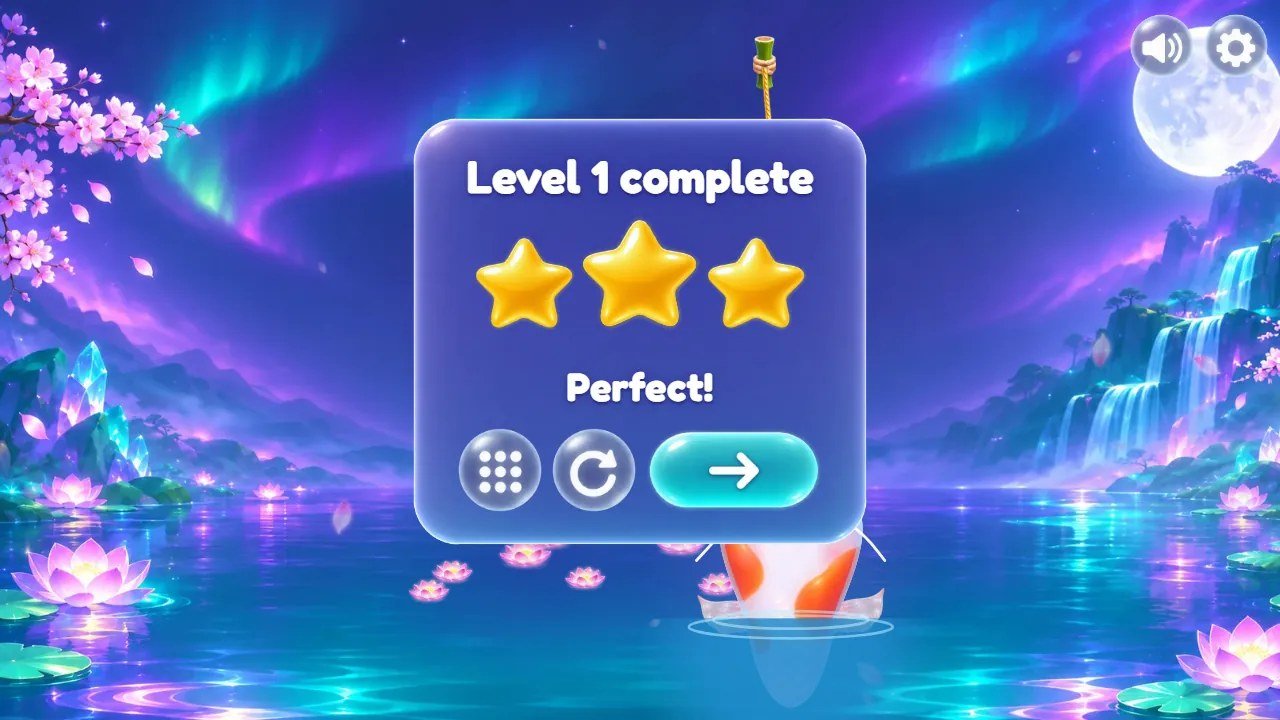
Marks on the screenshot
- Result
- Stars collected
- Level select
- Retry
- Next level
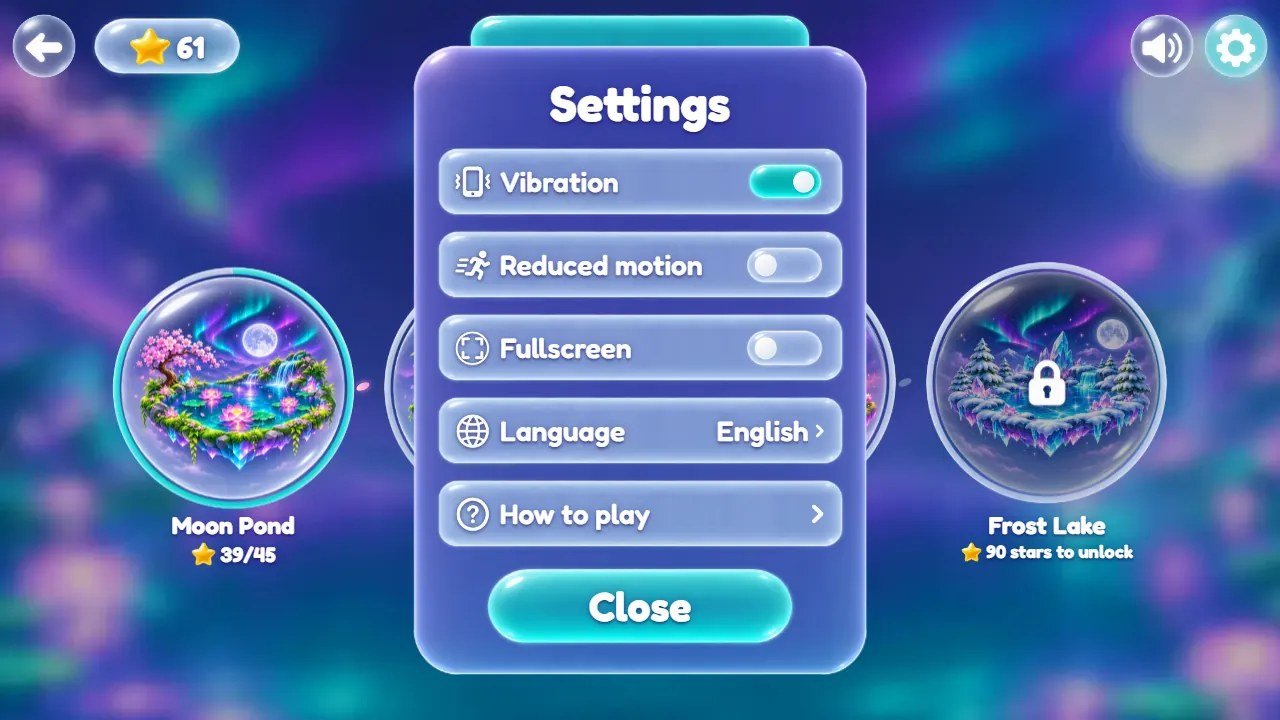
Marks on the screenshot
- Vibration
- Reduced motion
- Full screen
- Language
- How to play
- Close
6 Files and folders
game/ is the ready-to-host game. source/ has the same editable files plus the
tests, a local preview server and the build command. The code is plain JavaScript ES modules with no compile
step and no npm dependency.
game/                        upload these contents to your web host
  index.html                 the page: every screen and panel
  style.css                  layout and look
  data/levels.json           the 60 levels
  src/config.js              START HERE: physics, game feel, worlds, volumes
  src/rules.js               the rules and the physics
  src/main.js                screen flow, loop, input, saving, reactions
  src/ui.js                  screens, panels, world map, level grid
  src/render.js              draws the level
  src/koi.js                 the koi
  src/fx.js                  shake, particles, flying stars
  src/juice/                 scenery, water effects, hints, retry rewind, bubble transition
  src/audio/                 sound effects and music
  src/lib/                   languages, fullscreen, 9-piece panels
  src/lib/locales/           interface texts, one file per language
  assets/img/                backgrounds and objects (WebP)
  assets/ui/                 interface art (WebP)
  assets/fx/                 koi parts, rope textures, particles (WebP)
  assets/sfx/, assets/music/ sound effects and music (MP3)
  assets/fonts/              Fredoka, Nunito and their licenses
  assets/icon-192.png        page icon
  DOCUMENTATION.txt          short note that points to this guide
source/                      the same editable files, plus:
  package.json, package-lock.json
  README.md
  tests/                     npm test (141 checks)
  tools/build.mjs            copies the game into dist/
  tools/serve.mjs            local preview server (npm run dev, npm run preview)
  tools/check-node.mjs       checks the Node.js version before the commands
documentation/index.html     this guide (offline, 14 languages)
documentation/customization.html   step-by-step customization guide
documentation/img/           the screenshots of the guides
DOCUMENTATION.html           shortcut to this guide
CUSTOMIZATION.html           shortcut to the customization guide
START-HERE.txt, CHANGELOG.txt
THIRD-PARTY-LICENSES/        Fredoka and Nunito licenses
-
src/config.js: the first file to edit.PHYS(physics and difficulty),FEEL(every animation and game-feel number),WORLDS(the text key of each world, the stars needed to open it, its music and water color) andAUDIO(volumes). -
data/levels.json: the 60 levels.src/rules.js: the rules and the physics, with no interface code. -
src/main.js: screen flow, the 60 Hz loop, drag input, saving and the reaction to each event.src/ui.js: screens, panels, world map, level grid and settings.src/render.js: draws the level.src/koi.js: the koi. -
src/fx.jsandsrc/juice/: shake, particles, scenery, water effects, hints, the retry rewind and the bubble transition.src/audio/: sound effects and music. -
index.html: every screen and panel.style.css: layout and look.src/lib/: languages, fullscreen and the 9-piece panels.src/lib/locales/: one text file per language. -
assets/img/: backgrounds and objects.assets/ui/: interface art.assets/fx/: koi parts, rope textures and particles.assets/sfx/andassets/music/: sounds in MP3.assets/fonts/: fonts with their licenses.
7 Internal names in the code
A few names in the code differ from the words on screen. They are only names: players never see them.
-
The dumpling is
candy, the urchin is aburr(alsospikesin the level data), the lotus flower is apuff, the whirlpools areportals, the lily pad is apadand the moon button is amoon. -
In a level,
ais where a rope is tied,mouthis where the koi waits andsolis the stored solution used by the tests and by the hint ring. -
Sounds are named by what happens:
cut,star,bite,bubble-pop,victoryand so on. The files areassets/sfx/<name>-1.mp3,-2.mp3. -
Level ids are world and number:
2-6is the sixth level of the second world. The save keeps stars by id. - The game has no debug switches and no test hooks: what players see is the whole game.
8 Customizing
CUSTOMIZATION.html in the main folder of the download, or
documentation/customization.html.
Brand: the name in the browser tab is the <title> line of index.html. The
logo is assets/img/logo.webp (with a transparent background) and the page icon is
assets/icon-192.png. The words under the logo come from the subtitle text of each
language file.
Pictures: replace a file in assets/ with another WebP of the same name and a similar size. The
4 world backgrounds are assets/img/bg-portrait.webp, bg-landscape.webp and the
same with bg2, bg3 and bg4.
Levels: data/levels.json. Each level lists the candy, the ropes, the stars, the mouth and the
obstacles. Run npm test after every change: it replays the stored solution (sol)
of every level and tells you which level no longer wins with 3 stars.
Difficulty and feel: PHYS in src/config.js has the physics and how helpful the
game is (koiReach, mouthR, cutNear). FEEL has every
animation and hint number.
Sounds and music
Every effect is an MP3 in assets/sfx/, named with its id and a number, for example
cut-1.mp3. Frequent sounds have two versions and the game alternates them. Replace a file
keeping its name. The music is assets/music/menu.mp3 and world1.mp3 to
world4.mp3.
To add a version, put the file in the folder and raise its number in SFX_FILES in
src/audio/sfx-files.js. The volume of each sound is in AUDIO.gains in
src/config.js.
snipfin.template.save.v1 and the language under
snipfin.template.lang.v1. If you host more than one copy of the game on the same domain,
change them in src/config.js and src/lib/i18n.js, otherwise the copies share
progress and language.
9 Languages
The game has 14 languages: English, Portuguese, Spanish, French, German, Italian, Dutch, Polish, Turkish, Russian, Indonesian, Japanese, Korean and Chinese. The first visit uses the browser language; the player can change it in Settings.
To change a text, edit the same key in src/lib/locales/<code>.js. A key missing in
another language falls back to English. To add a language, copy en.js, translate it, import it
in src/lib/locales.js and add its code to LANGS and its name to
LANG_NAMES.
To open the game in a given language, add ?lang=pt (or another code) to the address. Russian
uses the included Nunito font and Fredoka covers the Latin alphabets. Japanese, Korean and Chinese use the
fonts of the device.
10 Saving and resetting
- Stars, unlocked levels and worlds, settings, volumes and language are saved automatically in the browser of each player (localStorage). Nothing is sent to a server.
-
The progress is stored under the key below. The language is stored under
snipfin.template.lang.v1. - To start over, delete these keys in the developer tools (F12), under Application, Local Storage, or clear the site data in the browser.
snipfin.template.save.v1
11 Development (optional)
This section is only for changing the code. The game/ folder already contains the finished
game, so installing it needs no Node.js. The game has no dependencies and no compile step:
npm run build only copies the files into dist/.
1. Install Node.js. Open https://nodejs.org/en/download and choose the latest Node.js 26 LTS installer for your system (minimum 26.13.0). npm is included.
Windows: run the .msi installer, keep npm and Add to PATH enabled, finish the installation and reopen Command Prompt. macOS: run the official .pkg installer and reopen Terminal. Linux: follow the instructions on the same page for your distribution.
2. Check the installation. Run node --version and npm --version separately. Both
must print a version number, and Node.js must be 26.13.0 or newer. If a command is not found, reopen the
terminal and check that Node.js is in PATH.
node --version
npm --version
3. Extract the complete ZIP first and open its source/ folder, where
package.json is. Windows: type cmd in the address bar of that folder in File Explorer. macOS
and Linux: open Terminal and use cd with the path of the folder.
4. Run the commands below one by one. npm ci checks the lock file (nothing is downloaded, the
project has no dependencies). npm test runs 141 checks on the 60 levels, the game elements, the
14 languages and the package.
npm ci
npm test
5. Preview: npm run dev starts a local server; open http://localhost:5180/ in your browser,
play for a while, and stop the server with Ctrl+C.
npm run dev
6. Build: npm run build empties source/dist/ and copies index.html,
style.css, src/, data/ and assets/ into it.
dist/ is what you publish; while the source is unchanged it is identical to game/.
npm run build
7. Publish: back up the game on your website, then upload the contents of dist/ in place of the
old files, keeping the folders. If you deleted or renamed a file, delete the old one on the server yourself.
Clear the cache afterwards.
npm test, means Node.js is too old. If PowerShell
blocks npm.ps1, use Command Prompt or run npm.cmd.
12 Updating and clearing the cache
Clearing the cache without losing progress
Progress is stored in this browser, not on the server. Clearing cached images and files, or doing a hard reload, keeps your progress.
Computer: press Ctrl+F5 on Windows and Linux, or Cmd+Shift+R on macOS. Phone: in the browser settings, choose the option to clear cached images and files.
Do not choose cookies and site data, or clear site data, for the game's address. That deletes the local save.
13 Licences and credits
The game code, the artwork, the sound effects and the music are supplied under the license of the item you purchased.
Third-party parts, with their complete license texts in THIRD-PARTY-LICENSES/: the Fredoka and
Nunito fonts (SIL Open Font License 1.1, also in assets/fonts/). The project has no other
third-party library.
14 Common problems
-
Blank page or a game that never opens: the game was opened from the disk or a file is missing. Use a web
host and keep every file and folder of
game/next toindex.html. - No sound: browsers start audio only after the first tap or click (cutting the rope on the title screen does this). Check both volumes in the Sound panel and the volume of the device.
-
A blank page after you edit
data/levels.json: a typo made the file invalid JSON. Validate the JSON and runnpm testbefore publishing. - The game feels slow on an old phone: it lowers its own quality after a moment. Turn on Reduced motion in Settings to make it lighter.
- The old version still appears after an update: clear the cache (see the section above). Two copies share their saved games: give each copy its own save keys.
15 FAQ
Does the game need a database or a server language?
Does it use a physics engine or a library?
src/rules.js, and the tests replay every level.
Can I make my own levels?
data/levels.json (see the Customization Guide) and run
npm test. A level also needs a stored solution (sol): the tests and the hint
ring use it.
Does it work on phones?
Does it have ads, accounts or an online ranking?
16 Support
Questions or problems: write to willian@polargames.com.br with your purchase code, the browser
and a short description or screenshot.
Support request
When you write to support, include the browser and device, the game version, the page address, the steps that caused the problem, a screenshot and the first error shown in the browser console. Never send passwords, payment details or secret keys.