
Contents
1 Overview
Critter Cross is an HTML5 3D motocross racing game with animal riders. The player races three rivals around a dirt track seen from above: jumps off wooden ramps, drifts that charge a turbo boost, speed arrows, mud, acorns to collect, chickens crossing the track and shortcuts.
There are 8 tracks with their own scenery, weather and music (farm, orchard, swamp, canyon, snow, beach, gold mine and night city), 4 riders with different stats, a garage with 3 upgrades and 5 paint colors, and 4 ways to play: Race, Time Trial, Cup and Mirror. Every track has 3 stars to earn and a daily challenge gives extra acorns.
The game runs in 14 languages, on desktop, tablet and phone (landscape), with keyboard and touch controls, sound effects and music. Everything is plain HTML, CSS and JavaScript with the Three.js library; there is no account, no server and no external service.
2 Installing on your website
Installing takes a few minutes if you have FTP access or a file manager in your hosting panel.
- 1. Extract
critter-cross-static-1.0.0.zipon your computer. -
2. Connect to your hosting by FTP or its file manager and open the folder where the game should live, for
example
public_html/games/critter-cross/. -
3. Upload only the contents of the
game/folder, so thatindex.htmlsits directly inside the target folder. -
4. Keep
assets/,models/,lib/,fonts/and the.jsfiles besideindex.html, with names and letter case exactly as extracted. -
5. Open
https://your-domain.example/games/critter-cross/in a modern browser.
source/ folder, the documentation/ folder or the ZIP itself.
Players need no Node.js, PHP, database or account.
3 Requirements
-
Any static web hosting with HTTPS (or HTTP). Opening
index.htmldirectly from the disk (file://) is not supported, because browsers block the 3D models, the sounds and the modules that way. - A current browser with WebGL: Chrome, Edge, Firefox or Safari, on desktop or mobile. On phones the game is played in landscape.
- About 32 MB of space on the server. The game makes no request to other websites.
-
Node.js is only needed to run the tests or to rebuild the game from
source/(see the development section).
4 How to play
Press RACE, pick a track and wait for the three lights. Keyboard controls:
- Up arrow: gas. Down arrow: brake. Left and right arrows: steer.
- Hold a turn at speed: the bike drifts and charges a boost; release to fire it (blue, orange, then purple).
- SHIFT: turbo, while the nitro gauge has fuel. Hold it on the last start light for a turbo start.
- SPACE: handbrake, for a sharp slide into a tight corner.
- Down arrow in the air: lift the nose and land level for a small nitro bonus.
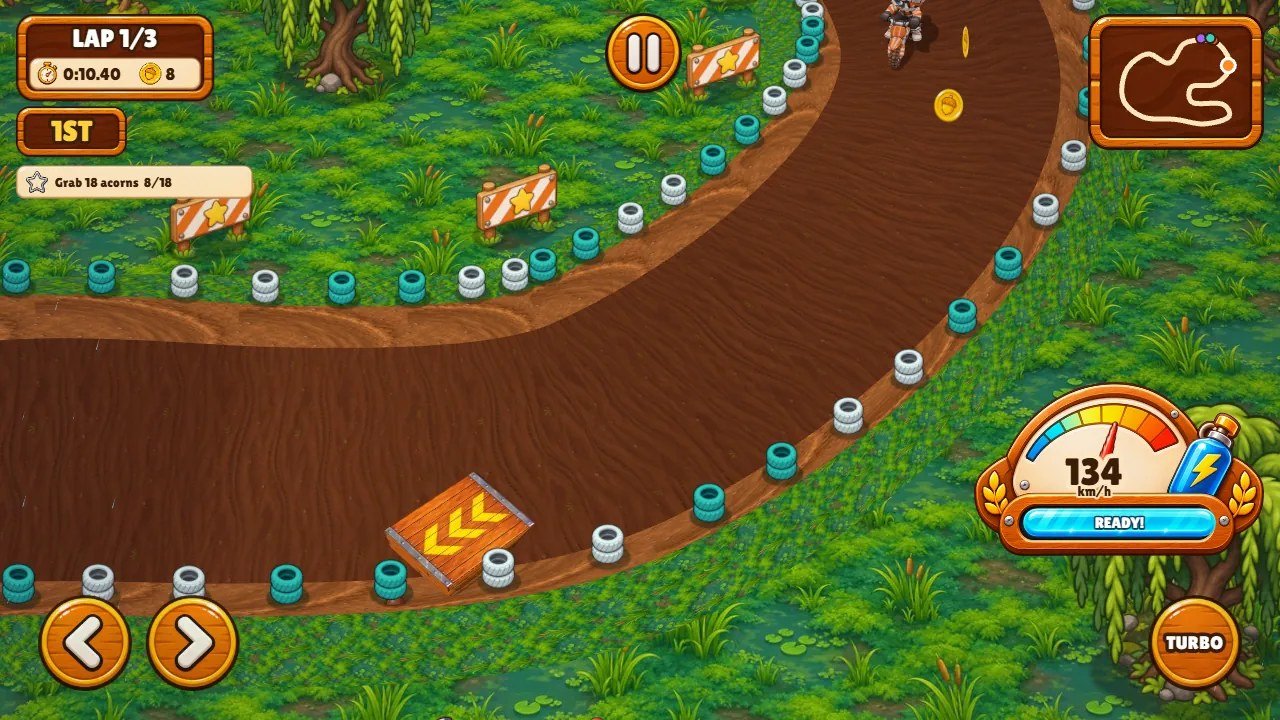
On a phone or tablet two arrow buttons steer and the TURBO button fires the turbo; the bike accelerates by itself. The whole area around the arrows reacts to the thumb, so a press just outside an arrow still steers. A start screen asks for a first touch, because phones only play sound after one.
5 Game modes and progress
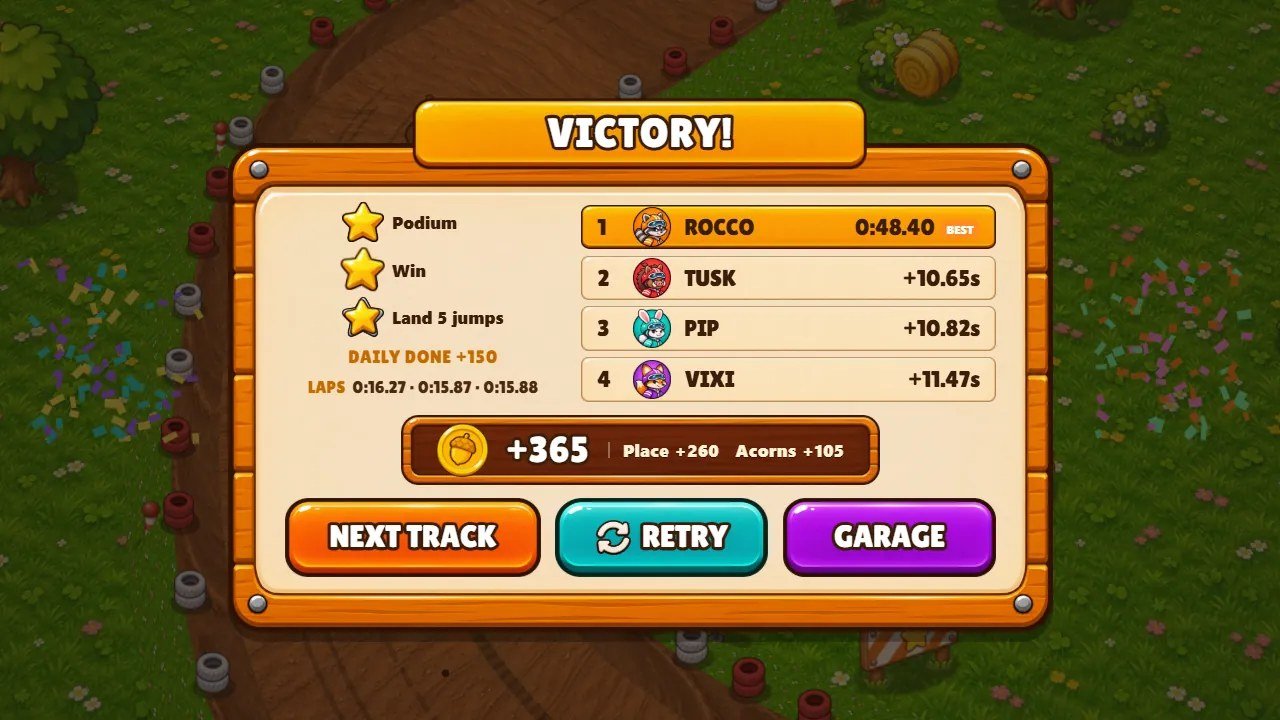
Each race has 3 laps against 3 rivals. Finishing gives acorns by place, plus the acorns picked up on the track. Acorns buy riders, upgrades and paints in the garage.
- Race: a single race. Stars: finish on the podium, win, and complete the challenge of the track (for example Land 5 jumps).
- Time Trial: alone on the track against the clock, with bronze, silver and gold medals.
- Cup: two championships of 4 races each (Critter Cup and Wild Cup); points 10, 6, 3 and 1 by place; the highest total wins the trophy and a new rider.
- Mirror: every track driven the other way round.
- A podium on a track unlocks the next one. A daily challenge changes every day and pays extra acorns.
6 Screens
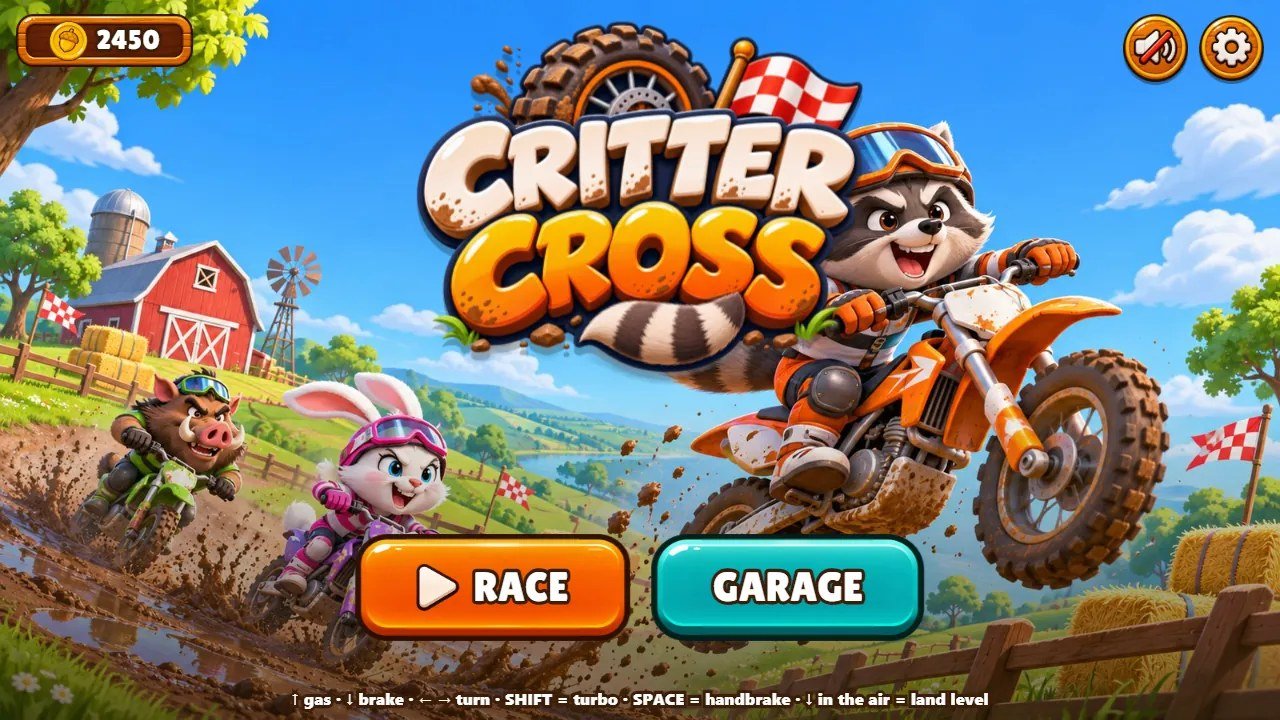
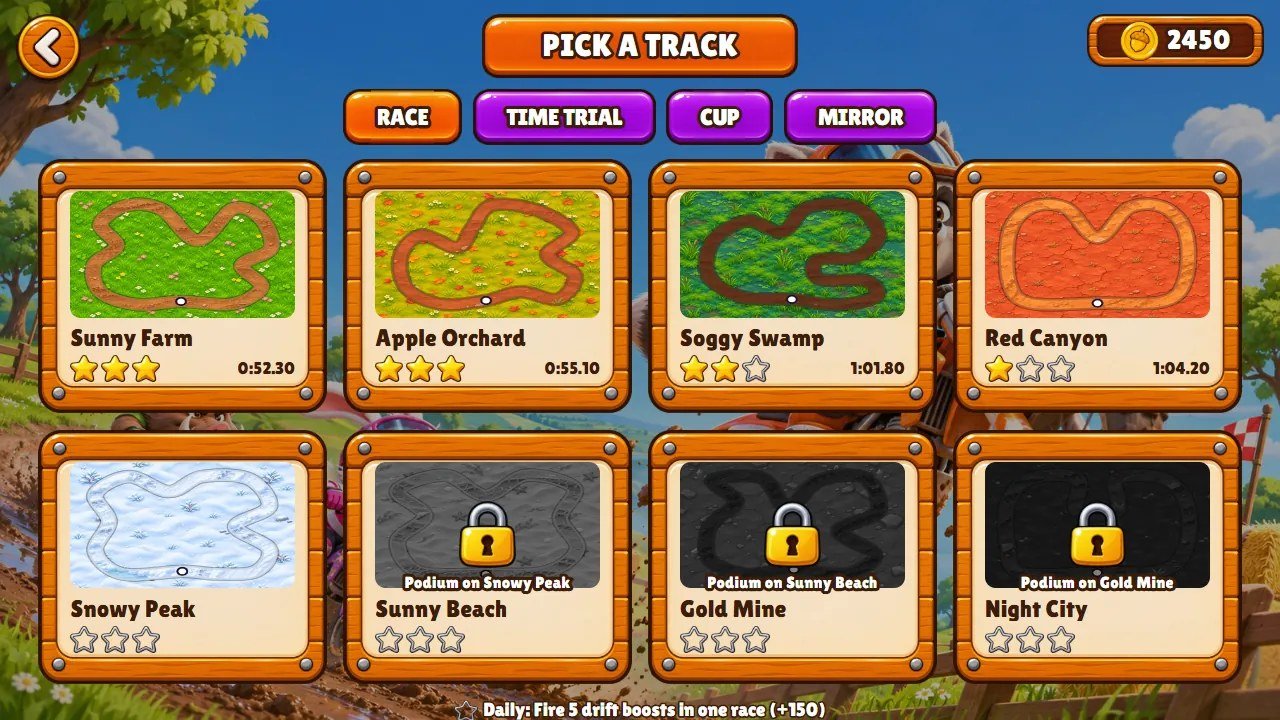
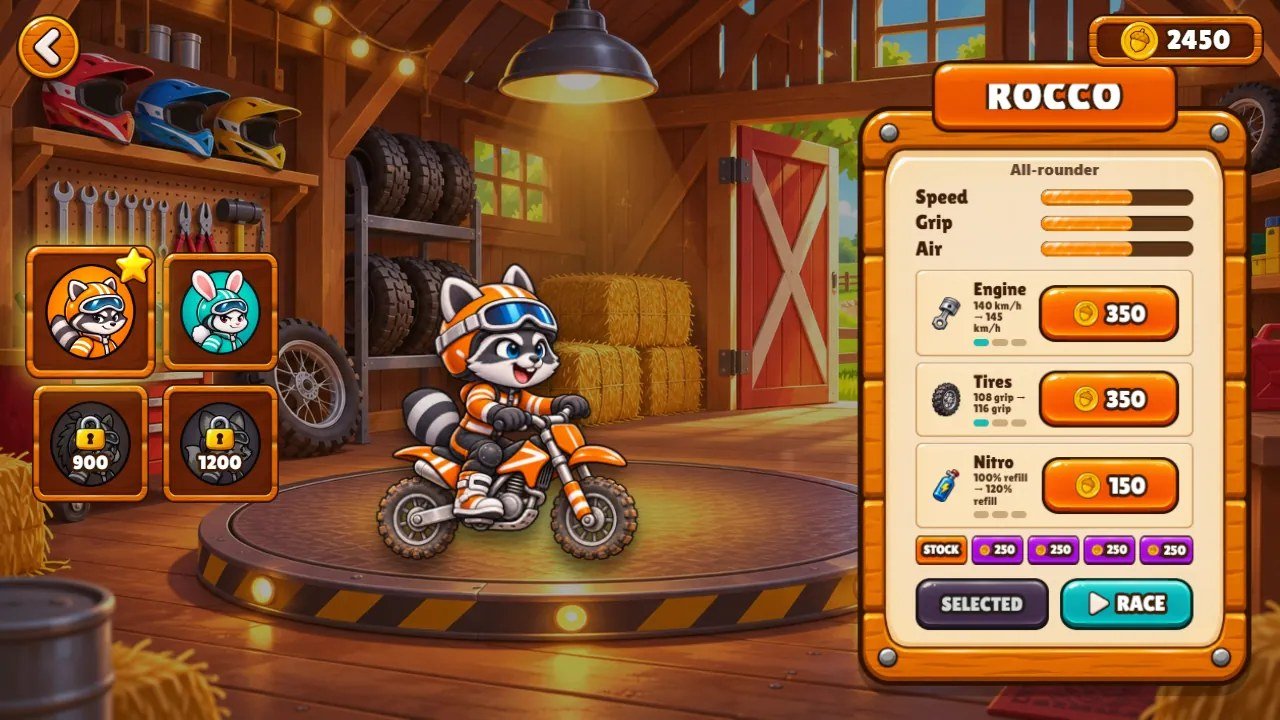
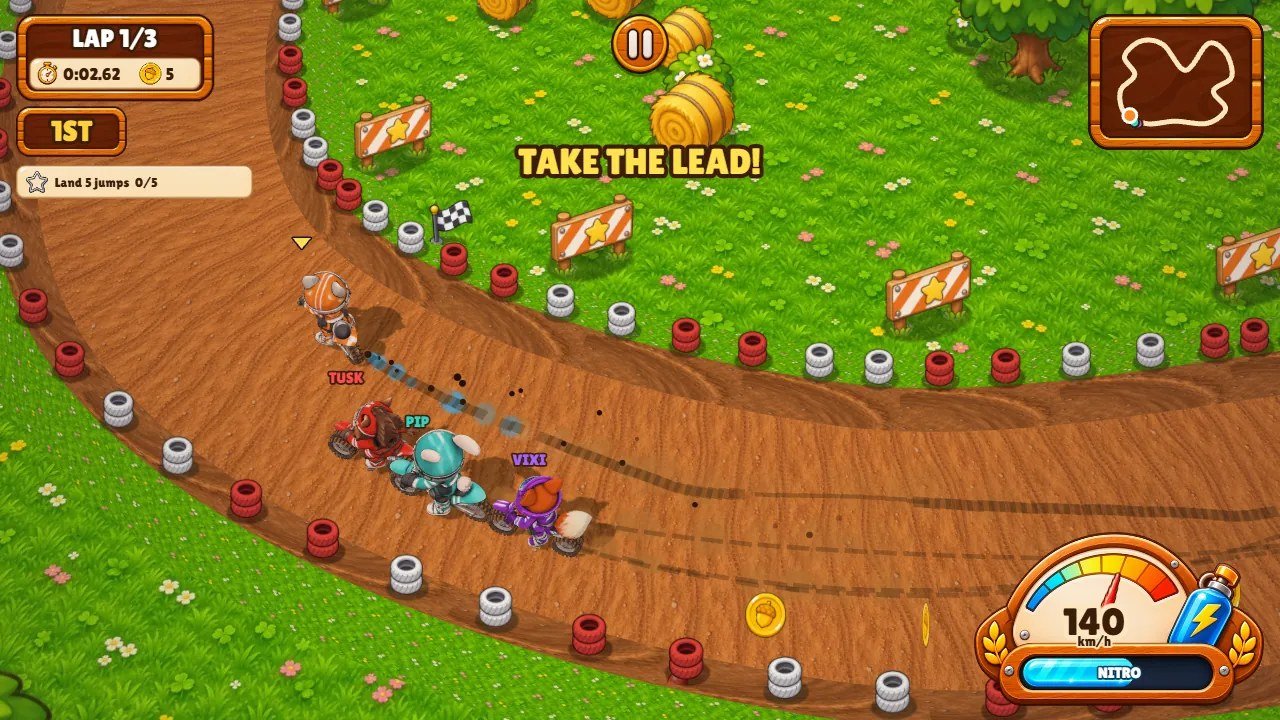
7 Files and folders
game/ is the ready-to-host game. source/ has the same editable files plus the
tests, a local preview server and the build command. Code comments are in English.
game/                upload these contents to your web host
  index.html         the page: screens, styles, touch buttons
  boot.js            entry point: loads the 3D view and the game code
  game-1.js ... game-4.js   the game code, loaded in this order
  tracks.js          tracks, themes, riders, upgrades, prizes (edit to reskin)
  i18n.js            interface texts in 14 languages
  world3d.js         the 3D view (Three.js)
  glb.js, nine.js    3D model reader, UI panel baker
  lib/               Three.js r185 (MIT)
  assets/            pictures, UI art, sounds and music
  models/            3D riders and wheel (.glb)
  fonts/             Lilita One (OFL)
source/              the same files + tools/, tests/, package.json
-
tracks.js: the data you edit to reskin the game: themes (ground, grass, colors, music), the 8 tracks (shape, laps, ramps, pads, mud, difficulty, prize, challenge), the 4 riders, the upgrades and the prizes. -
game-1.jstogame-4.js: the game code, four classic scripts loaded in this order byboot.js(settings and sound; the race simulation; the main loop and the HUD; the screens). The numbers that tune the driving are in theTobject at the top ofgame-1.js, the camera and effects inFEEL. -
world3d.js: the 3D view built with Three.js (track, scenery, bikes, camera, light and shadows).glb.jsreads the.glbriders;nine.jsdraws the stretchy panels without seams. i18n.js: every text of the interface in 14 languages.index.html: the page, every screen and all the styles.-
assets/: pictures, UI art (assets/ui/), scenery sprites (assets/v3/), sounds and music (assets/snd/).models/: the 3D riders on their bikes and the wheel. -
lib/: Three.js r185 (readable build).fonts/: Lilita One and its licenseOFL.txt.
8 Customizing
npm test if you use Node.js.
Tracks and themes
A track in tracks.js is a closed loop of control points (ctrl, in pixels); the
game draws a smooth curve through them. Change a point, a name, the number of laps, ramps, speed pads or mud
patches, the rival speed (rivals, 0.8 to 1) or the prize multiplier. The ramps and speed arrows
are placed automatically on the straightest stretches.
Run npm run check-tracks after editing a shape: no part of a loop may come closer than 340 px
to another part, or the berms would overlap. A theme sets the ground and grass textures, the berm and dust
colors, the grip and the music file.
Riders, upgrades and prizes
Each rider in tracks.js has a name, a price and three stats from 1 to 5 (speed, grip, air). The
upgrade prices are in upgrades and the acorns per place in economy.
The 3D riders are models/raccoon.glb, bunny.glb, boar.glb and
fox.glb; the garage pictures are assets/show-*.png and the faces
assets/ui/face-*.png. Replace a file with another of the same name and kind.
Pictures, sounds and music
Scenery sprites are PNG files in assets/v3/ drawn for the fixed camera angle; ground textures
are the .jpg files in assets/ (seamless squares). UI buttons and panels are in
assets/ui/. Keep the same file names, or update the names in the code.
Sound effects and the engine sounds are in assets/snd/ (MP3 and WAV); each theme plays
music-<theme>.mp3. The engine layers are recorded at several engine speeds and mixed by
the game.
Driving feel
The T object at the top of game-1.js holds the driving numbers: top speed,
acceleration, grip, drift, nitro, gravity of the jumps. FEEL holds the camera zoom, the screen
shake and the field of view. Change one number at a time and test a race.
9 Languages
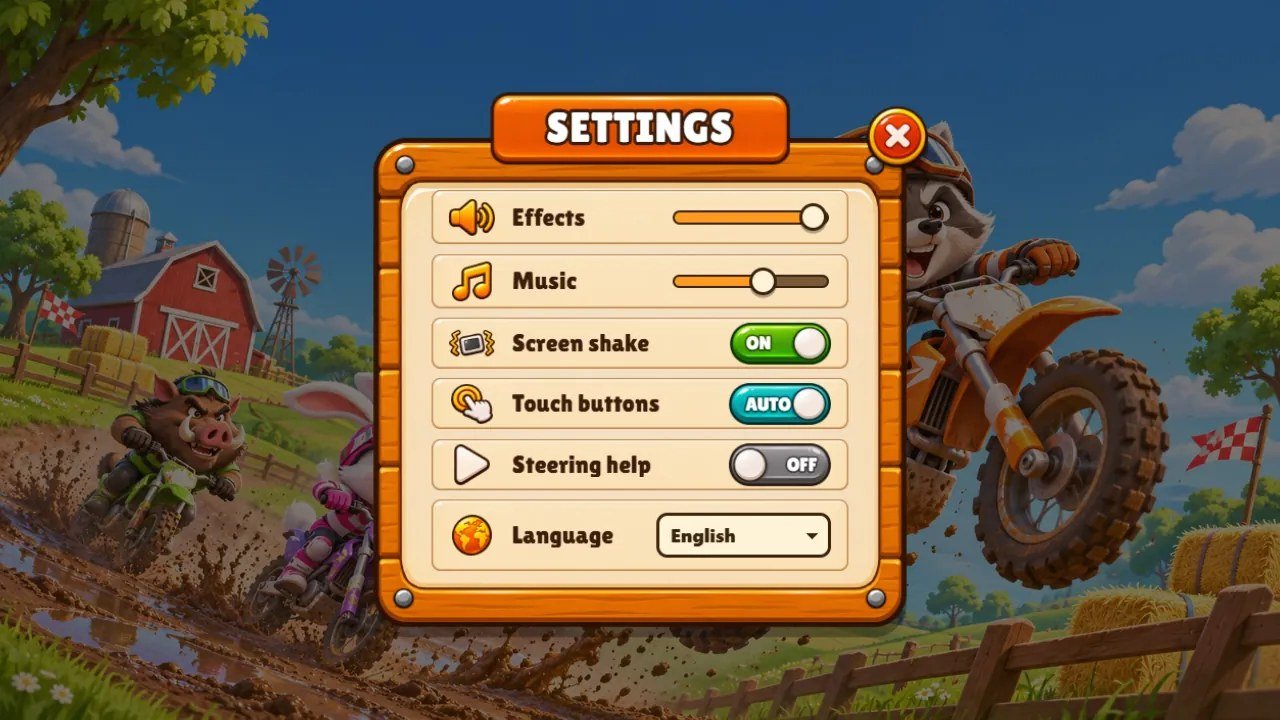
The game has 14 languages: English, Portuguese, Spanish, French, German, Italian, Dutch, Polish, Turkish, Russian, Indonesian, Japanese, Korean and Chinese. The first visit uses the browser language; the player can change it in the settings.
Every text is one row in i18n.js: the English text first, then the 13 translations in a fixed
order. To change a text, edit its row; to add a language, add its code to LANGS,
NAMES and LOCALE and one more entry at the end of every row.
npm test checks that every row has 14 texts and keeps the same {…} markers as
English. Russian, Japanese, Korean and Chinese use the fonts of the device.
10 Saving and resetting
- Progress (acorns, riders, upgrades, stars, medals, best times and settings) is saved automatically in the browser of each player (localStorage). Nothing is sent to a server.
-
One key is used, shown below. Change
KEYat the top ofgame-1.jsto give a copy of the game its own progress. - To start over in a browser: open the game, open the developer tools (F12), go to Application, Local Storage, select the site and delete the key, then reload.
critter-cross.template.save.v1
11 Development (optional)
This section is only for changing the code. The game/ folder already contains the finished
game, so installing it needs no Node.js. The game has no dependencies and no compile step.
Install Node.js 26.13.0 or newer from nodejs.org, open a terminal in the source/ folder and
run:
node --version
npm ci
npm test
npm run dev
npm run dev starts a local server; open http://localhost:5270/ to play. On your
own computer ?bot=1 lets a robot drive, and tools/test-robot.js and
tools/check-languages.js check tracks and texts in the browser console (instructions at the top
of each file).
When you are done, build the files to upload. npm run build copies the game into
source/dist/, which is identical to game/:
npm run build
12 Updating and clearing the cache
Clearing the cache without losing progress
Progress is stored in this browser, not on the server. Clearing cached images and files, or doing a hard reload, keeps your progress.
Computer: press Ctrl+F5 on Windows and Linux, or Cmd+Shift+R on macOS. Phone: in the browser settings, choose the option to clear cached images and files.
Do not choose cookies and site data, or clear site data, for the game's address. That deletes the local save.
13 Licences and credits
The game code, the artwork, the 3D models, the sound effects and the music were created for this project and are supplied under the license of the item you purchased.
Three.js r185 is used under the MIT License and the Lilita One font under the SIL Open Font License 1.1; the
complete license texts are in THIRD-PARTY-LICENSES/, in
game/lib/THREE-LICENSE.txt and in game/fonts/OFL.txt.
14 Common problems
-
Blank page or a game that never opens: the game was opened from the disk or a file is missing. Use a web
host and keep every file and folder of
game/next toindex.html. - The track is black or the game is very slow: the browser has WebGL switched off or hardware acceleration disabled. Turn it on in the browser settings or try another browser.
- No sound: browsers start audio only after the first click or tap. Check the effects and music volumes in the settings and the volume of the device.
- The old version still appears after an update: clear the cache (see the section above).
- A picture or model does not appear after you replace it: check the folder, the file name, the extension and the letter case against the original file.
15 FAQ
Does the game need a database or a server language?
Can I add a track?
tracks in tracks.js, give it a new id and
name, change the control points and run npm run check-tracks. The tests expect 8 tracks:
update that number in tests/tracks.test.mjs.
Can I add a 15th language?
LANGS, NAMES and LOCALE in
i18n.js and one more text at the end of every row. The tests expect 14 languages: update that
number in tests/i18n.test.mjs.
Does it work on phones?
Is there real money in the game?
16 Support
Questions or problems: write to willian@polargames.com.br with your purchase code, the browser
and a short description or screenshot.
Support request
When you write to support, include the browser and device, the game version, the page address, the steps that caused the problem, a screenshot and the first error shown in the browser console. Never send passwords, payment details or secret keys.